4
Connecting the Machine to the Power Supply
Before connecting the power cord, make sure the voltage and
frequency shown on the machine conform to your electrical power.
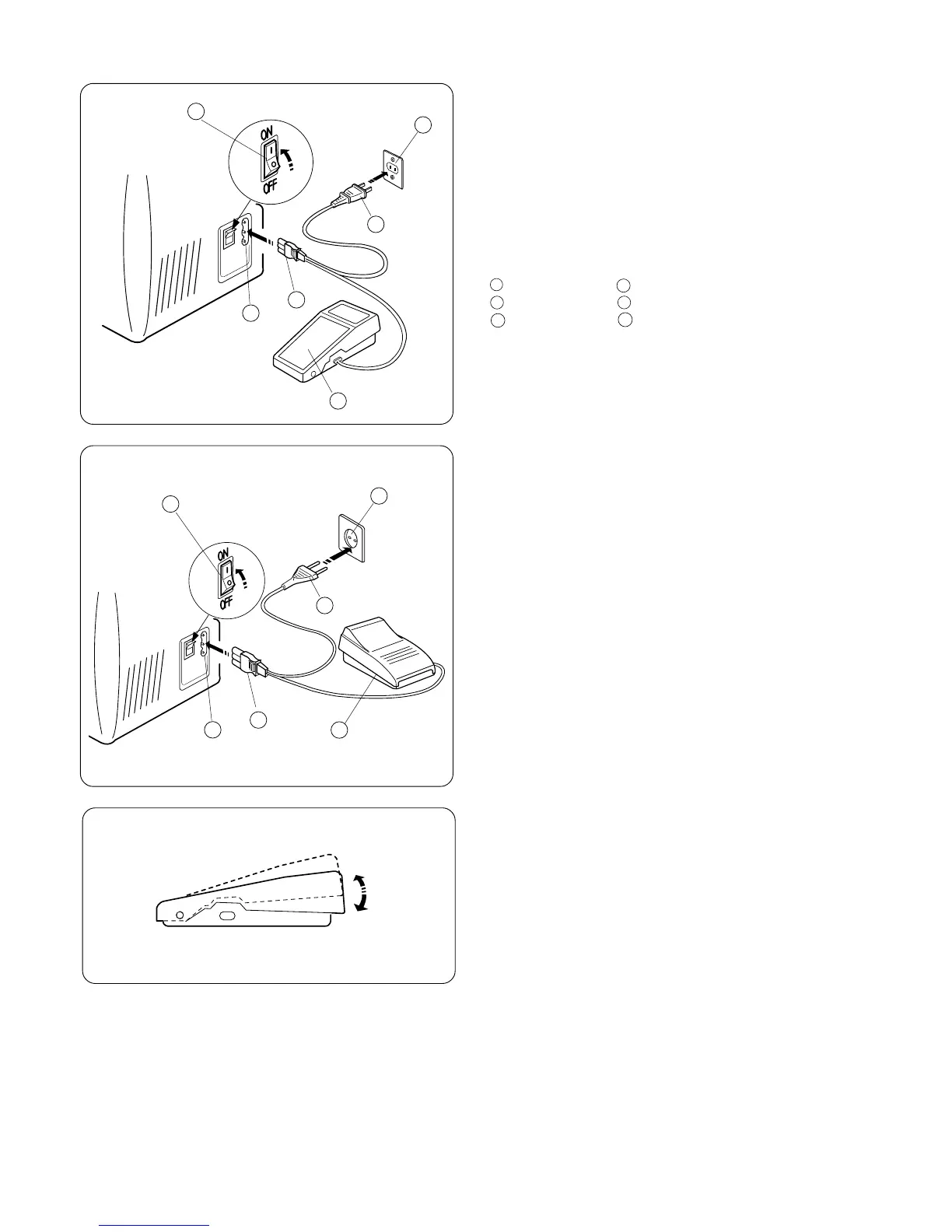
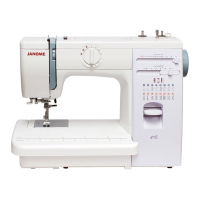
1. Turn off the power switch.
2. Insert the machine plug into the machine socket.
3. Insert the power supply plug into the outlet .
4. Turn on the power switch to turn on the power and sewing
light.
Foot control
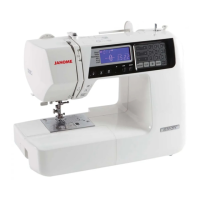
Sewing speed can be varied by the foot control.
The harder you press on the control, the faster the machine runs.
1
2
3
4
5
6
1
Power supply plug Power switch
Outlet Machine socket
Machine plug Foot control
2
3
4
5
6
Caution : Do not place anything on the foot contorol, otherwise
the machine will start advertently.
The symbol “0” on a switch indicates the “off” position of a switch.
For appliances with a polarized plug
(one blade wider than the other):
To reduce the risk of electric shock, this plug is intended to fit in
a polarized outlet only one way.
If the plug does not fit fully in the outlet, reverse the plug.
If it still does not fit, contact a qualified electrician to install the
proper outlet.
Do not modify the plug in any way.
Foot Control Model YC-482J or TJC-150 is used with Sewing
Machine Models 419S and 423S. (For U.S.A. market only)
Operating Instruction:
1
2
3
4
5
6


 To Next Page