EasyManua.ls Logo

Janome MB-4 - User Manual

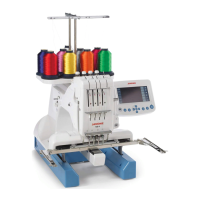
Janome MB-4
92 pages
Print Icon
To Next Page IconTo Next Page
Loading...
AAASewing.com
Janome MB-4
Instruction Manual
Janome MB4 Embroidery Machine Instruction Manual
MB-4 Embroidery Machine
www.aaasewing.com
MB4 Owners Manual/ User Guide

Table of Contents

Other manuals for Janome MB-4

Questions and Answers

  • M
    Matthew HernandezAug 17, 2025
    Why Janome MB-4 Sewing Machine needle thread breaks?
    • M
      Michael MedinaAug 17, 2025
      The needle thread may break due to several reasons: * The needle thread is not threaded properly. * The needle thread tension is too tight. * The needle is bent or blunt. * The needle is not inserted properly. * Stitch density is too dense; modify the pattern by using an embroidery software. * Poor quality threads are used; use high quality threads. * The bobbin thread is not threaded properly.
  • W
    wstokesAug 20, 2025
    What to do if my Janome MB-4 doesn't run?
    • T
      Tom MillerAug 20, 2025
      If your Janome sewing machine doesn't run, here are a few things to check: 1. Ensure the machine is plugged in correctly. 2. Check for jammed threads in the hook or around the take-up lever; remove any jamming threads. 3. If a confirmation or error message is displayed, turn the power off, then on again. 4. If the control system is not working correctly there is no solution mentioned.
  • D
    davislauraAug 22, 2025
    Why does my Janome Sewing Machine keep breaking needles?
    • H
      hmontgomeryAug 22, 2025
      Your Janome sewing machine needle might be breaking because: * The needle is not inserted properly. * The needle is bent or blunt. * The needle clamp screw is loose. * The needle thread tension is too tight. * Stitch density is too dense; modify the pattern by using embroidery software. * The needle thread is not threaded properly.
  • C
    Charles GriffithAug 25, 2025
    Why is my Janome MB-4 so noisy?
    • R
      Robert JohnsonAug 26, 2025
      Your Janome sewing machine might be noisy because: * Lint has accumulated in the hook. * The machine runs out of oil.
  • A
    Amy WalkerAug 27, 2025
    What to do if my Janome MB-4 does not run?
    • O
      Olivia JohnsonAug 27, 2025
      If your Janome Sewing Machine doesn't run, remove any jamming threads, then turn the power off and on again. You may need to follow the message displayed on the screen to turn it off first.
  • A
    Amy WileyAug 30, 2025
    What to do if the bobbin thread breaks on my Janome Sewing Machine?
    • C
      Christina DunnAug 30, 2025
      If the bobbin thread breaks, try replacing the bobbin or bobbin case.
  • B
    Bridget MitchellSep 1, 2025
    What causes skipped stitches on a Janome MB-4 Sewing Machine?
    • E
      Elizabeth DavidsonSep 1, 2025
      Skipped stitches on your Janome sewing machine can occur if: * The needle is not inserted properly. * The needle is bent or blunt. * The needle thread is not threaded properly. * The fabric is not stretched tight enough in the hoop.
  • T
    Tracy SuttonSep 4, 2025
    Why does the bobbin thread break on my Janome MB-4 Sewing Machine?
    • L
      Laura PerezSep 4, 2025
      The bobbin thread may break due to these reasons: * The bobbin thread is not threaded properly. * Lint has accumulated in the hook. * The bobbin is not inserted into the bobbin case properly. * The bobbin or bobbin case has a scratch or nick; replace the bobbin or bobbin case.
  • W
    wattspamelaSep 6, 2025
    Why does the thread form loops on my Janome Sewing Machine?
    • W
      Walter NewtonSep 6, 2025
      Thread looping can occur if you are not using high-quality thread. Try using a better quality thread.
  • P
    Patrick MartinSep 9, 2025
    What to do if embroidery pattern is distorted on Janome MB-4?
    • D
      Danielle WatsonSep 9, 2025
      If the embroidery pattern is distorted or not aligned, cut off and remove any tangled threads.

Summary

Important Safety Instructions

Grounding Instructions

Setting Up the Machine

Installing the Machine

Place the machine on a flat and stable surface to withstand its weight and vibration.

Adjusting the Feet

Adjust the feet to ensure the machine sits firmly and stably on the surface.

Names of Parts

Identification of the main components and parts of the embroidery machine.

Sub Control Panel

Details the buttons and display of the machine's main control panel.

RCS Unit (Optional Item)

Identifies and illustrates the components of the optional RCS unit.

Standard Accessories

List and illustration of the standard accessories included with the machine.

Assembling the Spool Stand

Step-by-step instructions for assembling the spool stand.

Setting Thread Cones or Spools

Instructions for placing thread cones or spools onto the spool pins.

Installing the Hoop Supporter

Instructions for attaching the hoop supporter to the machine carriage.

Installing the RCS Unit

Steps for connecting and positioning the optional RCS unit.

Connecting the Power Supply

Procedure for connecting the machine to a power source safely.

Direct PC-Link

Connecting the Machine and PC

Guide for establishing a PC connection to the embroidery machine using a USB cable.

Embroidery Materials

Threads

Recommended thread types and qualities for embroidery.

Needles

Specifies the type and part number of needles to be used.

Stabilizers

Explains the importance and types of stabilizers for embroidery.

Basic Operation

Winding the Bobbin

Step-by-step guide for winding a bobbin with thread.

Removing and Inserting the Bobbin Case

Instructions for removing and inserting the bobbin case and bobbin.

Inserting the Bobbin Case

Procedure for placing the bobbin case into the hook assembly.

Threading the Needle

Detailed guide for threading the machine's needles.

Threading with Needle Threader

Instructions for using the automatic needle threader.

Setting Fabric in Embroidery Hoop

How to properly place and secure fabric within an embroidery hoop.

Setting the Embroidery Hoop

Steps to attach the embroidery hoop onto the machine's hoop supporter.

Adjusting Hoop Supporter for Optional Hoops

How to adjust the hoop supporter for non-standard hoops.

Basic Operation with Sub Control Panel

Machine Operating Buttons

Explains the primary buttons on the sub control panel for starting, stopping, and trimming.

Function Buttons

Details the functions of buttons like MODE, ENTER, ARROW, and TRACE on the control panel.

LCD Screen Overview

Explains the information displayed on the machine's LCD screen.

Machine Settings

How to adjust settings like stitch count, color section, and needle bar.

Selecting Embroidery Patterns

Guide to selecting embroidery patterns from memory or external sources.

Starting to Embroider

Steps to begin the embroidery process, including pattern tracing and needle drop check.

Removing the Hoop

Instructions for safely removing the embroidery hoop from the machine.

Adjusting Thread Tension

Guides for adjusting needle and bobbin thread tension for optimal stitching.

Replacing the Needle

Steps for safely removing and installing new needles.

Optional RCS Unit Operation

Machine Operating Buttons

Explains the function of each button on the optional RCS unit.

Function Keys

Details the purpose of keys like MENU, SET, HELP, PAGE, ARROW, EXIT, OK, and CIRCLE keys.

On-screen Help Movie

How to access and use the on-screen help movies for operational guidance.

Disconnecting the RCS Unit

Procedure for safely disconnecting the RCS unit from the machine.

Advanced Operation with Optional RCS Unit

Selecting Embroidery Patterns

How to navigate and choose embroidery patterns using the RCS unit.

Selecting Built-in Designs

Guide to selecting embroidery designs categorized by hoop size.

Manual Color Assignment

Steps to manually assign thread colors to needle bars for multi-color designs.

Monogramming

Overview of the monogramming feature and its different pages.

Monogramming Functions

Details on font selection, orientation, size, and case for monograms.

Entering and Saving Monograms

How to input characters for monograms and save them as data files.

Correcting Text

Instructions for deleting or inserting characters in monograms.

Monogram Placement

Options for aligning monogram text (left, center, right justify).

Multi-color Monogramming

How to assign different thread colors to characters in a monogram.

Editing Embroidery Patterns

Editing Overview

Introduction to modifying and combining embroidery patterns and monograms.

Editing Functions

Details various editing operations like selecting hoops and patterns.

Moving, Resizing, and Rotating Patterns

Instructions for repositioning, scaling, and rotating patterns in the editor.

Deleting and Saving Files

Procedures for removing patterns and saving edited designs as files.

Duplicating and Flipping Patterns

How to copy and flip patterns horizontally within the editing screen.

Monogramming in an Arc

How to arrange monograms in upper or lower arc shapes.

Customizing Color Settings

How to change background and pattern colors to match fabric and threads.

Combining Patterns and Lettering

Steps to merge multiple patterns and lettering into a single design.

Zooming Editing Window

Instructions for zooming in and out of the editing screen.

Starting to Embroider

Pattern Selection and Tracing

Steps to select a pattern, trace its outline, and check hoop positioning.

Sub Control Panel Settings

Buzzer Sound Control

Adjusts the loudness or mutes the machine's buzzer.

Eco Mode Setting

Configures power-saving features like screen dimming.

Machine ID Number

Assigns a unique ID to each machine for PC connectivity.

Memory Formatting

Resets the machine's internal memory by formatting it.

Resetting All to Defaults

Resets all machine settings to their original factory defaults.

Maximum Sewing Speed

Sets the embroidery speed from 400 to 800 spm.

Thread Selection

Selects the brand and type of embroidery thread being used.

Reminder Message ON;OFF

Controls whether a reminder message appears after pressing START/STOP.

Ignoring Short Stitches

Prevents thread breakage by skipping very short stitches.

Trim Tail Length Setting

Adjusts the length of thread trimmed by the automatic cutter.

Thread Breakage Sensor Setting

Adjusts the sensitivity of the thread breakage detection system.

Jump Thread Trimming Control

Enables or disables automatic trimming of jump threads.

Jump Thread Trimming Thresholds

Sets jump code count or minimum length for automatic thread trimming.

Thread Trimming Position

Adjusts the needle drop position for accurate thread trimming.

Resume Mode ON;OFF

Enables resuming embroidery from the last stitch after power interruption.

Locking Stitch Control

Adds locking stitches after color change or thread trimming to prevent raveling.

mm;inch Option

Selects the unit of measurement (mm or inches) for screen displays.

Hoop Position Adjustment

Allows adjustment of hoop position during embroidery for multi-layer designs.

RCS Unit Settings Customization

LCD Brightness Adjustment

Adjusts the brightness of the RCS unit's LCD screen.

Buzzer Sound Control

Adjusts the loudness of the buzzer on the RCS unit.

Inch;mm Option

Selects the unit of measurement for the RCS unit display.

Resume Mode ON;OFF

Enables resuming embroidery from the last stitch after power interruption.

Eco Mode Setting

Configures power-saving features like screen dimming.

Screen Saver Activation

Activates a screen saver to display instead of the eco mode.

Touch Screen Calibration

Calibrates the touch screen for accurate response.

Machine ID and Name

Assigns a unique ID and name to the machine for PC connectivity.

Memory Management

Formatting the Memory

Resets the machine's internal memory by formatting it.

Resetting All to Defaults

Resets all machine settings to their original factory defaults.

Editing Screen Customization

Grid Size Adjustment

Adjusts the grid display size in the editing screen.

Maximum Sewing Speed

Sets the embroidery speed from 400 to 800 spm.

Hoop Selection for Monogramming

Selects the default hoop for monogramming from available options.

Thread Trimming Position

Adjusts the needle drop position for accurate thread trimming.

Thread and Screen Options

Selecting Thread Brand

Selects the brand and type of embroidery thread.

Screen Color Options

Changes the color of the screen background and key icons.

Stitch and Thread Settings

Reminder Message ON;OFF

Controls whether a reminder message appears after pressing START/STOP.

Reserving Color for Needle Bar

Reserves specific thread colors for needle bars in multi-color designs.

Ignoring Short Stitches

Prevents thread breakage by skipping very short stitches.

Thread Trimming and Stitch Settings

Trim Tail Length Setting

Adjusts the length of thread trimmed by the automatic cutter.

Thread Breakage Sensor Setting

Adjusts the sensitivity of the thread breakage detection system.

Locking Stitch Control

Adds locking stitches after color change or thread trimming to prevent raveling.

Jump Thread Trimming Settings

Jump Thread Trimming ON;OFF

Enables or disables automatic trimming of jump threads.

Jump Thread Trimming Thresholds

Sets jump code count or minimum length for automatic thread trimming.

Embroidery Position and Language

Hoop Position Adjustment

Allows adjustment of hoop position during embroidery for multi-layer designs.

Language Selection

Selects the display language for screen messages.

File Management

Saving Pattern as a File

Procedure for saving embroidery patterns as data files.

Creating a New Folder

Steps to create a new folder for organizing embroidery files.

Opening a File

How to open embroidery data files from various storage locations.

Deleting Folders and Files

Procedures for removing unnecessary folders and embroidery files.

Optional Items

PC Design Cards

Information on using PC Design cards with the RCS unit.

USB Memory Usage

Information on using USB memory devices for file storage and transfer.

CD-ROM Drive Usage

Information on using a CD-ROM drive for accessing embroidery patterns.

Care and Maintenance

Cleaning the Hook

Instructions for cleaning the hook area of the machine.

Cleaning the Bobbin Case

Steps for cleaning the bobbin case.

Cleaning Tension Leaves and Disks

How to clean lint and wax from the thread tension components.

Cleaning Auto Thread Cutter Mechanism

Detailed steps for cleaning the automatic thread cutting mechanism.

Oiling Procedures

Instructions for oiling the machine's needle bars, hook race, and other points.

Error Messages and Troubleshooting

Error Messages

Lists common error codes, their descriptions, and remedies.

Audible Signals

Explains the meaning of different buzzer sounds.

Troubleshooting Guide

Lists common problems, their causes, and corresponding reference pages for solutions.

Janome MB-4 Specifications

General IconGeneral
TypeEmbroidery machine
Number of Needles4
USB PortYes
LCD ScreenYes
MemoryYes
ConnectivityUSB
Automatic Thread CutterYes
DisplayLCD

Related product manuals