53
Edit
1
5
9
2
6
10
3
7
11
4
8
12
Edit
Press Corresponding Function Button.
Edit
Edit
Combining the Patterns and Lettering
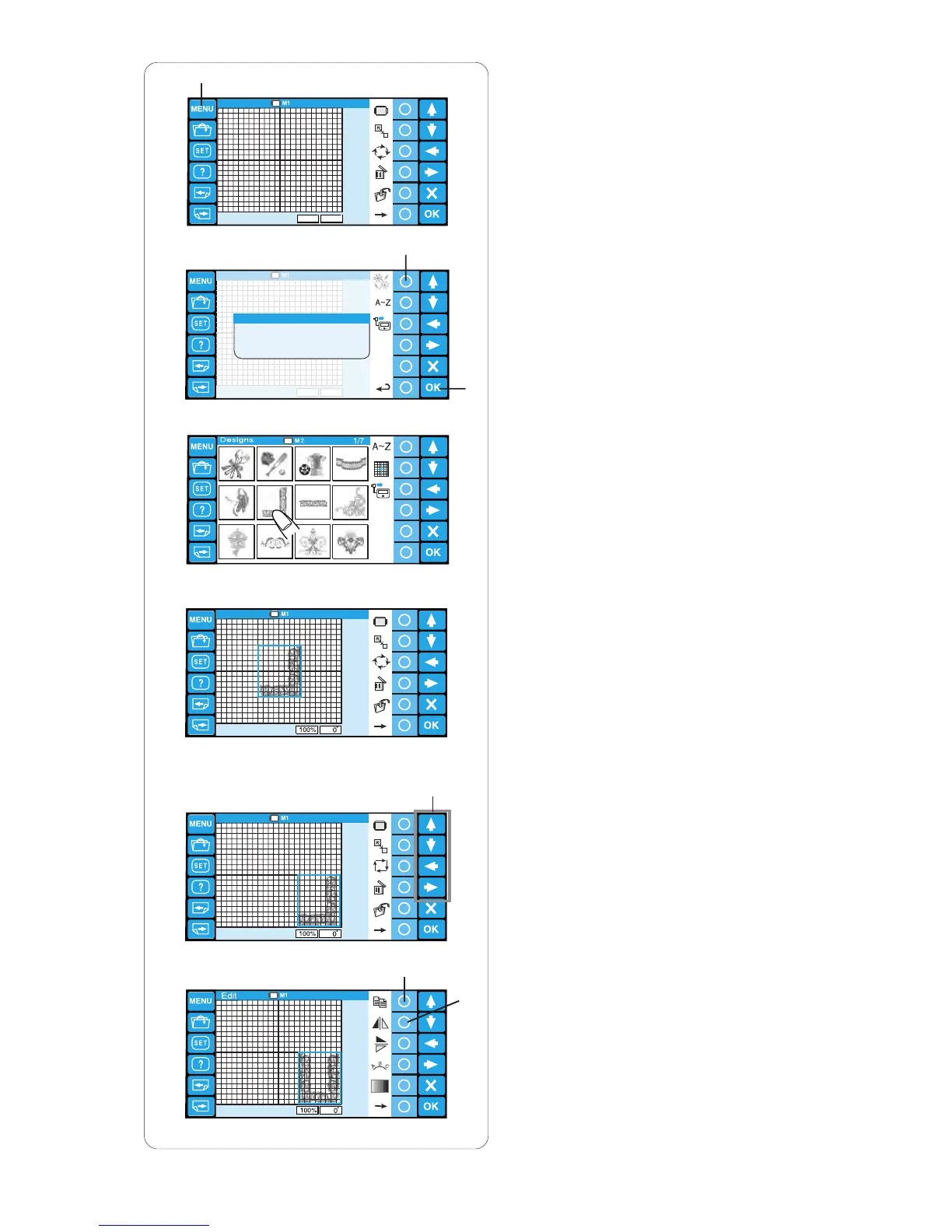
z Press the MENU key.
q MENU key
x Press the circle key next to the built-in pattern
icon.
w Circle key (built-in)
e OK key
c The pattern selection window will open.
Select pattern #6.
v The editing window will open and the stitch image
of the selected pattern will appear.
b Move the pattern to the right bottom corner of the
editing screen by using the arrow keys or by
dragging it with your fingertip.
r Arrow keys
n Make a duplicate of the pattern by pressing the
circle key next to the copy icon.
Flip the duplicated pattern horizontally by pressing
the circle key next to the flip horizontal icon.
t Circle key (copy)
y Circle key (flip horizontal)
y
q
e
w
r
t
n
z
x
c
v
b


 To Next Page