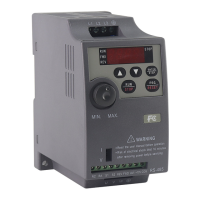
23
4
F50.0
H50.0
DISP
Short
press
Changemonitor
parameterdisplay
Short
press
Changemonitor
parameterdisplay
A5.0
FRD
REV
1420
Changethe
setting
frequency
Changethe
setting
frequency
Changethe
setting
frequency
Changethe
setting
frequency
Change
thesetting
frequency
Change
operation
direction
Note:Thereversalstatuscannot
besetwhenreversalprohibitionisset.
Short
press
enter
parameter
group
Short
press
return to
monitor
parameter
display
P000
DISP
Shortpress
DISP
Quicklychangethedigitalshift
numberofparametergroupsincreasesordecreases
000.0
Shortpress
DISP
Quicklychangethedigitalshift
Settheparametersofthedigitalincreaseanddecrease
P001
DISP
longpress
contentsofthestoragesettingparametersare
automaticallyswitchedtothenextadjacentparametergroup
Itisconsistentwiththemethodforsettingtheparametergroupinthe
previousgroup
Short
press
Returnto
theoriginal
parameter
group
DISP
long
press
Enterthe
setting
parameter
content
Returnmonitor
parameterdisplay
Short
press
Thefaultcodeofthefrequencyconverterappears,afterthetroubleshootingfactorisexcluded,
thefaultcodeisclearedbylongpresstoreturntothenormalentrancedisplay
Poweron
theentrance
Parametergroupsettingphaserun/stopinvalid
Changemonitor
parameterdisplay
Short
press
DISP
Changemonitor
parameterdisplay
Short
press
DISP
4.2 Detailed way for how to use keypad
Chapter 4 Digital Keypad Operation
FC100 Series User Manaul



 To Next Page
 Loading...