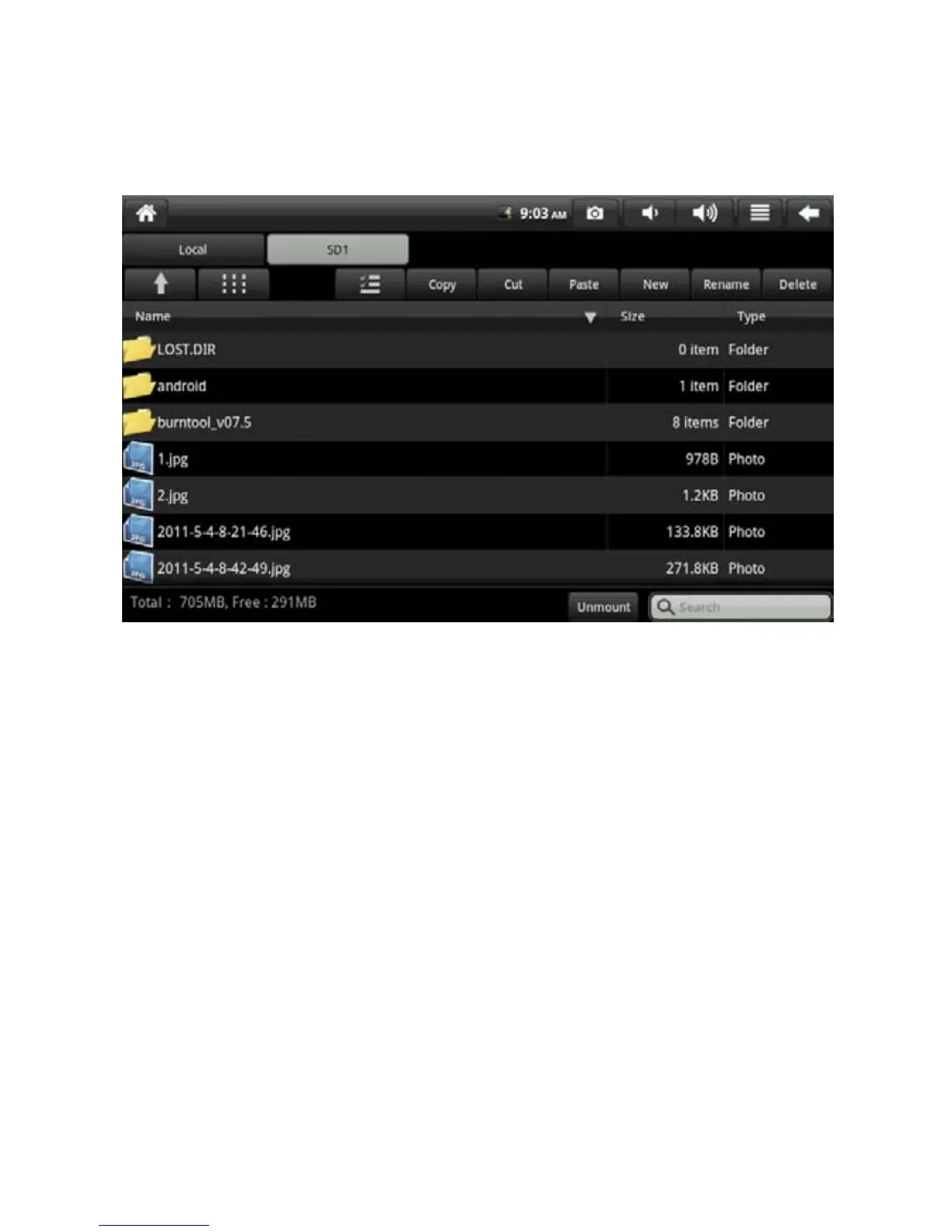
7.2 File Browse
Click icon My Pad to enter file browse interface.
Move, copy, rename and delete files according to menu icon.
File installation
If you want to install and use the file browser, click the installation file with
extension name .APK to pop out the installation prompt window. Select
installation and the software are installed to equipment.
7.3 Play Video and Audio Files
Click the corresponding icon to enter the player (As there are many types of
player, the illustration may differ),
The video and audio player can load the files automatically. Select the
corresponding video and audio file to play.
You can also click My Pad and select the video and audio file. It shows as
the following. Select the first type of player and click to enter the interface as
the figure below.
18


 To Next Page