10. Troubleshooting
10.1 Close Application Program
As the opened program occupies some memory of the equipment, more
activated programs will affect the operation performance of the device.
Therefore, the unused program should be closed in time to reduce memory
use so that the equipment operates normally.
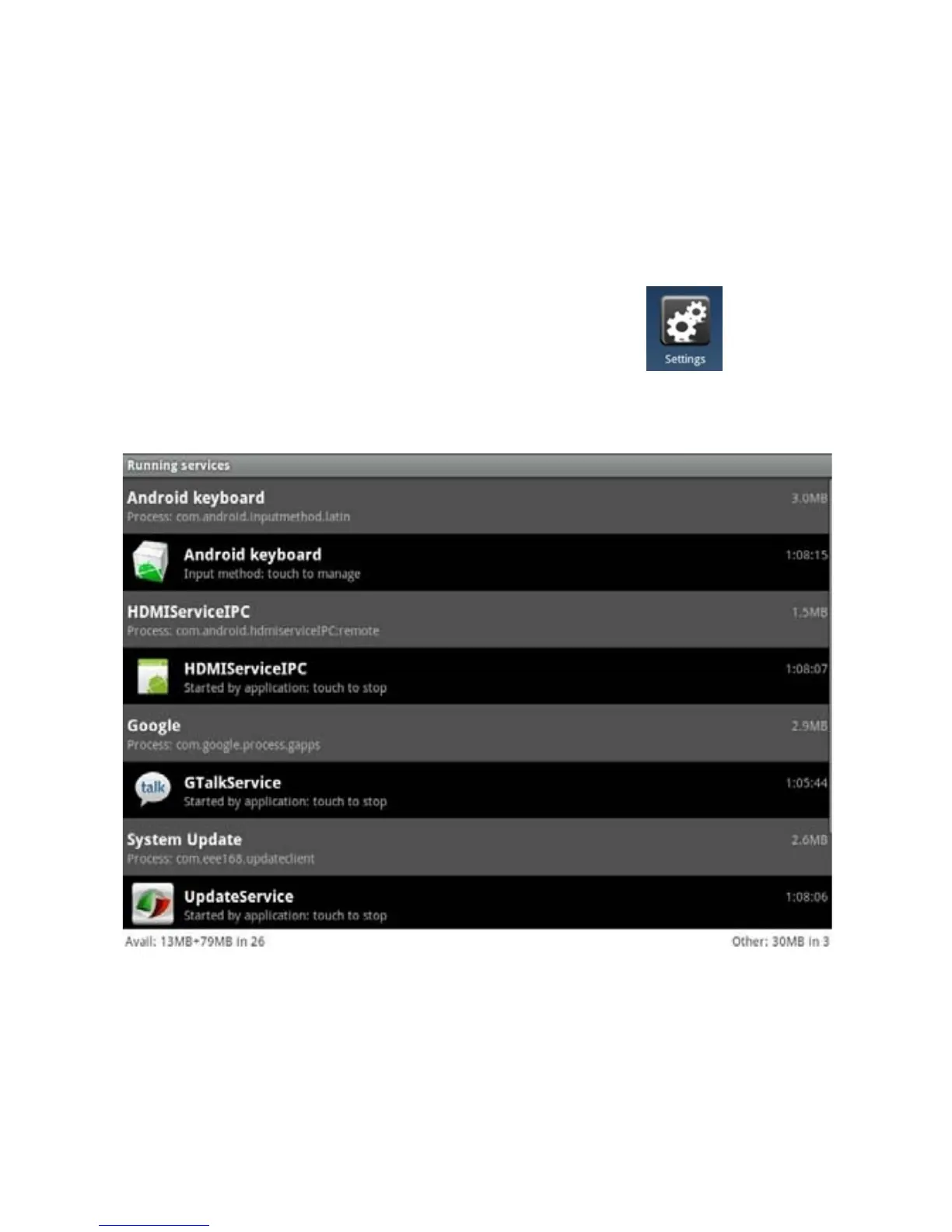
To close application program, please click the icon on desktop
shortcut bar to enter the system setting interface and select Application
Program > Running Service. The interface is as the following:
Click the application program to be closed, the “window whether to stop
service” pops out and click stop. The application program will be closed and
disappear in the list.
27


 To Next Page