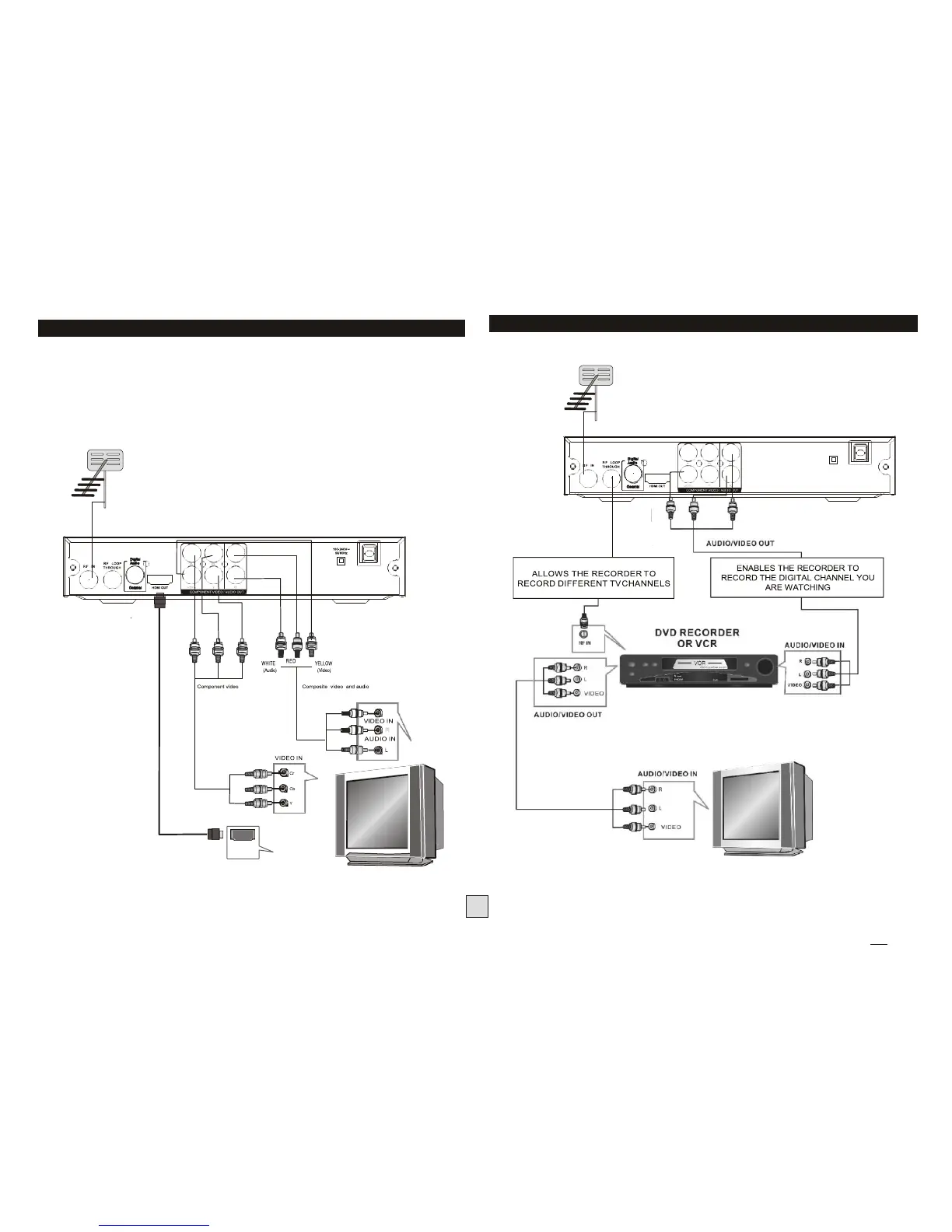
Connecting to a Television
For a basic connection from this Set Top Box to your television, use the
Composite video connection outlined below.
For a higher quality connection, use the Component Video connection
outlined below combined with the L/R Audio outputs.
For the highest quality connection use a direct HDMI connection, see below.
TV Antenna
Connecting to a DVD Recorder or VCR
TV Antenna
NOTE: HDMI does not normally require setup. It just
“works”. If you don’t have an HDMI cable, you can use
the supplied red-yellow-white cable in the meantime.



 To Next Page