PAIRING / CONNECTING
29
KO
EN
WHAT IS PAIRING?
Bluetooth devices need to be “paired” with each other before-
hand. One Bluetooth devices are paired, there is no need for pair-
ing again, except in the following cases:
· Pairing information is deleted after repair, etc.
· This unit is paired with 8 or more devices. The unit can be paired with up
to 8 devices; if a new device is paired after 8 devices have been paired,
the device whose latest connection time is the oldest among the 8 paired
devices is replaced by the new one.
· When recognition of the unit by the device to be connected is deleted.
CONNECTING TO A BLUETOOTH DEVICE
Please make sure your mobile phone is Bluetooth-enabled.
Specific pairing steps may vary with different models of mobile
phones. Please refer to your mobile phone’s user’s manual for
further information. The general pairing steps are as follows
1. Keep CLUSTER TALK2 & Bluetooth mobile phone within 1 meter when
pairing
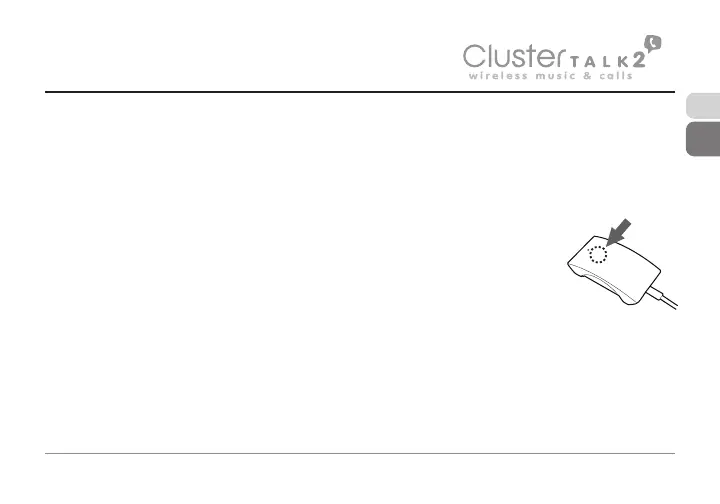
2. Enter CLUSTER TALK2 pairing mode (please refer to “Turning on/off CLUS-
TER TALK2)
3. Activate your mobile phone’s Bluetooth function and set your mobile phone
to search for Bluetooth device within range, and select “CLUSTER TALK2”
from the list of devices shown
4. According to the indication, enter pass-
word or PIN No.: “0000”
5. If prompted by your mobile phone to
connect, select “Yes” (This will vary among
mobile phone models)
6. After successful connecting, blue LED
will flash twice every 3 seconds.
Remark : If pairing is failed, please turn off CLUSTER TALK2 first and then
try re-pairing according to the step 1-6 mentioned above.
After successful pairing, CLUSTER TALK2 and the Bluetooth mobile
phone will remember each other, CLUSTER TALK2 will not need to re-pair
with the Bluetooth mobile phone next time unless the pairing information
is deleted because of a new pairing.


 To Next Page