LISTENING TO MUSIC
32
MUSIC PLAYBACK
CLUSTER TALK2 can not only connect to Bluetooth device to
play music.
CONNECTING TO A BLUETOOTH DEVICE
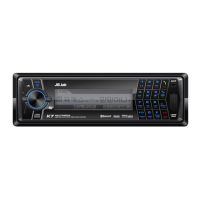
1. Adjust the audio input of car audio system to AUX.
2. Connect CLUSTER TALK2 to a Bluetooth mobile phone and play music on
the phone, at this time, you can listen to music from the car audio system.
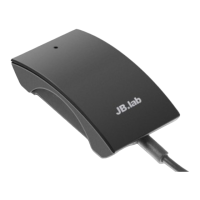
3. Pause/play : Short press button once, the music will pause, short press
button once again, the music will play.
Remark : The sound of CLUSTER TALK2(phone call, navigator system,
movie, game etc.) could be delayed than connected device because of
feature of wireless bluetooth technology.
CONTROLLING THE AUDIO DEVICE – AVRCP
If the Bluetooth audio device connected with this unit supports
AVRCP (Audio Video Remote Control Profile), you can control by
using the unit buttons. Refer to the operating instructions sup-
plied with the Bluetooth device on how to operate it.
Remark : Operation of the Bluetooth connecting device by this unit will
vary depending on its specification.
FUNCTION
PAIRING
DEL PAIR LIST
RECONNECT
PLAY/PAUSE
NEXT SONG
PREV SONG
OPERATION
Press and hold Button for about 3 second
Press and hold Button for about 5 second
Short press Button once
Short press Button once
Double click Button (only for streaming playback)
Press and hold Button for about 1 seconds
KO
EN


 To Next Page