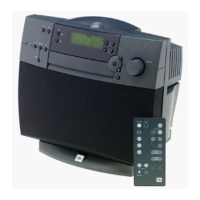
TO EXPOSE AND SERVICE THE DVD600 POWER SUPPLY – DISASSEMBLY
PROCEDURE
1) Remove the top cover
2) Remove the (4) screws holding the plastic chassis to the bottom.
3) Pull the cables from the plastic chassis.
4) Pull connectors in back of the front escutcheon
5) Remove the (2) screws on bottom front, holding the front metal chassis to the bottom cover.
6) Tilt entire front panel and chassis up in back, down in front.
7) Reach under mechanism, find hole for gear set.
8) Turn gears to open the drawer.
9) Remove front door.
10) Pull entire plastic chassis up in back and out of the unit.
11) Power supply is now exposed.
DVD600



 To Next Page