QUICKSTART GUIDE
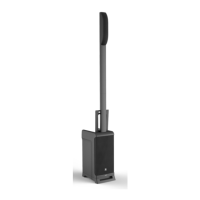
BLUETOOTH AUDIO | ONE HAND CARRY | LEGENDARY JBL SOUND
This device supports Bluetooth audio streaming.
To connect your device:
1. Turn on Bluetooth on your source device.
2. Press the BLUETOOTH PAIR BUTTON (M).
3. Find JBL EON ONE on your device and select.
4. The BLUETOOTH LED (K) will change from blinking to solid state.
5. Enjoy your audio!
BLUETOOTH AUDIO STREAMING
LISTENING CONFIGURATIONS
Speaker Only 1 Spacer 2 Spacers
1 2
3



 To Next Page