Need help?
Do you have a question about the JBL Eon206P and is the answer not in the manual?
Provides safety guidelines for mounting the EON 206P speakers on stands or poles to prevent tip-overs and hazards.
Warns about the risk of permanent hearing damage from prolonged exposure to high sound pressure levels (SPL).
Details compliance with FCC rules, including conditions for operation and potential interference issues.
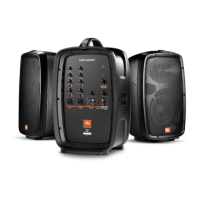
Guides users through unpacking, setting up, and connecting the EON 206P PA system components.
Describes the mono and stereo audio input channels, their types (XLR, 1/4", RCA), and associated controls on the mixer.
Details the left/right speaker outputs and monitor outputs for routing audio signals to other destinations.
Explains the main volume control and the function of the yellow Limit LED indicator.
Outlines who is protected by the warranty, what is covered, and exclusions for material and workmanship defects.
Provides instructions on how to get warranty service, including contact information and shipping responsibilities.

 To Next Page
 General