EasyManua.ls Logo

JBL MS-BassPro SQ - User Manual

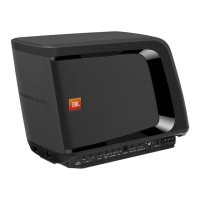
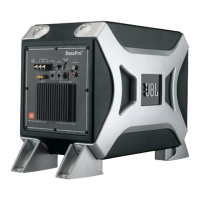
JBL MS-BassPro SQ
10 pages
Print Icon
To Next Page IconTo Next Page
Loading...
OWNER’S MANUAL
MS-BassPro SQ
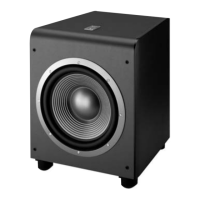
powered automotive subwoofer
Question and Answer IconNeed help?

Do you have a question about the JBL MS-BassPro SQ and is the answer not in the manual?

Summary

Installing the Subwoofer

Installation Warnings and Tips

Key safety and general advice for installation.

Mounting the Subwoofer

Guidance on choosing a suitable location for mounting.

Connections

Audio Sense Switch

Explains the automatic turn-on feature and its switch.

Connecting to Vehicle Audio System

Details connecting the subwoofer to the car's audio system.

Connecting via Line-Level Subwoofer Output

Describes connecting via line-level subwoofer output.

Connecting via Speaker-Level Outputs

Explains connecting via speaker-level outputs using adapters.

Connecting the Power and Ground

Using the Subwoofer

Controls and Functions Overview

Overview of the subwoofer's control panel features and indicators.

Input Level Switch & Control

Explains the function and setting of the Input Level switch and control.

Power;Protect Indicator

Explains the power and protection status indicator light.

Phase Switch

Describes the function of the phase inversion switch.

Bass Boost Control

Explains how to adjust the bass boost level.

Audio Sense Switch

Explains the audio sensing turn-on switch.

Setting the Controls

Troubleshooting

Specifications

Summary

Installing the Subwoofer

Installation Warnings and Tips

Key safety and general advice for installation.

Mounting the Subwoofer

Guidance on choosing a suitable location for mounting.

Connections

Audio Sense Switch

Explains the automatic turn-on feature and its switch.

Connecting to Vehicle Audio System

Details connecting the subwoofer to the car's audio system.

Connecting via Line-Level Subwoofer Output

Describes connecting via line-level subwoofer output.

Connecting via Speaker-Level Outputs

Explains connecting via speaker-level outputs using adapters.

Connecting the Power and Ground

Using the Subwoofer

Controls and Functions Overview

Overview of the subwoofer's control panel features and indicators.

Input Level Switch & Control

Explains the function and setting of the Input Level switch and control.

Power;Protect Indicator

Explains the power and protection status indicator light.

Phase Switch

Describes the function of the phase inversion switch.

Bass Boost Control

Explains how to adjust the bass boost level.

Audio Sense Switch

Explains the audio sensing turn-on switch.

Setting the Controls

Troubleshooting

Specifications

JBL MS-BassPro SQ Specifications

General IconGeneral
Woofer Size8 inches
Phase Switch0° / 180°
TypePowered subwoofer
Low-Pass Crossover Frequency50Hz – 150Hz
Bass Boost0 dB - 12 dB
InputsRCA line-level inputs
Weight5.2 kg

Related product manuals