Reset and Firmware Upgrade Procedure
How to Reset/Factory restore?
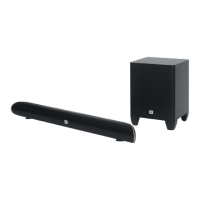
Step1: Soundbar connect the power enter standby mode.
Step2: press and hold the “Power“ & "Source" buttons on the
soundbar at the same time.
Step3: waiting for 2~3 seconds, the Soundbar indicator will flash
and all the setting has being reset.
Step4: After reset action the soundbar will back to standby mode.
How to upgrade the firmware?
Step1: copy the upgrade file "jl_690x.bfu" to the root of USB disk.
Step2: Soundbar connect the power and set to the standby mode,
and insert the USB disk to the set.
Step3: press and hold the “Power“ & "Source" buttons on the
soundbar at the same time, the red led will flash 2 times
and then all the LED will light up for a while, indicates the
system is in upgrade procedure, please don’t remove the
power supply or do any operations.
Step4: Waiting for only the POWER (red) LED light up, it indicates
the upgrade procedure is success.
Step5:Then pull out the USB disk.
10-1



 To Next Page