Getting Started JBL
1-6
REMOTE CONTROL BATTERY INSTALLATION AND REPLACEMENT
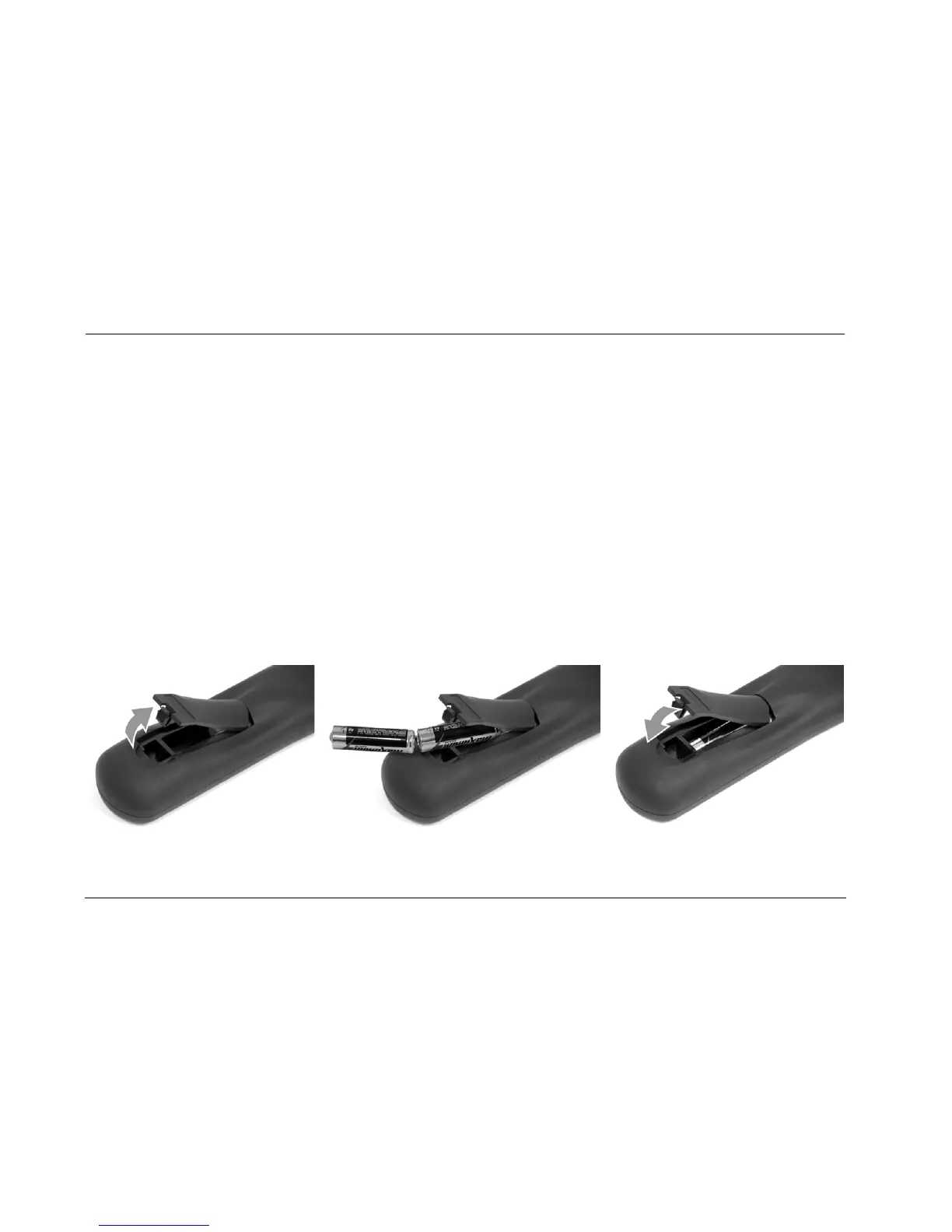
The remote control requires two AA batteries (included).
To install the remote control batteries:
1. Locate the battery compartment on the back of the remote control. Press the tab and lift the cover away from the remote control.
2. Observing the proper polarity, insert two AA batteries.
3. Align the cover over the battery compartment and gently press down until it snaps back into place.
The batteries should be replaced as needed. Alkaline batteries, which last longer without leaking, are recommended. When battery power is
low, the remote control enters a low-voltage condition, preventing it from operating the SDP-40HD. When this occurs, replace the batteries.
Normal operation will resume when new batteries are installed.
To replace the remote control batteries, remove the old batteries and install new ones following steps above.


 To Next Page