Basic Operation JBL
2-18
HORIZONTAL BAR GRAPHS
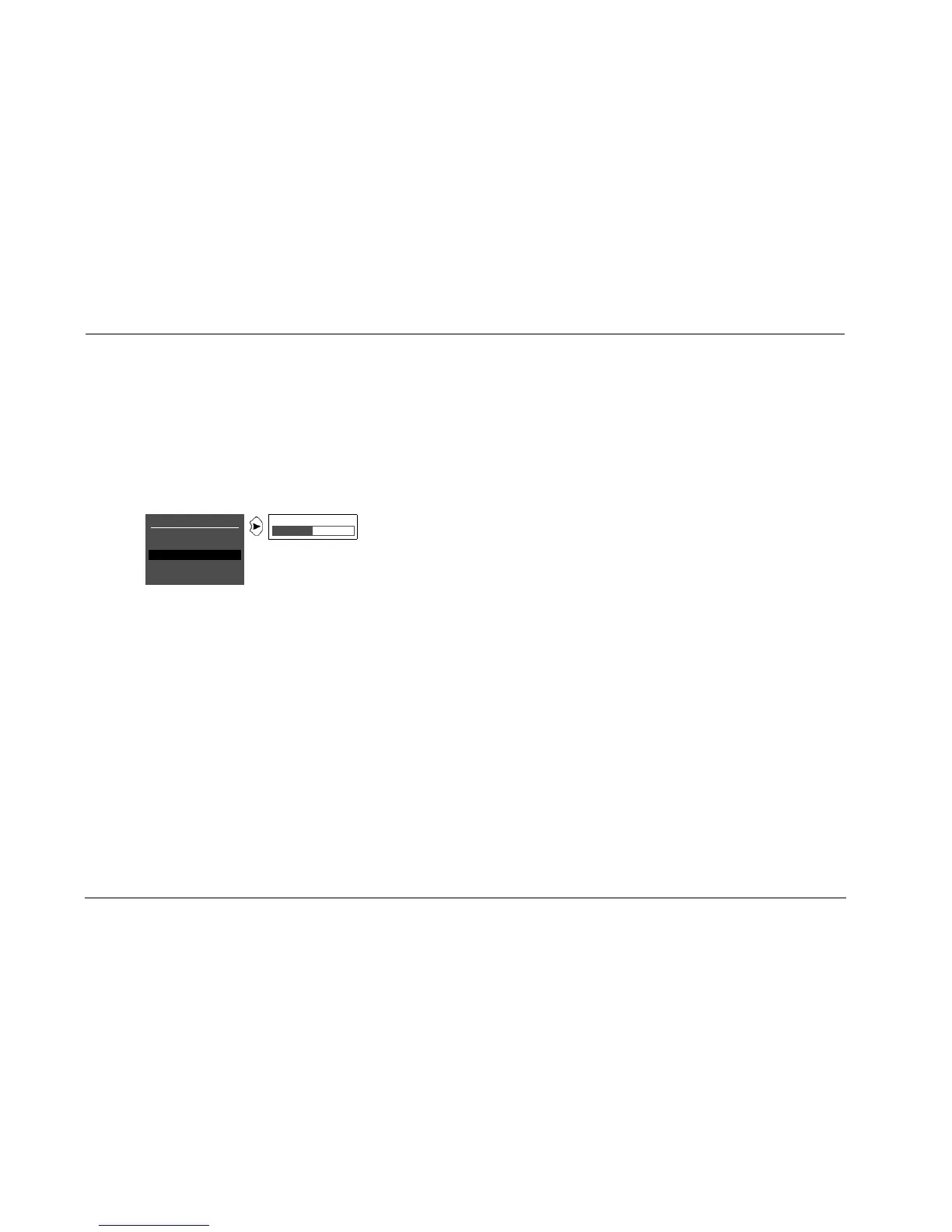
Selecting some menu parameters opens a horizontal bar graph. The
bar graph indicates the position of the current parameter setting
within the entire parameter range. The setting appears to the right of
the parameter name in the on-screen and front-panel displays.
For example, selecting the DISPLAY SETUP menu A/V SYNC DELAY
parameter opens the horizontal bar graph shown below, which is
used to adjust the amount of audio delay.
To adjust a parameter setting with a horizontal bar graph:
1. When the horizontal bar graph appears, press the remote con-
trol or arrow button to increase or decrease the setting in
designated increments.
The setting appears to the right of the parameter name in the
on-screen and front-panel displays.
2. When you have finished adjusting the settings, press the arrow
button to select the current setting and close the horizontal bar
graph.
DISPLAY SETUP
ON-SCREEN DISPLAY
FRONT PANEL DISPLAY
A/V SYNC DELAY OFF
CUSTOM NAME OFF
EDIT CUSTOM NAME
OFF, 1 to 60ms


 To Next Page