26
User manual
8.1 Activating the operator mode
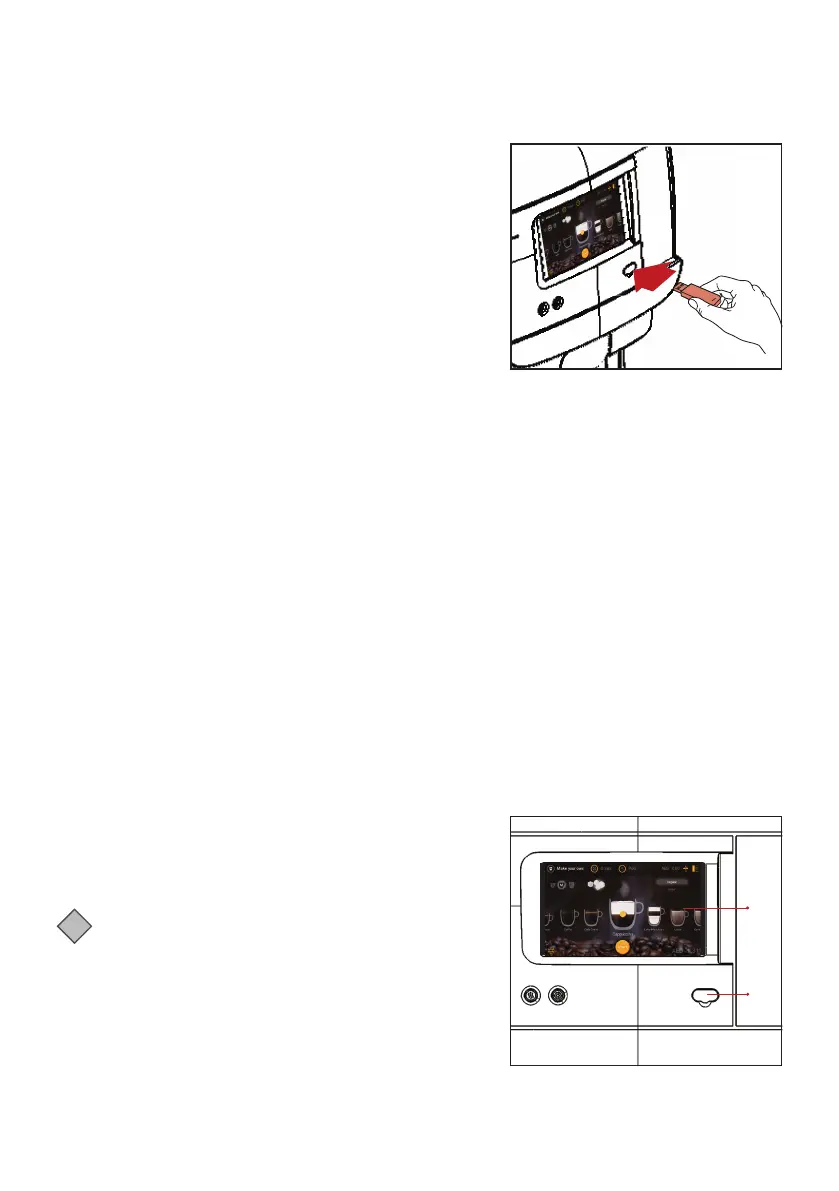
Remove the cover and insert the supplied operator USB key.
This immediately starts the operator mode.
The first menu item (UI settings) is displayed.
The following menus are available:
• UI settings - select background, brightness and dimm delay
• Drink settings - adjust drink settings
• Drink settings - adjust drink settings
• Resettable counters - read and reset counters
• Fixed counters - read counters
• Filter counters - set an alarm for filter exchange
• Maintenance - Cleaning, flushing and descaling
• Date time - set date and time
• Cleaning day - set cleaning day
• Eco settings - set eco timers
• Drinks page set-up - select which drinks are avialable in the drinks menu
• Carousel set-up - select which drinks are available in the carousel
• Contact info - enter contact details
• Payment set up - set drink prices and confirm empty cash box
• Pot settings - set pincode for pot dispensing (0000 indicates no pincode required)
• Happy hour settings - set free of charge periods.
Please note that some menu items might be disabled by the service technician. Contact your Cafitesse
systems supplier if you need your settings altered.
8.2 Operator mode controls
1. Display
2. Port for USB key
i
Note:
Dispenser programming is not available in all markets.
Some menus may be disabled depending on dispenser
configuration.
8- User Programming
1
2



 To Next Page