27
User manual
8- User Programming
8.4 Locked mode functions
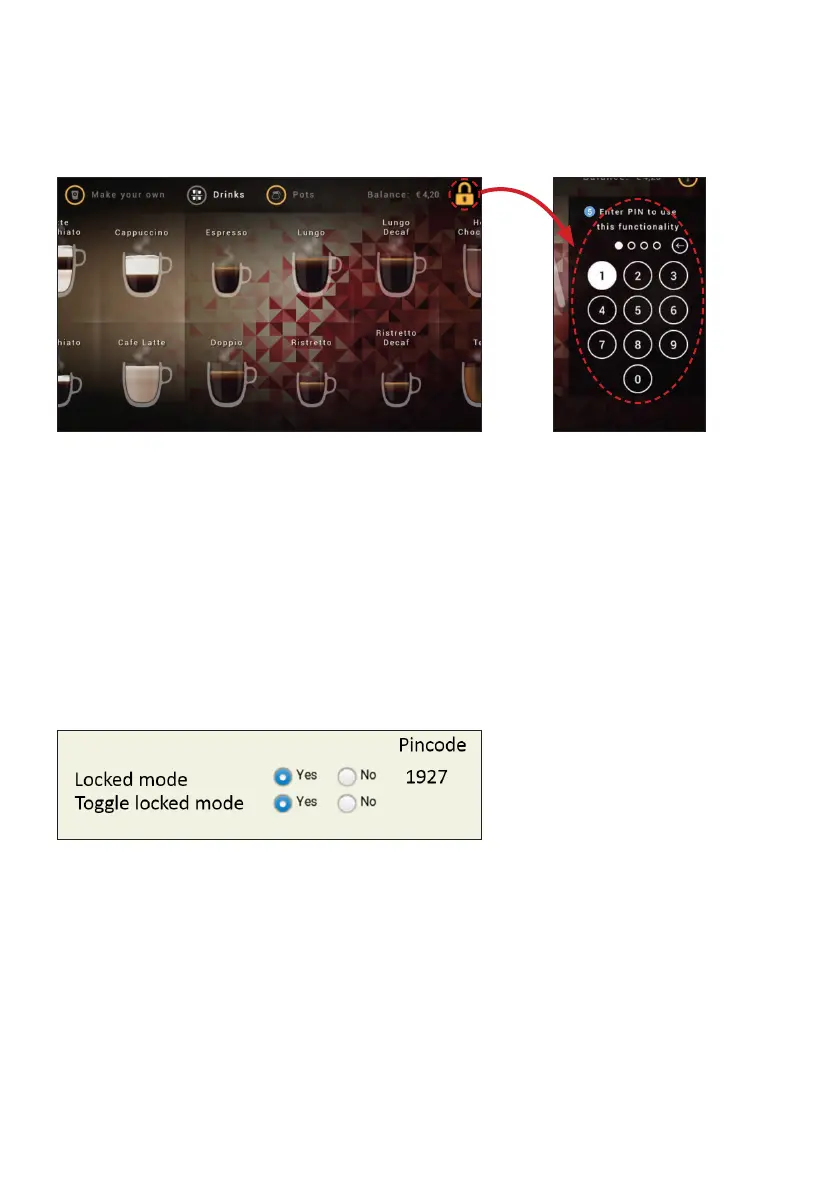
The locked mode allows controlled access to various function combinations as described below:
To change the behavious of locked mode, modify the user interface functionality as described below:
In pay-for-drinks mode:
• Input the PIN code to activate the dispenser for one free drink.
• Dispenser relocks after one drink.
In free-vending mode:
• Input the PIN code to lock/unlock dispensing.
• Input the PIN code again to reverse the setting.
Locked mode:
• Yes = switches locked mode on/off by PIN code input
• No = turns locked mode off
Toggle locked mode:
• Yes = allows vending of one beverage free of charge per PIN code input
• No = turns toggle locked mode off



 To Next Page