36
User manual
8- User Programming
Note:
Icons, display messages, and functionality may vary from those shown on this page depending
on the payment system installed in the dispenser. If you have any questions regarding a custom
payment system, contact your operator for more information.
i
8.12 Accountancy
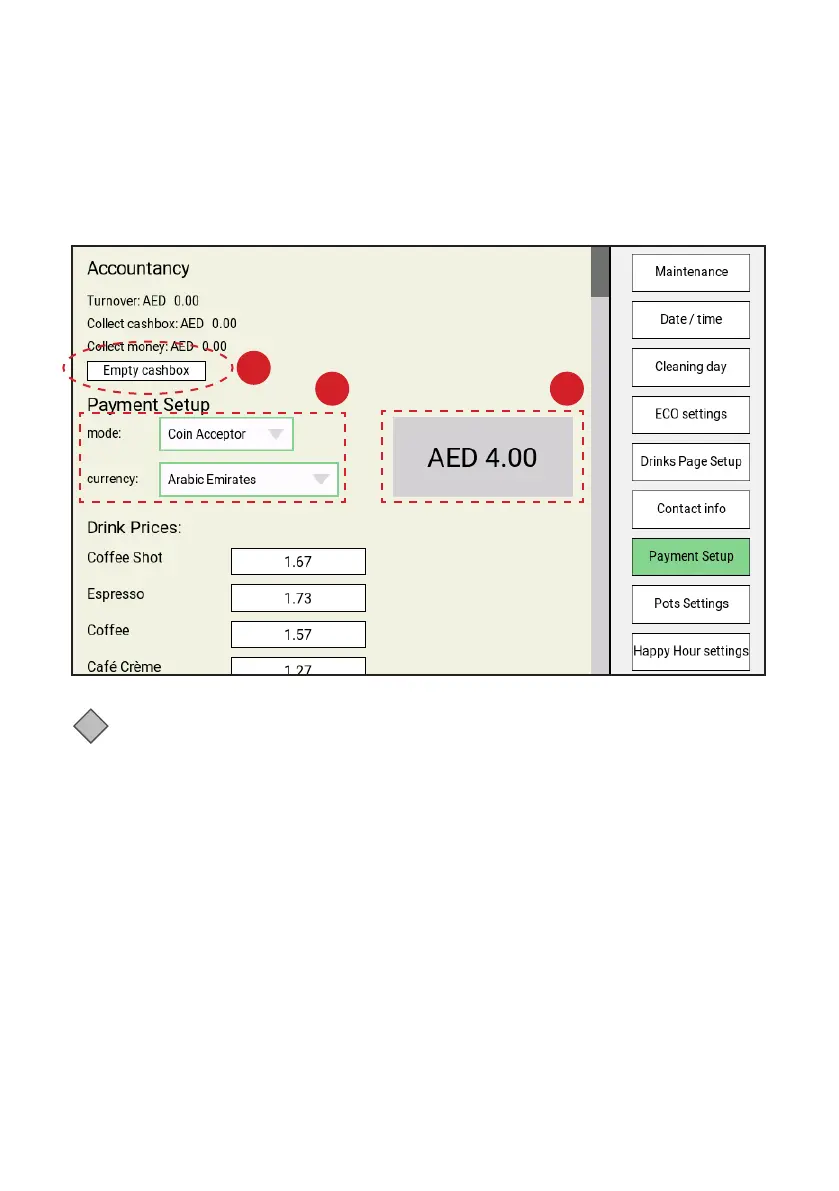
In the Payment Setup menu you can read the cash turnover, check the amount in the cash-box, read the
total turnover, confirm and empty the cash-box (the dispenser will display a warning if the cash box is full),
select the payment mode, select the currency, and set drink prices.
A
B C



 To Next Page