EasyManua.ls Logo

Jensen CD-545 - User Manual

Jensen CD-545
13 pages
Print Icon
To Next Page IconTo Next Page
Loading...
MODEL CD-545
PORTABLE AM/FM STEREO CD
CASSETTE RECORDER
INSTRUCTION MANUAL
Please read and follow this Instruction Manual carefully
before using the unit and retain it for future reference
Question and Answer IconNeed help?

Do you have a question about the Jensen CD-545 and is the answer not in the manual?

Summary

Important Safety Instructions

Safety Instructions

Laser Product Caution

Protection Against Laser Energy Exposure

Advises on safety measures to prevent eye harm from the laser beam.

Functions and Controls

Component Identification

Identifies various parts and controls of the CD cassette recorder with numbers.

Power Source

CD Player Operation

Playing CD Discs

Steps for inserting, playing, pausing, and stopping audio CDs.

Cassette Recorder Operation

Auxiliary Input and Headphone Usage

Using Headphones

Guidance and safety information for using headphones with the unit.

Troubleshooting Guide

Summary

Important Safety Instructions

Safety Instructions

Laser Product Caution

Protection Against Laser Energy Exposure

Advises on safety measures to prevent eye harm from the laser beam.

Functions and Controls

Component Identification

Identifies various parts and controls of the CD cassette recorder with numbers.

Power Source

CD Player Operation

Playing CD Discs

Steps for inserting, playing, pausing, and stopping audio CDs.

Cassette Recorder Operation

Auxiliary Input and Headphone Usage

Using Headphones

Guidance and safety information for using headphones with the unit.

Troubleshooting Guide

Overview

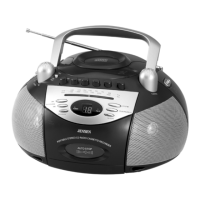
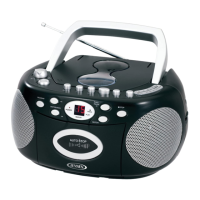
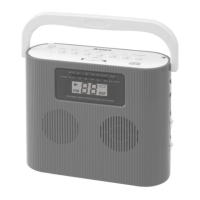
The JENSEN CD-545 is a portable AM/FM stereo CD cassette recorder designed for versatile audio playback and recording. This all-in-one unit combines a CD player, an AM/FM radio, and a cassette recorder, offering multiple options for enjoying music and audio content. Its portable design, complete with a carry handle, makes it easy to transport and use in various settings, whether at home, outdoors, or on the go.

Function Description:

The CD-545 features a top-loading CD player that supports both commercial audio CDs and self-compiled CD-R/RW discs. The CD player includes essential functions such as play/pause, stop, skip/search forward and backward, program play, and repeat play (single track or entire CD). The LED display provides visual feedback on the current track number, program number, and repeat status. The program play function allows users to create a customized sequence of up to 20 tracks, offering a personalized listening experience.

The integrated AM/FM stereo radio provides access to a wide range of broadcast stations. Users can select between AM and FM bands using the band selector and fine-tune stations with the tuning knob. A telescopic antenna is provided for optimal FM reception, and an internal antenna handles AM reception. The unit also includes an FM stereo indicator, which lights up when a stereo program is received, enhancing the audio quality.

For cassette enthusiasts, the CD-545 includes a cassette compartment for playing and recording cassette tapes. Standard cassette functions such as play, stop/eject, fast forward, rewind, and pause are available. The recording function allows users to record audio from the radio, CD player, or an external source connected via the AUX IN jack directly onto a cassette tape. An automatic stop system protects cassette tapes and the mechanism by releasing the play button when the tape ends.

The unit also features an AUX IN jack, enabling users to connect external audio sources such as MP3 players or other digital audio devices. This expands the playback options, allowing users to enjoy music from their portable devices through the CD-545's built-in speakers. For private listening, a stereo phones jack is provided, which automatically disconnects the built-in speakers when headphones are plugged in.

Audio output is delivered through two built-in speakers, one on the left and one on the right, providing stereo sound. A volume control knob allows for easy adjustment of the listening level. Additionally, a bass boost button is included to enhance the low-frequency response, providing a richer and more impactful sound experience.

The CD-545 can be powered by either AC power (using the included power cord) or eight "D" size (UM-1) batteries, offering flexibility for both indoor and outdoor use. When operating on AC power, the internal battery source is automatically disconnected.

Usage Features:

  • Portable Design: Equipped with a sturdy carry handle, the CD-545 is designed for easy portability, making it suitable for various environments.
  • Multi-Source Playback: Seamlessly switch between CD, AM/FM radio, cassette, and external AUX IN sources using the function selector.
  • CD Playback Controls: Comprehensive controls for CD playback, including play/pause, stop, skip/search forward/backward, program, and repeat (one track or all tracks). The LED display provides clear visual feedback on CD operations.
  • Programmed CD Play: Create and store a custom playlist of up to 20 CD tracks, allowing for personalized listening sequences.
  • Radio Tuning: Easy selection of AM or FM bands with a dedicated band selector and precise tuning using the tuning knob. The telescopic antenna for FM and internal antenna for AM ensure good reception.
  • Cassette Playback and Recording: Full cassette functions for playing pre-recorded tapes and recording from CD, radio, or AUX IN. The automatic stop system protects tapes and the unit.
  • AUX IN Connectivity: Connect external audio devices like MP3 players via the AUX IN jack to play their audio through the unit's speakers.
  • Headphone Jack: Enjoy private listening by plugging in headphones, which automatically mutes the built-in speakers.
  • Bass Boost: Enhance the audio experience with a dedicated bass boost button for richer low-end sound.
  • Dual Power Options: Operate the unit using AC power for stationary use or batteries for portability, providing flexibility for different scenarios.
  • User-Friendly Interface: Clearly labeled buttons and controls, along with an LED display, make the unit intuitive and easy to operate.

Maintenance Features:

  • General Cleaning: The unit should be cleaned with a damp (never wet) cloth. Solvents or detergents should be avoided to prevent damage to the finish.
  • CD Care: If CD playback issues occur (drop-outs, interruptions, or failure to play), the bottom surface of the disc may need cleaning. Wipe the disc from the center outwards with a soft cleaning cloth.
  • Cassette Head Cleaning: To ensure optimal sound reproduction and prevent distorted sound or improper tape speed, the cassette head should be cleaned regularly (after every 10 to 20 hours of use). A small cotton swab with tape head cleaner or alcohol can be used to clean the tape head, capstan, and pinch roller.
  • Tape Slack Removal: Before inserting a cassette, any slack in the tape should be removed by inserting a pencil into the hub and rotating it clockwise to prevent tangles and damage.
  • Battery Management: For extended periods of non-use, batteries should be removed to prevent leakage and potential damage to the unit. Avoid mixing old and new batteries, or different types of batteries (alkaline, standard, rechargeable).
  • Environmental Considerations: Keep the unit away from direct sunlight, excessive heat, humidity, or dusty places. Also, avoid placing it near heating appliances or sources of electrical noise like fluorescent lamps or motors.
  • Ventilation: Ensure that the ventilation slots and openings on the cabinet are not blocked to prevent overheating and ensure reliable operation. Avoid placing the unit on soft surfaces like beds or rugs that could obstruct airflow.
  • Professional Servicing: The unit does not contain user-serviceable parts. In case of any malfunction or damage, refer servicing to qualified service personnel. Do not attempt to open the cabinet, as this may expose dangerous voltages.
  • Power Cord Care: Route the power cord carefully to prevent it from being walked on or pinched by other items, paying attention to the connections at the plug, convenience receptacle, and where it exits the appliance.
  • Protection from Liquids and Objects: Never spill or spray liquids on the product, and prevent objects from being pushed into openings, as this could cause electric shock or fire.
  • Laser Safety: As the CD player uses a laser, do not attempt to disassemble the casing. Avoid touching the lens or poking at it, and do not put anything in the safety slot when the CD door is open.

Jensen CD-545 Specifications

General IconGeneral
TypePortable CD Player
Playback MediaCD, CD-R/RW
OutputHeadphone Jack
ESP (Electronic Skip Protection)Yes
CD PlayerYes
MP3 PlaybackNo
USB PortNo
Auxiliary InputYes
BluetoothNo
Remote ControlNo
FeaturesAM/FM Radio
Power SourceAC or Batteries
ChannelsStereo

Related product manuals