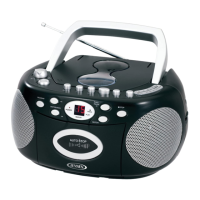
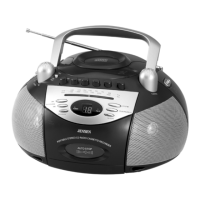
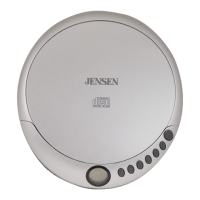
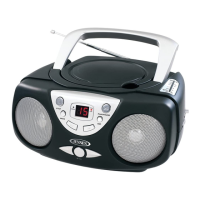
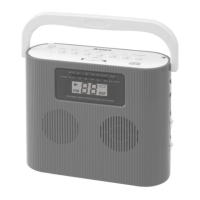
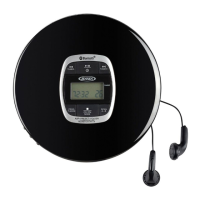
The JENSEN CD-575 is a portable stereo MP3 CD player with an AM/FM radio, designed for versatile audio playback and portability.
Function Description:
The CD-575 serves as a multi-functional audio device, offering playback of audio CDs and MP3 CDs, as well as reception of AM and FM radio broadcasts. It features a built-in rechargeable battery for portable use and can also operate on standard AC household power. The unit includes a carrying handle for easy transport and a headphone jack for private listening. An AUX IN jack allows connection to external audio sources like iPods, MP3 players, or other digital audio devices, enabling their audio to be played through the CD-575's speakers.
Important Technical Specifications:
- Power Source: AC120V ~ 60Hz 19W
- Built-in Battery: Li-ion Battery, 7.4V, 600mAh
- FM Frequency Range: 87.5 – 108 MHz
- AM Frequency Range: 520 – 1710 KHz
- CD Compatibility: Commercial audio CDs, self-compiled CD-R/CD-RW discs (MP3 CDs supported).
- Laser Product: Class 1 Laser Product (Invisible laser radiation when open and interlocks defeated; avoid exposure to beam).
Usage Features:
General Operation:
- Function Switch (#1): Selects between OFF, RADIO, CD/MP3, and AUX modes.
- Volume Control (#2): Adjusts the sound level.
- LCD Display (#12): Shows current mode, track number, frequency, preset channel, and other relevant information.
- Charge Indicator (#11): Lights Red and flashes when the battery is low (around 5% remaining power), and turns Green when the battery is fully charged.
AC Power Operation:
- Insert one end of the power cord into the AC IN JACK (#19) at the back of the unit.
- Connect the other end of the power cord to an AC power source.
Battery Operation:
- Unplug the AC power cord, and the CD-575 automatically switches to battery operating mode.
- The built-in Li-ion battery provides portability.
Radio Operation:
- Function Switch (#1): Slide to the RADIO position.
- Band Selector Switch (#7): Selects between AM and FM bands. The selected frequency appears on the LCD display.
- TUN-◄◄/TUN+►►I Dial (#6): Rotate and tap to manually tune the radio. Rotate and hold to search for the previous/next available station.
- Radio Station Presets: The unit can store up to 20 FM and 20 AM stations.
- Tune to the desired station.
- Tap the PROG/MEM BUTTON (#13). "P01" will flash on the LCD.
- Use FOLDER -/10-/M – BUTTON (#8) or FOLDER +/10 +/M + BUTTON (#9) to select a preset location (P01 – P20).
- Tap PROG/MEM BUTTON (#13) to confirm.
- Recall Preset Station: In AM/FM mode, tap FOLDER -/10-/M – BUTTON (#8) or FOLDER +/10 +/M + BUTTON (#9) to select a stored preset channel.
- FM Antenna (#4): Fully extend for best FM reception.
- AM Antenna: Built-in; reposition the unit for best AM reception if the signal is weak.
CD Operation:
- Function Switch (#1): Slide to the CD/MP3 position.
- CD Door (#3): Open to place an audio CD or MP3 CD with the label side upward. Close the door.
- The player reads the disc's Table of Contents (TOC). The total number of tracks appears on the LCD. MP3 CDs may take longer to read.
- PLAY/PAUSE ►II BUTTON (#15): Taps to start or suspend playback.
- TUN-◄◄/TUN+►►I Dial (#6): Rotate and tap to select a specific track. Rotate and hold to locate a particular section within a track.
- REPEAT O BUTTON (#10): Taps repeatedly to select repeat 1 (single track), repeat ALL (entire CD), or repeat FLODER (entire folder for MP3 CDs).
- STOP ■ BUTTON (#14): Taps to stop playback.
- Program Operation: Allows tracks to be played in a programmed sequence (up to 20 tracks).
- In STOP mode, tap PROG/MEM BUTTON (#13). "PROG" indicator lights, and "P01" blinks.
- Use TUN-◄◄/TUN+►►I dial (#6) to select the track to program.
- Tap PROG/MEM BUTTON (#13) again to store the selection.
- Repeat to program up to 20 tracks.
- Tap PLAY/PAUSE ►II BUTTON (#15) to start programmed play.
- Tap STOP ■ BUTTON (#14) twice to cancel programmed play.
AUX IN Operation:
- AUX IN JACK (#18): Connect an audio cable (not included) from an external audio device's headphone or line-out jack to this jack.
- Function Switch (#1): Slide to the AUX position. "AU" will appear on the LCD.
- Turn on the external device and start playing audio. Adjust volume on both the CD-575 and the external device for a comfortable listening level.
Earphones Connection:
- EARPHONES JACK (#17): Connect a stereo earphone plug (not included) for private listening.
- Caution: Avoid excessive volume levels for prolonged periods to prevent hearing loss. Do not use earphones while operating a motorized vehicle.
Maintenance Features:
- Cleaning: Clean the unit with a damp (never wet) cloth. Do not use solvents or detergents.
- Environmental Protection: Avoid direct sunlight, hot, humid, or dusty places. Keep away from heating appliances and electrical noise sources.
- CD Cleaning: If music drop-outs or interruptions occur during CD play, clean the disc by wiping from the center outwards with a soft cleaning cloth.
- Resetting the Unit: In case of malfunction due to electrostatic discharge, slide the FUNCTION SWITCH (#1) to the "OFF" position, wait 2-3 minutes, then turn the unit back on.
- Laser Safety: The unit contains a low-power laser device. Do not attempt to disassemble the casing. Stop operation if liquid or solid objects fall into the cabinet. Do not touch or poke the lens. Do not put anything in the safety slot.
- Battery Disposal: Attention should be drawn to the environmental aspects of battery disposal.
- Furniture Protection: The unit has non-skid rubber feet. To prevent marks on fine wooden furniture, it is recommended to apply small self-adhesive felt pads to the bottom of the feet.
Safety Instructions:
- Read and follow all safety instructions provided in the manual.
- Do not expose the appliance to rain or moisture to prevent fire or shock hazards.
- Ensure proper ventilation; maintain a minimum distance of 4 inches around the apparatus.
- Do not block ventilation openings with items like newspapers or curtains.
- Do not place naked flame sources (e.g., lighted candles) on the apparatus.
- The mains plug is used as a disconnect device and should remain readily operable.
- Refer all servicing to qualified personnel.
- This product incorporates double insulation between hazardous mains voltage and user-accessible parts.
- Match the wide blade of the AC plug to the wide slot of the main power socket.



 To Next Page
 General