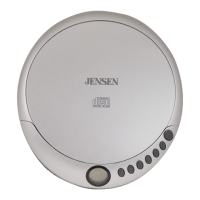
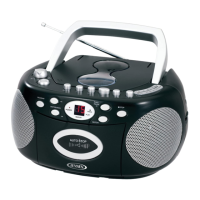
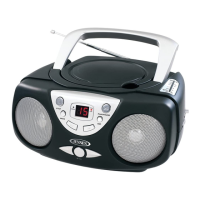
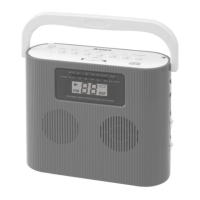
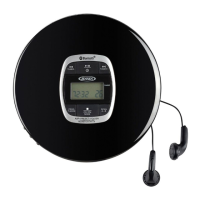
The JENSEN CD-750 is a portable AM/FM stereo CD MP3 encoder/player designed for versatile audio entertainment. This compact boombox allows users to enjoy music from various sources, including traditional AM/FM radio, audio CDs, and MP3 files stored on USB flash drives or SD memory cards. A key feature of this device is its MP3 encoding capability, which allows users to convert audio tracks from CDs into MP3 format and save them to a USB drive or SD card.
For radio listening, the CD-750 offers both AM and FM bands. Users can tune into their desired stations using the Tuning Control knob, with frequencies displayed on the dial scale. For FM stereo broadcasts, the Function Selector can be set to FM STEREO, and an indicator will light up when a stereo signal is received. If an FM station is weak or noisy, switching to the "MONO" position can improve reception, although the sound will be monaural. The telescopic antenna should be fully extended and rotated for optimal FM reception, while the internal bar antenna for AM reception benefits from repositioning the unit to pick up the strongest signal. Volume is adjusted via the VOLUME Control.
The CD/MP3 player supports both standard audio CDs and MP3 CDs, as well as MP3 files from USB flash drives and SD/MMC cards. To play a CD, the Function Selector is set to DISC/USB/SD, and the CD lid is opened to insert the disc with the label facing up. The unit will read the disc, and playback will begin from the first track. The LCD display provides information such as track number and playing time. For MP3 discs, the unit reads all files from all folders in a sequential order, though this may take longer due to the larger number of files.
Playback controls include PLAY/PAUSE, STOP, SKIP NEXT/PREVIOUS, and search functions (forward/backward at high speed). The device also offers repeat and random playback modes. Users can repeat a single track ("REP 1") or all tracks ("REP ALL") until the STOP button is pressed. The random play function ("RAN") shuffles tracks for varied listening. When playing MP3 files from USB or SD cards, the same playback controls apply. The DISC/USB/SD button toggles between USB and SD card playback modes, with disc mode taking priority if a CD is present. It's important to press the STOP button before removing a USB drive or SD card to prevent potential malfunctions.
A significant feature of the CD-750 is its MP3 encoding capability. This allows users to "rip" audio tracks from a CD and convert them into MP3 files, saving them directly to an inserted USB flash drive or SD memory card. To encode a CD track, users select the desired track using the SKIP buttons and then press the "ENCODE" button. The ENCODE button and "CD" indicator will flash during the process. The encoding can be stopped manually, or it will automatically proceed through all remaining tracks. The ripped MP3 files are stored in a folder named "MP3" on the storage device. The unit also supports copying existing MP3 files from an MP3 CD to a USB drive or SD card, with the copied files saved in a "CDROM" folder. During encoding or copying, the audio output may experience breaks, so it's recommended to turn the volume off and monitor the progress on the display.
Beyond its primary functions, the CD-750 includes a LINE IN (AUX IN) jack, enabling users to connect external audio sources like iPods, MP3 players, or other digital audio devices. By setting the Function Selector to LINE IN, the unit's speakers can play audio from the connected external device. The volume of both the external player and the CD-750 can be adjusted to achieve the desired sound level. A HEADPHONE Jack is also provided for private listening, which automatically mutes the built-in speakers when headphones are plugged in. Additionally, a LINE OUT jack allows connection to an external Hi-Fi system using RCA cables, though the CD-750's built-in speakers will not be disabled in this mode unless the unit's volume is turned down.
Maintenance of the CD-750 is straightforward. The unit should be unplugged before cleaning and wiped with a damp (never wet) cloth, avoiding solvents or detergents. It's important to keep the unit away from direct sunlight, hot, humid, or dusty environments, as well as heating appliances and sources of electrical noise. For CD playback issues, such as drop-outs or failures to play, the bottom surface of the disc should be cleaned from the center outwards with a soft cloth. If the CD pick-up lens is dirty, a CD-lens cleaning disc can be used.
The device is powered by either the included AC adapter or 8 'C' (UM-2) batteries for portability. When using batteries, alkaline-type batteries are recommended for best performance. It's crucial to install batteries correctly according to polarity diagrams and to avoid mixing old and new batteries or different battery types. If the unit is not used for extended periods, batteries should be removed to prevent leakage and damage. The remote control, which uses a CR2025 Lithium battery, also requires careful battery handling, with a warning against ingestion due to the severe chemical burn hazard.
Overall, the JENSEN CD-750 offers a comprehensive portable audio experience with its radio, CD, MP3 playback, and unique MP3 encoding features, making it a versatile choice for enjoying and managing music on the go.



 To Next Page
 General