EasyManua.ls Logo

Jensen JA Series - User Manual

Jensen JA Series
16 pages
Print Icon
To Next Page IconTo Next Page
Loading...
JA
SERIES
OWNER'S MANUAL
JENSEN
®
The Bluetooth® word mark and logos are owned
by
the Bluetooth®
SIG
, Inc.
Other
tr
ademarks and
tr
ade names are those
of
their respective owners.
~
Customer
Support
1111111::
1-888-921-4088
---
(Monday-Friday, 9AM-5PM EST)
,__.
Visit https://www.jensenmobile.com
....._....
Designed and Engineered in USA
ffeJ@fY/iY!tg
ml
iJJ!i¥il
ffeJ
!LO
tptg
ml
JA
1 B JA2B JA4B
INSTALLATION / OWNER'S MANUAL

Other manuals for Jensen JA Series

Questions and Answers

Summary

Preparation

Before You Start

Essential pre-installation checks and safety advice.

Mounting Location

Guidelines for selecting an optimal and safe mounting spot.

Connection Descriptions

Power Wire Connection (+12 V)

Details for connecting the main 12V power supply.

Ground Wire Connection (GND)

Instructions for establishing a proper ground connection.

Remote Turn-on Wire (REM)

How to connect the remote turn-on wire for power control.

Speaker Wire Connections

Guidance on connecting speaker wires with correct polarity.

Input Signal Options

Explanation of low-level RCA and high-level inputs.

Power and Protect Indicators

Understanding the unit's LED status lights.

Audio Inputs and Controls Overview

Line Output Terminals

Description of the line output connectors for signal pass-through.

Line Input Terminals

Description of the line input connectors for audio signals.

High Level Input Connector

Details on using the high-level input for factory systems.

Reset Function

Information on using the reset button for system recovery.

Bluetooth Antenna Placement

Warning about obstructions affecting Bluetooth connectivity.

Power and Speaker Connection Terminals

Power;Protect LED Indicator

Explanation of the power and protection status LED.

Ground Connection Terminal

Location and function of the ground connection.

Remote Turn-on Terminal

Location and function of the remote turn-on connection.

+12 V DC Battery Terminal

Details for connecting the main 12V DC battery power.

Fuse Holder

Location and purpose of the fuse(s).

Speaker Output Terminals

Connectors for attaching speakers to the amplifier.

Typical Wire Routing - JA1 B

Stereo Speaker Wiring Example

Diagram showing wire routing for stereo speaker setup.

Subwoofer Wiring Example

Diagram showing wire routing for subwoofer connection.

Typical Wire Routing - JA2 B

Stereo Speaker Wiring Example

Diagram showing wire routing for stereo speaker setup.

Subwoofer Wiring Example

Diagram showing wire routing for subwoofer connection.

Typical Wire Routing - JA4 B

Speaker Impedance Note

Important note regarding speaker impedance for JA4B.

Stereo;Bridged Wiring Example

Diagram showing wire routing for stereo/bridged setups.

Amplifier Connections Guide

Speaker Wiring Configurations

How to wire speakers for stereo and bridged modes.

Audio Input Signal Methods

Connecting via low-level RCA or high-level speaker wires.

Controller App Setup

Download Jensen DSP Amplifier Controller App

Instructions for downloading the companion mobile application.

App Functionality Overview

Features controllable via the app, like EQ and volume.

Bluetooth App Limitations

Note on unsupported Bluetooth features like audio streaming.

Bluetooth Pairing Procedure

Activate Bluetooth (BT Icon)

Step to initiate Bluetooth pairing via the BT icon.

Search for Amplifiers (Scan Icon)

Step to find available amplifiers using the scan icon.

Select Amplifier Model

Step to choose the target amplifier from the device list.

Verify Successful Pairing

Checking app/amp versions to confirm pairing.

Disconnect from App

How to end the connection between the app and amplifier.

DSP Amplifier App Operation Details

Input Level Control (Gain)

Adjusting input gain for optimal audio performance.

X-OVER Mode and Control

Filtering frequencies for specific speaker types and fine-tuning.

Bass Boost Function

Applying bass boost at 45Hz for subwoofer enhancement.

Equalizer (EQ) Presets and Custom

Selecting or customizing audio equalization settings.

RGB Color Illumination Control

Adjusting the amplifier's LED lighting color.

Product Specifications

JA1 B Model Specifications

Technical data including power output and dimensions for JA1B.

JA2 B Model Specifications

Technical data including power output and dimensions for JA2B.

JA4 B Model Specifications

Technical data including power output and dimensions for JA4B.

Troubleshooting Common Issues

Unit Not Turning On

Solutions for power-related startup problems.

No Sound with Power

Troubleshooting steps when the unit powers on but has no audio.

Fuse Blowing Issues

Diagnosing and resolving recurring fuse blowouts.

Engine Noise Interference

Methods to eliminate engine noise in the audio signal.

Protect Mode (Red LED)

Understanding and resolving the protect mode error.

Distorted or Low Audio Output

Fixing issues with poor audio quality or volume.

Limited Warranty Information

Warranty Coverage Details

Scope of the 1-year or 3-year limited warranty.

Warranty Eligibility

Who is covered under the warranty terms.

Covered Defects and Exclusions

What is and is not covered by the warranty.

Obtaining Warranty Service

Steps to follow for warranty claims and repairs.

FCC Compliance Information

FCC Rules Compliance

Statement of adherence to FCC Part 15 regulations.

Modification Warning

Caution against unauthorized changes to the device.

Interference Mitigation

Guidance on correcting potential radio interference.

Summary

Preparation

Before You Start

Essential pre-installation checks and safety advice.

Mounting Location

Guidelines for selecting an optimal and safe mounting spot.

Connection Descriptions

Power Wire Connection (+12 V)

Details for connecting the main 12V power supply.

Ground Wire Connection (GND)

Instructions for establishing a proper ground connection.

Remote Turn-on Wire (REM)

How to connect the remote turn-on wire for power control.

Speaker Wire Connections

Guidance on connecting speaker wires with correct polarity.

Input Signal Options

Explanation of low-level RCA and high-level inputs.

Power and Protect Indicators

Understanding the unit's LED status lights.

Audio Inputs and Controls Overview

Line Output Terminals

Description of the line output connectors for signal pass-through.

Line Input Terminals

Description of the line input connectors for audio signals.

High Level Input Connector

Details on using the high-level input for factory systems.

Reset Function

Information on using the reset button for system recovery.

Bluetooth Antenna Placement

Warning about obstructions affecting Bluetooth connectivity.

Power and Speaker Connection Terminals

Power;Protect LED Indicator

Explanation of the power and protection status LED.

Ground Connection Terminal

Location and function of the ground connection.

Remote Turn-on Terminal

Location and function of the remote turn-on connection.

+12 V DC Battery Terminal

Details for connecting the main 12V DC battery power.

Fuse Holder

Location and purpose of the fuse(s).

Speaker Output Terminals

Connectors for attaching speakers to the amplifier.

Typical Wire Routing - JA1 B

Stereo Speaker Wiring Example

Diagram showing wire routing for stereo speaker setup.

Subwoofer Wiring Example

Diagram showing wire routing for subwoofer connection.

Typical Wire Routing - JA2 B

Stereo Speaker Wiring Example

Diagram showing wire routing for stereo speaker setup.

Subwoofer Wiring Example

Diagram showing wire routing for subwoofer connection.

Typical Wire Routing - JA4 B

Speaker Impedance Note

Important note regarding speaker impedance for JA4B.

Stereo;Bridged Wiring Example

Diagram showing wire routing for stereo/bridged setups.

Amplifier Connections Guide

Speaker Wiring Configurations

How to wire speakers for stereo and bridged modes.

Audio Input Signal Methods

Connecting via low-level RCA or high-level speaker wires.

Controller App Setup

Download Jensen DSP Amplifier Controller App

Instructions for downloading the companion mobile application.

App Functionality Overview

Features controllable via the app, like EQ and volume.

Bluetooth App Limitations

Note on unsupported Bluetooth features like audio streaming.

Bluetooth Pairing Procedure

Activate Bluetooth (BT Icon)

Step to initiate Bluetooth pairing via the BT icon.

Search for Amplifiers (Scan Icon)

Step to find available amplifiers using the scan icon.

Select Amplifier Model

Step to choose the target amplifier from the device list.

Verify Successful Pairing

Checking app/amp versions to confirm pairing.

Disconnect from App

How to end the connection between the app and amplifier.

DSP Amplifier App Operation Details

Input Level Control (Gain)

Adjusting input gain for optimal audio performance.

X-OVER Mode and Control

Filtering frequencies for specific speaker types and fine-tuning.

Bass Boost Function

Applying bass boost at 45Hz for subwoofer enhancement.

Equalizer (EQ) Presets and Custom

Selecting or customizing audio equalization settings.

RGB Color Illumination Control

Adjusting the amplifier's LED lighting color.

Product Specifications

JA1 B Model Specifications

Technical data including power output and dimensions for JA1B.

JA2 B Model Specifications

Technical data including power output and dimensions for JA2B.

JA4 B Model Specifications

Technical data including power output and dimensions for JA4B.

Troubleshooting Common Issues

Unit Not Turning On

Solutions for power-related startup problems.

No Sound with Power

Troubleshooting steps when the unit powers on but has no audio.

Fuse Blowing Issues

Diagnosing and resolving recurring fuse blowouts.

Engine Noise Interference

Methods to eliminate engine noise in the audio signal.

Protect Mode (Red LED)

Understanding and resolving the protect mode error.

Distorted or Low Audio Output

Fixing issues with poor audio quality or volume.

Limited Warranty Information

Warranty Coverage Details

Scope of the 1-year or 3-year limited warranty.

Warranty Eligibility

Who is covered under the warranty terms.

Covered Defects and Exclusions

What is and is not covered by the warranty.

Obtaining Warranty Service

Steps to follow for warranty claims and repairs.

FCC Compliance Information

FCC Rules Compliance

Statement of adherence to FCC Part 15 regulations.

Modification Warning

Caution against unauthorized changes to the device.

Interference Mitigation

Guidance on correcting potential radio interference.

Overview

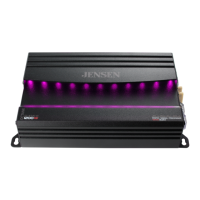
The Jensen JA Series is a line of power amplifiers designed for automotive audio systems, offering various channel configurations to suit different setups. The series includes the JA1B (mono), JA2B (2-channel), and JA4B (4-channel) models, all featuring digital signal processing (DSP) and app control via Bluetooth for enhanced audio customization.

Function Description:

These amplifiers are designed to boost the audio signal from a head unit to drive speakers or subwoofers, providing a more powerful and clearer sound experience in a vehicle. The integrated DSP allows for precise control over various audio parameters, accessible through a dedicated smartphone or tablet app. This includes crossover settings, equalization (EQ), bass boost, and RGB light customization. The amplifiers are built for robust performance, with protection circuits to safeguard against faults.

Important Technical Specifications:

JA1B (Mono Power Amplifier):

  • Continuous Power Output:
    • 290W RMS x 1 Channel at 4Ω
    • 470W RMS x 1 Channel at 2Ω
    • 595W RMS x 1 Channel at 50Hz and 1% THD+N
  • Dynamic Power:
    • 300W x 1 Channel at 50Hz at 4Ω
    • 545W x 1 Channel at 50Hz at 2Ω
    • 640W x 1 Channel at 50Hz at 1Ω (1% THD+N)
  • Maximum Dynamic Power:
    • 325W x 1 Channel at 50Hz at 4Ω
    • 565W x 1 Channel at 50Hz at 2Ω
    • 690W x 1 Channel at 50Hz at 1Ω (10% THD+N)
  • Signal to Noise: 68dBA reference 1 Watt RMS
  • THD+N: <0.09% at 1 Watt RMS from 20Hz to 300Hz
  • Amplifier Dimensions: 2.16"H x 9.56"W x 5.59"D
  • X-OVER Mode (JA1B): Works only with LPF (Low Pass Filter).

JA2B (2-Channel Power Amplifier):

  • Continuous Power Output:
    • 95W RMS x 2 Channels at 4Ω
    • 105W RMS x 2 Channels at 2Ω
    • 225W RMS x 1 Channel at 4Ω BRIDGED (1% THD+N)
  • Dynamic Power:
    • 100W x 2 Channels at 1kHz at 4Ω
    • 110W x 2 Channels at 1kHz at 2Ω
    • 230W x 1 Channel at 1kHz at 4Ω BRIDGED (1% THD+N)
  • Maximum Dynamic Power:
    • 140W x 2 Channels at 1kHz at 4Ω
    • 170W x 2 Channels at 1kHz at 2Ω
    • 310W x 1 Channel at 1kHz at 4Ω BRIDGED (10% THD+N)
  • Signal to Noise: 72dBA reference 1 Watt RMS
  • THD+N: <0.14% at 1 Watt RMS from 20Hz to 20kHz
  • Amplifier Dimensions: 2.16"H x 6.57"W x 5.59"D
  • X-OVER Mode (JA2B and JA4B): LPF for subwoofers, HPF for midrange/tweeter combinations, FULL for coaxial-type speakers. Passive crossovers are required for FULL mode in stereo/bridged simultaneous mode to prevent damage.

JA4B (4-Channel Power Amplifier):

  • Continuous Power Output:
    • 90W RMS x 4 Channels at 4Ω
    • 115W RMS x 4 Channels at 2Ω
    • 230W RMS x 2 Channels at 4Ω BRIDGED (1% THD+N)
  • Dynamic Power:
    • 100W x 4 Channels at 1kHz at 4Ω
    • 125W x 4 Channels at 1kHz at 2Ω
    • 255W x 2 Channels at 1kHz at 4Ω BRIDGED (1% THD+N)
  • Maximum Dynamic Power:
    • 125W x 4 Channels at 1kHz at 4Ω
    • 185W x 4 Channels at 1kHz at 2Ω
    • 365W x 2 Channels at 1kHz at 4Ω BRIDGED (10% THD+N)
  • Signal to Noise: 70dBA reference 1 Watt RMS
  • THD+N: <0.15% at 1 Watt RMS from 20Hz to 20kHz
  • Amplifier Dimensions: 2.16"H x 8.38"W x 5.59"D

General Specifications for all models:

  • Minimum Impedance Load: 2 ohms stereo, 4 ohms bridged. Using lower loads is not recommended and may damage the amplifier.
  • Input Signal: Low-level (RCA) inputs are preferred for best performance. High-level (speaker wire) inputs are available for head units without RCA outputs.
  • Power/Protect Indicators: Blue LED for normal operation (POWER), Red LED for fault detection (PROTECT).
  • Fuses: 25A fuses are used for protection.
  • Bluetooth: Used for app control only; does not support audio streaming or hands-free calls.

Usage Features:

  • App Control (Jensen DSP Amplifier Controller): Available on Apple App Store and Google Play Store.
    • Input Level Control (Gain): Adjusts the amplifier's input sensitivity to match the head unit's output. Start with the control fully counterclockwise, turn up the head unit volume to about 3/4, then slowly increase the amplifier's input level until distortion is heard, then slightly reduce it for the best match.
    • X-OVER Mode: Select between LPF, HPF, or FULL. LPF is for subwoofers, HPF for midrange/tweeters, and FULL for coaxial speakers.
    • X-OVER Control: Allows precise adjustment of the crossover frequency.
    • Bass Boost: Provides additional boost at 45Hz for subwoofers. Use with caution to avoid speaker damage.
    • EQ Presets: Choose from Classic, Pop, Rock, Jazz, or Custom.
    • Custom EQ: Allows adjustment of gain per frequency for personalized audio settings.
    • RGB Color: Controls the amplifier's illumination, allowing selection of one color or multiple colors, and turning the lights on/off.
  • Mounting: Can be mounted horizontally (recommended) or vertically. Requires at least 1" of space around all sides for optimum performance. Avoid mounting under carpets or where airflow is restricted, or where exposed to moisture.
  • Wiring: Requires power, signal, and speaker wires (not included). An amplifier installation kit is highly recommended.
    • Power Wire (+12V): Must be fused within 18" of the battery. Route carefully to avoid damaging fuel lines or existing vehicle wiring and to prevent induced noise.
    • Ground Wire (GND): Should be as short as possible (max 36" or 1 meter) and connected to a clean, unpainted metal section of the vehicle chassis.
    • Remote Turn-on Wire (REM): Connects to the head unit's amplifier turn-on lead or power antenna output.
    • Speaker Wires: Choose appropriate gauge and observe polarity. Do not ground or connect speaker wires together.
  • Bluetooth Pairing:
    1. Touch the BT icon in the app.
    2. Touch the Scan icon to search for the amplifier.
    3. Select the amplifier model number from the list.
    4. Touch the drop-down icon to view the app and amplifier version numbers and confirm successful pairing.
    5. Touch Disconnect to unpair.

Maintenance Features:

  • Troubleshooting Guide: The manual provides a comprehensive troubleshooting section for common issues such as:
    • Amplifier not turning on (no power LED indicator).
    • Amplifier has power (green LED) but no sound.
    • Amplifier blows fuses.
    • Engine noise.
    • Red LED illuminates (protect mode).
    • Distorted audio output.
    • Low audio output.
    • Solutions involve checking connections (power, ground, speaker, input signal), replacing fuses, insulating wires, checking/replacing speakers, re-routing RCA cables, and adjusting input levels or speaker loads.
  • Warranty:
    • Limited 1-year warranty when purchased from an authorized Jensen dealer.
    • Limited 3-year warranty when purchased from and professionally installed by an authorized Jensen dealer (proof of purchase and installation required).
    • Covers defects in material and workmanship. Excludes software, installation/removal costs, damage from accident, misuse, abuse, neglect, product modification, improper installation, incorrect line voltage, unauthorized repair, failure to follow instructions, or damage during return shipment.
    • For service, pack the product in its original package, ship prepaid with the original receipt, and include a written description of the problem, return shipping address, and daytime phone number.
    • Customer support is available via a toll-free number (1-888-921-4088, Monday-Friday, 9 AM-5 PM EST) and email (cs@jensenmobile.com).
  • FCC Compliance: The device complies with Part 15 of the FCC Rules, ensuring it does not cause harmful interference and accepts any interference received. Users are warned against unauthorized modifications that could void their authority to operate the equipment. Troubleshooting steps for interference include reorienting/relocating the receiving antenna, increasing separation between equipment, connecting to a different circuit, or consulting a dealer/technician.

Jensen JA Series Specifications

General IconGeneral
BrandJensen
ModelJA Series
CategoryAmplifier
LanguageEnglish

Related product manuals