EasyManua.ls Logo

Jensen Octane XDA91RB - User Manual

Jensen Octane XDA91RB
18 pages
Print Icon
To Next Page IconTo Next Page
Loading...
INSTALLATION / OWNER’S MANUAL
XDA91RB, 92RB, 94RB

Questions and Answers

Summary

Preparation and Setup

Before You Start Installation

Essential pre-installation checks and safety precautions before setting up the amplifier.

Amplifier Mounting Location Guidelines

Recommendations for optimal placement and ventilation of the amplifier in a vehicle.

Electrical Connection Procedures

Power, Ground, and Remote Turn-on Wiring

Detailed instructions for connecting the +12V power, GND, and REM wires for amplifier operation.

Speaker Wire and Input Signal Connections

Guidance on connecting speaker outputs and audio input signals (RCA/High Level).

Understanding Power and Protect Indicators

Explanation of the LED indicators for power status and amplifier protection modes.

Model-Specific Controls and Inputs

XDA91 RB Audio Interface Layout

Overview of audio inputs, outputs, and control features specific to the XDA91RB amplifier.

XDA92 RB Audio Interface Layout

Overview of audio inputs, outputs, and control features specific to the XDA92RB amplifier.

XDA94 RB Audio Interface Layout

Overview of audio inputs, outputs, and control features specific to the XDA94RB amplifier.

Wiring Diagrams and Installation Best Practices

Power and Speaker Terminal Connections

Visual guide to the power, ground, remote, and speaker terminals on the amplifier.

Typical Wire Routing Schematics

Illustrations showing recommended wiring paths for different amplifier models.

Detailed Amplifier Connection Steps

Comprehensive instructions for connecting speaker outputs and input signals, including impedance notes.

Jensen DSP Amplifier App Features

Controller App Download and Installation Guide

Steps to find and install the Jensen Octane DSP Amplifier Controller app on your mobile device.

Bluetooth Pairing Process for App Control

Step-by-step instructions for pairing your smartphone/tablet with the amplifier via Bluetooth.

DSP App Operation and Customization

Guide to using the app for input level, crossover, EQ, and RGB color adjustments.

Technical Specifications by Model

XDA91 RB Technical Specifications

Detailed specifications including power output, frequency response, and dimensions for the XDA91RB.

XDA92 RB Technical Specifications

Detailed specifications including power output, frequency response, and dimensions for the XDA92RB.

XDA94 RB Technical Specifications

Detailed specifications including power output, frequency response, and dimensions for the XDA94RB.

Troubleshooting and Warranty Information

Diagnosing and Resolving Common Amplifier Issues

Solutions for problems like no power, no sound, blown fuses, engine noise, and distortion.

One-Year Limited Warranty Coverage

Details on what the limited warranty covers, exclusions, and warranty claim procedures.

FCC Compliance and Interference Handling

Information regarding FCC compliance rules and methods to correct radio frequency interference.

Summary

Preparation and Setup

Before You Start Installation

Essential pre-installation checks and safety precautions before setting up the amplifier.

Amplifier Mounting Location Guidelines

Recommendations for optimal placement and ventilation of the amplifier in a vehicle.

Electrical Connection Procedures

Power, Ground, and Remote Turn-on Wiring

Detailed instructions for connecting the +12V power, GND, and REM wires for amplifier operation.

Speaker Wire and Input Signal Connections

Guidance on connecting speaker outputs and audio input signals (RCA/High Level).

Understanding Power and Protect Indicators

Explanation of the LED indicators for power status and amplifier protection modes.

Model-Specific Controls and Inputs

XDA91 RB Audio Interface Layout

Overview of audio inputs, outputs, and control features specific to the XDA91RB amplifier.

XDA92 RB Audio Interface Layout

Overview of audio inputs, outputs, and control features specific to the XDA92RB amplifier.

XDA94 RB Audio Interface Layout

Overview of audio inputs, outputs, and control features specific to the XDA94RB amplifier.

Wiring Diagrams and Installation Best Practices

Power and Speaker Terminal Connections

Visual guide to the power, ground, remote, and speaker terminals on the amplifier.

Typical Wire Routing Schematics

Illustrations showing recommended wiring paths for different amplifier models.

Detailed Amplifier Connection Steps

Comprehensive instructions for connecting speaker outputs and input signals, including impedance notes.

Jensen DSP Amplifier App Features

Controller App Download and Installation Guide

Steps to find and install the Jensen Octane DSP Amplifier Controller app on your mobile device.

Bluetooth Pairing Process for App Control

Step-by-step instructions for pairing your smartphone/tablet with the amplifier via Bluetooth.

DSP App Operation and Customization

Guide to using the app for input level, crossover, EQ, and RGB color adjustments.

Technical Specifications by Model

XDA91 RB Technical Specifications

Detailed specifications including power output, frequency response, and dimensions for the XDA91RB.

XDA92 RB Technical Specifications

Detailed specifications including power output, frequency response, and dimensions for the XDA92RB.

XDA94 RB Technical Specifications

Detailed specifications including power output, frequency response, and dimensions for the XDA94RB.

Troubleshooting and Warranty Information

Diagnosing and Resolving Common Amplifier Issues

Solutions for problems like no power, no sound, blown fuses, engine noise, and distortion.

One-Year Limited Warranty Coverage

Details on what the limited warranty covers, exclusions, and warranty claim procedures.

FCC Compliance and Interference Handling

Information regarding FCC compliance rules and methods to correct radio frequency interference.

Overview

The Jensen Octane Power Amplifier, available in models XDA91RB, XDA92RB, and XDA94RB, is a Class-D amplifier designed to enhance a vehicle's audio system. This series of amplifiers is engineered for high performance and offers various configurations to suit different audio setups, from mono subwoofer applications to multi-channel speaker systems. The installation and owner's manual provides comprehensive guidance for setup, operation, and troubleshooting.

Function Description:

The Octane Power Amplifier serves as a central component in a car audio system, boosting the low-level audio signals from a head unit to drive speakers or subwoofers with increased power and clarity. It features a Digital Signal Processor (DSP) that allows for advanced audio customization and control via a dedicated smartphone or tablet application. The amplifier is designed to operate with both low-level (RCA) and high-level (speaker wire) input signals, offering flexibility for integration with various head units, including factory-installed systems.

Key functions include:

  • Power Amplification: Delivers significant power output to speakers or subwoofers, improving sound quality and volume.
  • DSP Control: Enables precise adjustment of audio settings such as crossovers, equalization (EQ), and RGB lighting directly from a mobile device.
  • Crossover Functionality: Allows users to filter out unwanted frequencies, directing specific frequency ranges to appropriate speakers (e.g., Low-Pass Filter for subwoofers, High-Pass Filter for midrange/tweeters).
  • Bass Boost: Provides an adjustable boost at 45Hz for enhanced low-frequency response, particularly beneficial for subwoofers.
  • EQ Presets and Customization: Offers pre-defined EQ settings (Classic, Pop, Rock, Jazz) and the ability to create custom EQ profiles.
  • RGB Color Control: Manages the amplifier's illumination, allowing users to turn it on/off or select single/multiple colors.
  • Protection Circuitry: Features a "PROTECT" indicator (red LED) that illuminates when the amplifier detects a fault, safeguarding against damage.

Important Technical Specifications:

XDA91RB (Mono Power Amplifier):

  • Power Output (RMS):
    • 240 Watts x 1 channel @ 4 Ohms
    • 400 Watts x 1 channel @ 2 Ohms
    • 600 Watts x 1 channel @ 1 Ohm
  • Peak Music Power Output: 1200 Watts
  • Signal to Noise Ratio: 68dBA (reference: 1 Watt into 4 Ohms)
  • Frequency Response: 20Hz-250Hz
  • Amplifier Dimensions: 2.16" (H) x 9.56" (W) x 5.59" (D)
  • Crossover Mode: LPF only

XDA92RB (2-Channel Power Amplifier):

  • Power Output (RMS):
    • 80 Watts x 2 channels @ 4 Ohms
    • 120 Watts x 2 channels @ 2 Ohms
    • 240 Watts x 1 channel @ 4 Ohms (bridged)
  • Peak Music Power Output: 600 Watts
  • Signal to Noise Ratio: 68dBA (reference: 1 Watt into 4 Ohms)
  • Frequency Response: 20Hz-20kHz
  • Amplifier Dimensions: 2.16" (H) x 6.57" (W) x 5.59" (D)
  • Crossover Modes: LPF, HPF, FULL

XDA94RB (4-Channel Power Amplifier):

  • Power Output (RMS):
    • 80 Watts x 4 channels @ 4 Ohms
    • 120 Watts x 4 channels @ 2 Ohms
    • 240 Watts x 2 channels @ 4 Ohms (bridged)
  • Peak Music Power Output: 1000 Watts
  • Signal to Noise Ratio: 68dBA (reference: 1 Watt into 4 Ohms)
  • Frequency Response: 20Hz-20kHz
  • Amplifier Dimensions: 2.16" (H) x 8.38" (W) x 5.59" (D)
  • Crossover Modes: LPF, HPF, FULL

General Specifications:

  • Minimum Impedance Load: 2 ohms stereo, 4 ohms bridged.
  • Power/Protect LED: Blue for normal operation (POWER), Red for fault detection (PROTECT).
  • Fuses: Dual 25A fuses for power protection.
  • Input Signal: Low-level (RCA) or High-level (speaker wire).
  • Bluetooth Connectivity: For app control only; does not support audio streaming or hands-free calls.

Usage Features:

  • Flexible Mounting: Can be mounted horizontally or vertically, with a recommendation for at least 1" of space around all sides for optimal airflow.
  • App Control: The Jensen Octane DSP Amplifier Controller app (available on Apple App Store and Google Play Store) provides a user-friendly interface for adjusting all amplifier settings, including X-Over, EQ, RGB Light Customization, and Volume.
  • Bluetooth Pairing: Simple pairing process via the app to connect and control the amplifier.
  • Input Level Control (Gain): Allows matching the amplifier's input sensitivity to the head unit's output for optimal sound without distortion.
  • Multiple Wiring Configurations: Supports stereo, bridged, or stereo/bridged simultaneous operation, depending on the amplifier model and speaker setup.
  • Clear Indicators: Power/Protect LEDs provide visual feedback on the amplifier's operational status.

Maintenance Features:

  • Troubleshooting Guide: The manual includes a comprehensive troubleshooting section to help diagnose and resolve common issues such as no power, no sound, blown fuses, engine noise, distorted audio, and low audio output.
  • Protection Circuitry: The amplifier's built-in protection system (indicated by the red PROTECT LED) helps prevent damage from faults like shorted speaker wires, defective speakers, or incorrect impedance loads.
  • Fuse Protection: Equipped with replaceable fuses to protect the vehicle's electrical system and the amplifier itself from overcurrents.
  • Installation Guidelines: Detailed instructions for proper wiring (power, ground, remote turn-on, speaker, and input signals) are provided to ensure safe and optimal performance, minimizing potential issues like noise or damage.
  • Warranty: A one-year limited warranty covers defects in material and workmanship, with clear instructions on how to obtain service if needed.
  • Customer Support: Contact information for customer support (toll-free number and email) is provided for assistance with installation or troubleshooting.

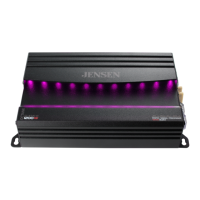
Jensen Octane XDA91RB Specifications

General IconGeneral
BrandJensen
ModelOctane XDA91RB
CategoryAmplifier
LanguageEnglish

Related product manuals