EasyManua.ls Logo

Jensen LXA600 - User Manual

Jensen LXA600
13 pages
Print Icon
To Next Page IconTo Next Page
Loading...
How to Install and Operate
the LXA600 Amplifier
®
Contents
Technical Assistance
For technical assistance with the operation or installation
of the LXA600, call 1-800-323-0221.
Welcome!
What you're holding in your hands is no ordinary
owner's manual. We've tried to make the instructions
in this book clear and easy to follow.
For your Jensen amplifier to work right, it must be
installed correctly. This manual will show you how to
install your new amplifier like a pro. It's a good idea to
read all of these instructions before you begin the
installation. Most installations are straightforward and
can be handled by a do-it-yourselfer with the right
tools, patience, and the ability to follow instructions.
But, do-it-yourself installation isn't for everyone. If you
still don't feel confident after reading this book,
consider turning the installation job over to someone
better suited to it.
Warranty Service
If your Jensen amplifier should ever require service,
you will need to have the original dated receipt. If you
ever need to return the unit for any reason, always
include the receipt with the product.
Features ........................................ 2
Installation................................... 2
Before You Begin
Installation ..................................... 2
Amplifier Location .......................... 2
Disconnect Battery ........................ 2
Amplifier Installation Kit ............. 2
Supplies and Tools
Needed .......................................... 3
Routing Wires ................................ 3
Bigger is Better .......................... 3
Wiring ............................................. 4
Power and Outputs ................... 4
Power Terminal (BATT +12V) ........ 4
Ground Terminal (GND) ................. 4
Remote Terminal (RMT +12V) ....... 4
Fuses .............................................4
Inputs and Controls .................. 5
Input Wiring.................................... 5
Pass Output ................................... 5
Power Light .................................... 5
Protect Light .................................. 5
Input Level Control ........................ 6
Bass Boost..................................... 6
Crossover ...................................... 6
Mode/Input Selector Switch ........... 7
4 Channel Mode ............................ 7
3 Channel Mode ............................ 7
2 Channel Mode ............................ 7
Speaker Wiring .............................. 8
Testing ........................................ 10
Reconnect Battery ....................... 10
Test Power Wiring ........................ 10
Test Speaker Connections .......... 10
Dealing with Alternator
Noise........................................ 10
Installing in Trunk ..................... 11
Crimp Connections .................. 11
Securing Wires ........................ 11
Speaker and
Power Wires ............................. 11
Troubleshooting ....................... 12
Specifications
and Warranty ........................13
L
O
W
I
N
P
U
T
P
A
S
S
P
A
S
S
¤
L
E
V
E
L
L
P
F
H
P
F
M
I
N
M
A
X
M
I
N
M
A
X
4
0
2
4
0
4
0
2
4
0
4
0
2
4
0
4
0
2
4
0
C
H
A
/B
C
H
C
/D
O
F
F
O
N
L
P
F
H
P
F
F
U
L
L
X
-
O
V
E
R
X
-
O
V
E
R
B
A
S
S
-
B
O
O
S
T
4
C
H
2
C
H
3
C
H
M
O
D
E
C
H
A
/
B
C
H
C
/D
P
O
W
E
R
H
I
I
N
P
U
T
P
R
O
T
E
C
T
C
C
H
I
I
N
P
U
T
D
A
A
B
L
O
W
I
N
P
U
T
B
A
S
S
-
B
O
O
S
T
L
P
F
H
P
F
F
U
L
L
O
F
F
O
N
6022Eamp.p65 02/08/01, 4:27 PM1

Questions and Answers

Overview

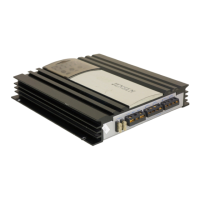
The Jensen LXA600 is a four-channel 600-watt automotive power amplifier designed to enhance your car audio system. It offers a robust amplification solution, making your receiver's sound fuller and richer, even at low volumes. With 75 watts RMS per channel (and 200 watts bridged), the LXA600 allows for significantly louder playback, enabling the use of more powerful speakers than those typically driven by standard automotive receivers.

Function Description

The LXA600 amplifier is built with several key features to optimize audio performance and ensure durability. It accepts both RCA inputs (low-level) and high-level inputs, providing flexibility for various car audio setups. A continuously variable low-pass or high-pass crossover allows you to tailor the frequency response to your specific speaker configuration, whether you're running full-range speakers, subwoofers, or a combination. The bass boost feature can increase the volume of bass by up to 6 dB at 45Hz, adding depth and impact to your low-end frequencies.

For convenience, the amplifier includes a remote turn-on/off function, which automatically powers the amplifier on and off with your car's receiver. Electronic protection circuitry safeguards the amplifier against common issues such as short circuits, DC offset, and thermal overload, ensuring reliable operation and longevity. Its unique, super-efficient heat sink design helps dissipate heat effectively, preventing overheating during extended use.

The LXA600 is bridgeable, meaning its channels can be combined to deliver higher power to fewer speakers. It can output 4 x 75 watts RMS per channel (4 x 125 watts peak) or be bridged to deliver 2 x 200 watts RMS into a 4-ohm load, directing full power to two speakers, typically subwoofers.

Usage Features

Installation:

Before beginning installation, it's crucial to gather all necessary tools and supplies, including speaker wire, sheet metal screws, electrical tape, crimp connectors, screwdrivers, wire cutters, strippers, a drill, a crimping tool, a 12-volt test light or digital multimeter, and a wire brush or scraper. An amplifier installation kit is highly recommended as it typically includes low-level RCA cables, power and ground wires, a fuse or circuit breaker, and battery connectors, simplifying the process.

Amplifier Location:

When choosing a mounting location, remember that amplifiers generate heat. Select a spot where air can circulate freely around the unit, such as under a seat or in the trunk. Avoid covering the LXA600 with carpets or enclosing it behind interior trim panels. Do not mount the amplifier in an inverted or upside-down configuration. Each installation will vary based on vehicle design, so carefully plan all placements and connections before making any cuts.

Battery Disconnection:

Always disconnect the battery's negative terminal before starting any wiring to prevent electrical shorts and damage.

Power and Outputs:

  • Power Terminal (BATT +12V): Connect directly to the vehicle battery's positive terminal using an 8-gauge wire (minimum). An in-line 50-amp fuse or circuit breaker should be installed as close to the battery as possible to protect the system.
  • Remote Terminal (RMT +12V): Connect this to the radio's power antenna lead. This ensures the amplifier turns on and off with your receiver. If a power antenna lead isn't available, connect it to the radio or an accessory fuse.
  • Ground Terminal (GND): Connect to a clean, unpainted metal chassis ground. A good electrical connection is essential for proper operation and noise reduction. Drill a 1/8" hole in the chassis sheet metal and secure the ground wire with a sheet metal screw.
  • Fuses: The LXA600 uses two 25-amp blade-type fuses.

Inputs and Controls:

  • Input Wiring: The amplifier supports both low-level (RCA) and high-level inputs. Low-level input is generally preferred for best performance. Use shielded stereo audio cables with RCA type jacks. For trunk installations, 20-foot RCA cables are typically needed, while under-seat installations may use 12-foot cables. For high-level input, connect the left and right speaker wires from the radio to the high-level input plug. It's important to use either low-level or high-level inputs, but not both simultaneously.
  • Pass Output: RCA pass-through connectors are available for adding other amplifiers to your system.
  • Power Light: This light illuminates when 12-volt power is supplied to both the battery +12V and RMT wires, indicating the amplifier is on.
  • Protect Light: This red light comes on if the amplifier shuts down due to overheating or a short circuit (e.g., speaker failure).
  • Input Level Control: This control matches the output of your radio to the amplifier's input. To set it, turn the amplifier's input level control all the way down (counterclockwise). Play a tape or CD (with bass and treble settings flat) and slowly increase the radio volume until you just start to hear distortion. Then, back the radio volume down slightly. Next, slowly turn up the amplifier's input level control (clockwise) until you just start to hear distortion, and then back it down slightly. This process matches your radio and amplifier levels.
  • Bass Boost: Activates a 6 dB bass boost at 45Hz.
  • Crossover (X-OVER): Adjusts the frequency range sent to your speakers.
    • LPF (Low Pass Filter): Only bass tones go to speakers. Use with woofers or subwoofers.
    • HPF (High Pass Filter): Blocks very low tones from speakers. Use with 6" or smaller speakers.
    • FULL: All tones go to speakers. Use with full-range speakers.
    • The LPF and HPF controls can be adjusted from 40 to 240Hz.
  • Mode/Input Selector Switch: Configures the amplifier for three different input modes:
    • 4 Channel Mode: Operates as a standard 4-channel amplifier with all RCA inputs connected.
    • 3 Channel Mode: Configured for stereo/mono operation. The front channels (A and B) operate in stereo, while the rear channels (C and D) are internally bridged for mono operation.
    • 2 Channel Mode: Configured for bridged stereo operation, requiring a two-channel input even though there are four inputs.

Speaker Wiring:

The LXA600 supports various speaker configurations:

  • 4 Speakers: Connect each speaker to its respective channel output (2/4Ω).
  • 2 Subwoofers/Bridged Mono: Bridge channels to power two subwoofers (4Ω minimum).
  • 2 Speakers + Bridged Subwoofer: Use front channels for two speakers and bridge rear channels for a subwoofer (4Ω minimum).
  • 4 Speakers + 2 Subwoofers: This "Tri-mode" operation requires external high-pass filters for the full-range speakers and low-pass filters for the subwoofers to prevent damage.

Testing:

After installation, reconnect the battery's negative terminal.

  • Power Wiring Test: Turn on the receiver (volume down). The amplifier's power light should illuminate. If not, check the RMT and +12V wires. Slowly increase receiver volume; all speakers should operate. If not, check wiring connections at the amplifier and speakers.
  • Speaker Connections Test: Ensure all speakers are connected correctly. If no sound, check for disconnected wires. If the wrong speaker plays (e.g., left speaker sound from the right), verify correct wiring.

Maintenance Features

Troubleshooting:

The manual provides a comprehensive troubleshooting guide for common issues:

  • Amplifier not operating (power LED off): Check +12V terminal power, remote wire connection, and fuses.
  • Radio volume too high/sensitive: Adjust the input level control.
  • Sound from only one speaker: Check for defective speakers, poor connections, or shorting speaker wires.
  • Sound distorted: Adjust input level control, check for defective RCA input cables, or shorting speaker wires.
  • Fuses blowing: Check for incorrect power wire connections or blown/defective speakers.
  • Alternator whine in outputs: Disconnect audio inputs to determine if the radio is at fault. Ensure proper ground connections for both radio and amplifier.
  • Loud pop in speakers on turn on/off: Check remote wire connection. If using an ignition source for the remote lead, a pop may occur; consider an in-line switch for manual control.
  • Protect light on/amplifier shuts down: Allow the amplifier to cool (consider a fan for subwoofer setups). Check speaker/crossover connections and for low battery voltage.
  • No output on channels: Check speaker impedance (must be 2 ohms minimum bridged), speaker wire connections, and input wiring.

Professional Tips:

  • Amplifier Installation Kit: Using a kit simplifies installation by providing necessary cables and connectors.
  • Bigger is Better: Thicker power and speaker wires (e.g., 8-gauge for power) ensure better sound, especially with multiple amplifiers.
  • Routing Wires: Run power wires along the same path as other vehicle wiring, often requiring removal of door sill trim and carpet.
  • Securing Wires: Use wire ties to bundle wires, but never bundle speaker wires and power wires together. Secure loose wires to prevent rubbing or rattling.
  • Speaker and Power Wires: Run speaker and power wires on opposite sides of the car to prevent "siren" noise from power wires interfering with speakers.
  • Crimp Connections: Use color-coded crimp connectors and a crimping tool. Strip 1/4 inch (6mm) of insulation, insert wires, and crimp tightly.
  • Dealing with Alternator Noise: To prevent "siren" noise, avoid bundling RCA cables with speaker/power wires, don't run speaker wires parallel to power wires, connect all ground wires to the same screw if using multiple amplifiers, keep all wires as short as possible, and ensure the receiver's black wire has a good chassis ground connection.

The Jensen LXA600 is designed to be a powerful and versatile addition to any car audio system, offering robust performance and protection features for an enhanced listening experience.

Jensen LXA600 Specifications

Power Output IconPower Output
power output at 4 ohms75 Watts per channel RMS
power output at 2 ohms100 Watts per channel RMS
power output bridged at 4 ohms200 Watts per channel RMS
Audio Performance IconAudio Performance
frequency response20 Hz-20 kHz ± 3 dB
signal to noise ratio>100 dB
channel separation>65 dB at 1 kHz
Impedance IconImpedance
speaker impedance2-8 ohms
input impedance20 k ohms
crossover frequencies40-240 Hz
Power Requirements IconPower Requirements
power requirement14.4 VDC (10.8-15.6 VDC allowable)
fuse requirementstwo 25 amp blade-type fuses
Weight and Dimensions IconWeight and Dimensions
dimensions3" x 11.125" x 13" (76mm x 283mm x 330mm)

Related product manuals