EasyManua.ls Logo

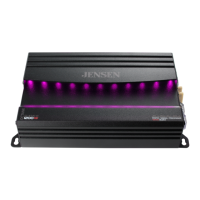
Jensen Octane XDA94RB - User Manual

Jensen Octane XDA94RB
18 pages
Print Icon
To Next Page IconTo Next Page
Loading...
INSTALLATION / OWNER’S MANUAL
XDA91RB, 92RB, 94RB

Questions and Answers

  • W
    william38Aug 5, 2025
    How to fix a Jensen Octane XDA94RB Amplifier that won't turn on?
    • G
      George HarveyAug 6, 2025
      If your Jensen Amplifier isn't turning on and the power LED isn't lit, start by checking the +12V and REM wires to ensure they are properly connected and receiving the correct voltage (11~16VDC). Next, verify that the GND wire is securely connected to ground. Finally, inspect the fuse(s) and replace them if they are blown.
  • S
    Sally AlvarezAug 9, 2025
    What does it mean when the LED on my Jensen Amplifier is red?
    • N
      nanthonyAug 9, 2025
      If the LED on your Jensen Amplifier is red, it indicates that the amplifier is in protect mode. This can happen if one or more speaker wires are touching each other or the chassis ground; in this case, insulate all bare speaker wires. It can also mean that the speakers are defective or internally shorted, so check or replace them. Finally, it could be due to the speaker load being less than 2 ohms in stereo mode, or less than 4 ohms when bridged; adjust the speaker load accordingly, as the amplifier will not operate at less than 4 ohms when bridged.
  • P
    Paul McgeeAug 14, 2025
    What to do if my Jensen Octane XDA94RB has power but no sound?
    • B
      ballkurtAug 14, 2025
      If your Jensen Amplifier has power, indicated by a green LED, but you're not getting any sound, there are several possible reasons. First, check the speaker connections. Also, make sure the volume isn't turned all the way down on the head unit. Inspect the speaker wires to ensure they are not touching each other or the chassis ground; if they are, insulate them. It's also possible that the speakers are defective or damaged, so test or replace them. Finally, verify that the input signal is properly connected.
  • A
    Amanda BrownAug 18, 2025
    Why does my Jensen Amplifier keep blowing fuses?
    • D
      dyermichaelAug 18, 2025
      If your Jensen Amplifier is repeatedly blowing fuses, it could be due to several reasons. Ensure that you are using fuses with the correct rating. Inspect the +12V wire to make sure it is not touching the chassis ground, looking for any pinched wires. Also, check the speakers for defects or damage, and replace them if necessary.
  • L
    Lucas GallegosAug 22, 2025
    What causes engine noise in a Jensen Octane XDA94RB Amplifier?
    • A
      anaaliAug 22, 2025
      Engine noise in your Jensen Amplifier can be caused by a bad ground connection. Ensure the amplifier is grounded to a clean, bare metal surface. Another potential cause is a signal ground loop or RFI (radio frequency interference). Try re-routing the RCA cables away from existing high current wiring.
  • D
    dannyoconnorAug 27, 2025
    How to resolve distorted audio output from Jensen Octane XDA94RB?
    • Q
      qmillerAug 27, 2025
      Distorted audio output from your Jensen Amplifier may be due to an incorrect input signal type or an input level that is too high. Check the connections and reduce or adjust the input level accordingly.
  • M
    Marie HarrisonAug 31, 2025
    Why is the audio output so low on my Jensen Amplifier?
    • J
      jeffrey66Aug 31, 2025
      Low audio output from your Jensen Amplifier may be caused by an incorrect input signal type or an input level that is too low. Verify the connections and increase or adjust the input level.

Summary

Preparation

Connection Descriptions

Power Wire (+12 V)

Details on connecting the main power wire, including safety and routing.

Ground Wire (GND)

Instructions for properly connecting the ground wire to the vehicle chassis.

Typical Wire Routing XDA91 RB

Typical Wire Routing XDA92 RB

Typical Wire Routing XDA94 RB

Amplifier Connections Details

Speaker Connections Guide

Detailed instructions on connecting speakers, including impedance and wiring modes.

Bluetooth Pairing Procedure

Pairing Steps with App and AMP

Step-by-step guide to successfully pair your device with the amplifier via Bluetooth.

DSP AMP App Operation

Product Specifications

XDA91 RB Specifications

Detailed technical specifications for the XDA91RB amplifier model.

XDA92 RB Specifications

Detailed technical specifications for the XDA92RB amplifier model.

XDA94 RB Specifications

Detailed technical specifications for the XDA94RB amplifier model.

Troubleshooting Guide

Unit Not Turning On

Diagnosing and resolving issues where the amplifier does not power on.

No Sound (Green LED)

Troubleshooting steps when the unit powers on but produces no sound.

Unit Blows Fuses

Identifying causes and solutions for repeatedly blowing fuses.

LED Red (Protect Mode)

Understanding and resolving amplifier protection mode activation.

Distorted or Low Audio Output

Troubleshooting distorted or weak audio signals from the amplifier.

Jensen Octane XDA94RB Specifications

General IconGeneral
BrandJensen
ModelOctane XDA94RB
CategoryAmplifier
LanguageEnglish

Related product manuals