14
Bluetooth Menu Options
NOTE: Please note that some BT menu options are only
available while the unit is in Bluetooth Audio mode.
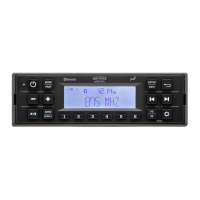
Press and hold the SETTINGS button (11) for more than
2 seconds to enter the system menu. Press the SETTINGS
button repeatedly or or buttons (9, 8) to view the
Bluetooth Setup Menu options. Press ENTER/TIMER button (6)
to choose the highlighted option.
• Call Auto Answer: Press the or buttons (19, 20) to turn
the Auto Answer function “On” or “O.”
• Call Volume: Press the ENTER/TIMER button repeatedly to
adjust the call volume from 0-40 (default volume is 30).
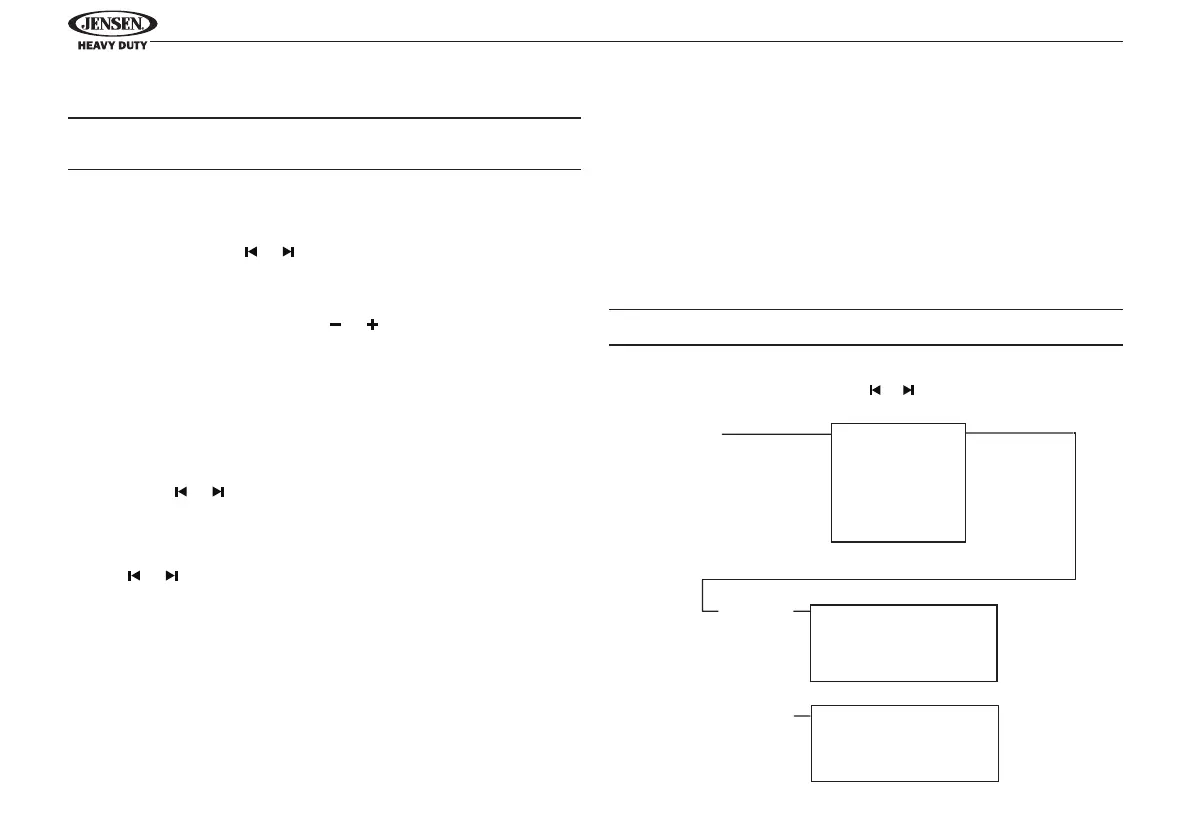
• BT Device List: Press the ENTER/TIMER buttons to view
a list of previously paired mobile phone device models.
Press the or buttons to navigate devices from the list.
You cannot delete a device that is actively connected.
Press the ENTER/TIMER button to select the device. Press
the or buttons to choose Lock/Unlock, Disconnect or
Delete for this device.
• LOCK/UNLOCK: The JHD962BT can store up to 5 devices
for Bluetooth connection. The devices are stored in FIFO
(First in First Out) order. To prevent a device from being
bumped from the list when more than 5 devices are used,
you must lock the device. To lock/unlock a device, press
the ENTER/TIMER button to display/change the Locked or
Unlocked icon.
• DISCONNECT: To disconnect a paired device, press the
ENTER/TIMER button to temporarily remove the Bluetooth
link. The link can be re-established through your phone
menu by selecting the JHD962BT for connection.
• DELETE: To delete a device from the list, press the ENTER/
TIMER button.
NOTE: Device must be disconnected to be deleted.
Use or to
Navigate the List
Press ENTER/TIMER Press ENTER/TIMER
Device 1
Device 2
Device 3
Device 4
Device 5
Lock/Unlock
Connect/Disconnect
Delete
Lock/Unlock
Connect/Disconnect
Delete
BT Device
Device 1
...
...
...
Device 5


 To Next Page