EasyManua.ls Logo

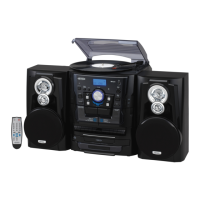
Jensen JMC-1250 - User Manual

Jensen JMC-1250
23 pages
Print Icon
To Next Page IconTo Next Page
Loading...
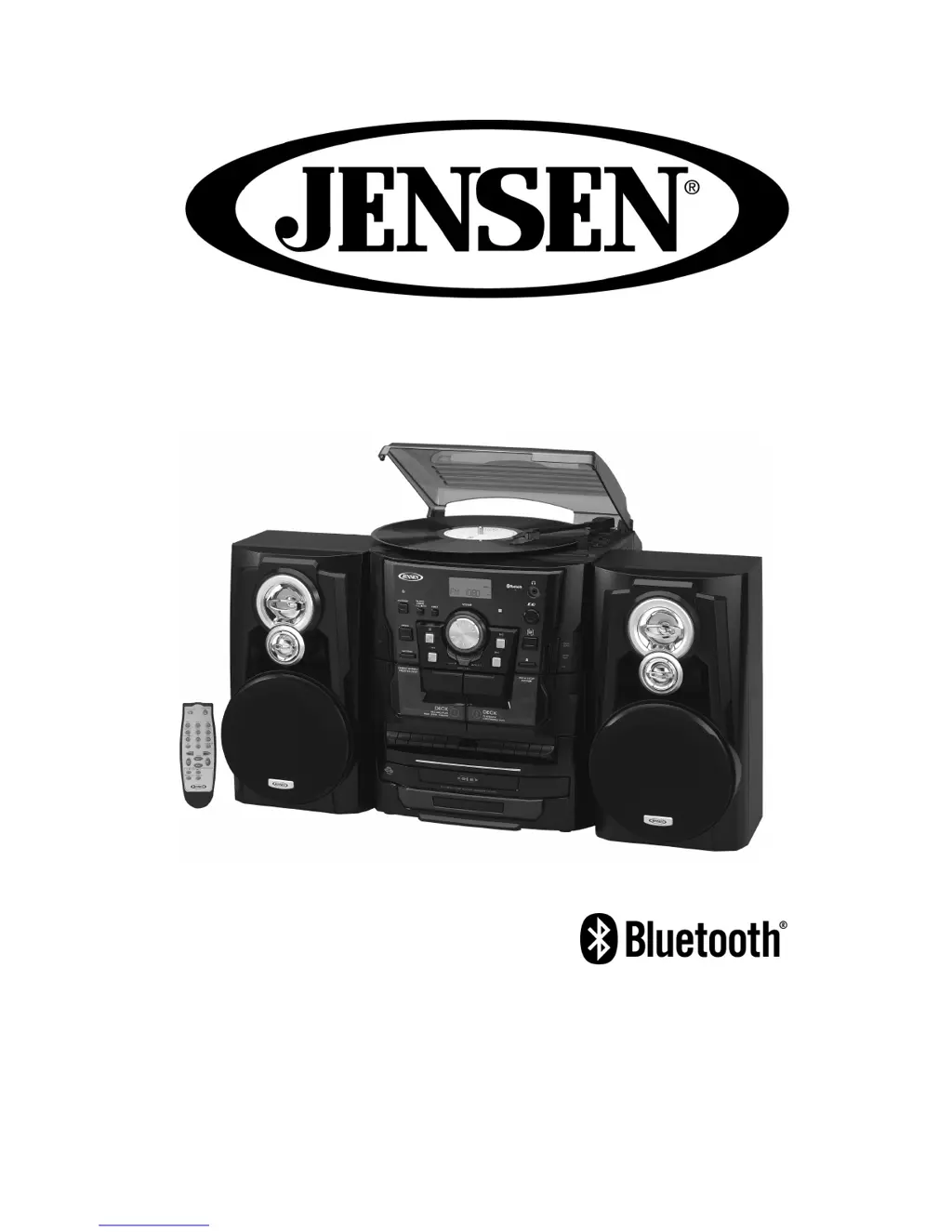
BLUETOOTH 3-SPEED STEREO TURNTABLE 3 CD
CHANGER MUSIC SYSTEM WITH DUAL CASSETTE DECK
USER MANUAL
JMC-1250
PLEASE READ THIS USER MANUAL COMPLETELY BEFORE
OPERATING THIS UNIT AND RETAIN THIS BOOKLET FOR
FUTURE REFERENCE.

Questions and Answers

  • L
    linda26Aug 17, 2025
    How to troubleshoot a Jensen JMC-1250 that won't turn on?
    • B
      Brad SimpsonAug 17, 2025
      If your Jensen Turntable isn't powering on, there are a couple of things to check. First, make sure the unit is properly connected to the AC outlet. If it is, try plugging another device into the same outlet to confirm that the outlet is working.
  • H
    hhinesAug 19, 2025
    Why does my Jensen JMC-1250 Turntable sound distorted?
    • D
      Denise RamseyAug 20, 2025
      If the sound from your Jensen Turntable is distorted, first try decreasing the volume. If the distortion persists, the sound source itself may be the issue. Try using a different audio source, such as a music CD, to see if the problem goes away.
  • J
    Joel BrewerAug 22, 2025
    What to do if my Jensen JMC-1250 CD player does not play?
    • A
      aaronwrightAug 22, 2025
      If the CD player on your Jensen Turntable isn't working, ensure that the function switch is set to CD mode. Also, check that the CD is correctly installed with the printed side facing up, properly pressed onto the spindle.
  • N
    Nicholas MillerAug 25, 2025
    Why is the AM band so noisy on my Jensen Turntable?
    • E
      Eric FergusonAug 26, 2025
      If the AM band on your Jensen Turntable is too noisy, it might be due to poor reception. Try slightly rotating the unit to find the position with the best reception.
  • D
    Douglas MartinezAug 28, 2025
    What to do if my Jensen JMC-1250 CD skips while playing?
    • J
      Jennifer HowardAug 28, 2025
      If your Jensen Turntable's CD skips while playing, the disc may be dirty or scratched. Try wiping the disc with a cloth or using another disc to see if that resolves the issue.
  • J
    jennifergreenAug 30, 2025
    What to do if my Jensen Micro Music System does not turn on?
    • A
      Amber ColonAug 31, 2025
      If your Jensen Micro Music System isn't turning on, first ensure it's properly connected to a functioning AC outlet. Try plugging another device into the same outlet to verify it's working.
  • J
    Julie KennedySep 2, 2025
    Why does my Jensen Micro Music System sound distorted?
    • C
      Charles ShafferSep 2, 2025
      If the sound from your Jensen Micro Music System is distorted, try decreasing the volume. If the distortion persists, the sound source itself may be the issue; try using a different audio source like a music CD to check.
  • D
    Deborah ColonSep 5, 2025
    How to fix a Jensen Micro Music System that won't play CDs?
    • S
      Scott AdkinsSep 5, 2025
      If the CD player on your Jensen Micro Music System isn't playing, ensure that the FUNCTION switch is set to CD mode. Also, make sure the CD is correctly placed on the spindle with the printed side facing up.
  • Z
    zsmithSep 7, 2025
    What to do if the AM band is too noisy on Jensen Micro Music System?
    • E
      Elizabeth OneillSep 8, 2025
      If the AM band on your Jensen Micro Music System is too noisy, slightly rotate the unit to find the best reception.
  • A
    Allison PittsSep 10, 2025
    Why does my Jensen Micro Music System CD skip?
    • G
      George AbbottSep 12, 2025
      If your Jensen Micro Music System's CD player skips while playing a disc, the disc might be dirty or scratched. Try wiping the disc with a cloth or using another disc to see if the problem persists.

Summary

JENSEN JMC-1250 User Manual

Introduction and Safety Notice

Read manual before operating and retain for future reference.

Safety Instructions

General Safety Precautions

Essential instructions for safe operation, handling, and maintenance of the appliance.

FCC Compliance & Laser Safety

FCC Regulations and Laser Warnings

Regulatory compliance for FCC rules and safety precautions for the laser product.

Product Care and Usage Advice

Furniture Protection and Safe Listening

Advice on protecting furniture and setting safe listening levels to prevent hearing damage.

Main Unit Controls Overview

Control Diagrams and Identification

Diagrams and numbering of all controls and ports on the main unit.

Main Unit Control Details

Control Descriptions

Detailed explanation of each numbered control on the main unit.

Remote Control Operations

Remote Control Button Functions

Detailed explanation of each button's operation on the remote control.

Initial Setup and Battery Installation

Battery Installation and Getting Started

Steps for battery installation and initial unit setup.

Basic System Operations

Setting Clock and Radio Tuning

Procedures for setting the clock and operating the radio tuner.

Audio Source Operations

Phono and Radio Reception Tips

Using the turntable and tips for optimal radio reception.

Wireless & Auxiliary Audio

Bluetooth and AUX Input Usage

Connecting and playing audio via Bluetooth and auxiliary input.

CD Player Functions

Loading and Searching CDs

How to load multiple CDs and initiate CD search.

CD Player Functions

CD Playback Modes

Play, pause, skip, search, repeat, and random playback for CDs.

Tape Deck Operations

Tape Playback and Controls

Operating the cassette deck for playback, controls, and continuous playback.

Recording and Dubbing

Recording from Various Sources

Instructions for recording from tape, radio, CD, and turntable.

More System Features

Timers, EQ, and X-Bass

Using sleep timers, on/off timers, preset EQ, and X-Bass for enhanced experience.

Advanced System Features

Headphone Usage and Warnings

Connecting headphones and important safety warnings regarding volume levels.

Care and Maintenance

Unit Cleaning and Cassette Care

Guidelines for cleaning the unit and proper handling of cassette tapes.

Care and Maintenance Procedures

Head Cleaning Procedures

Instructions for cleaning tape heads, pinch rollers, and capstans for optimal performance.

Troubleshooting Guide

Specifications and Green Notice

Technical Specifications

Details on power, frequency range, and consumption.

Warranty and Service Information

90-Day Limited Warranty

Warranty coverage, conditions, and service contact information.

Jensen JMC-1250 Specifications

General IconGeneral
BrandJensen
ModelJMC-1250
CategoryTurntable
LanguageEnglish

Related product manuals