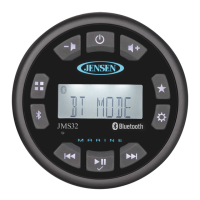
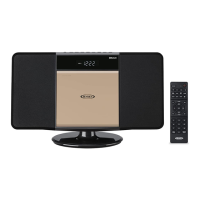
This document describes the JENSEN JWM90A Mobile Audio System, a versatile entertainment unit designed for RVs and other mobile applications.
Function Description:
The JWM90A is a comprehensive mobile audio system offering a wide range of entertainment options. It integrates a digital AM/FM tuner, CD/DVD player, MP3/USB playback, Bluetooth connectivity for audio streaming, and multiple auxiliary inputs including HDMI. The system supports multi-zone audio output, allowing different audio sources to be played in various zones of the vehicle with independent volume control. It also features a clock, alarm, and sleep timer. The unit can be controlled directly via its front panel, through an included wireless remote control, or via a dedicated smartphone app (JControl).
Important Technical Specifications:
- FM Tuner:
- Frequency Coverage (USA): 87.5 to 107.9 MHz
- Frequency Coverage (Europe): 87.5 to 108 MHz
- Sensitivity: <4 µV
- Stereo Separation @ 1 kHz: >25 dB
- AM Tuner:
- Frequency Range (USA): 530-1710 kHz
- Frequency Range (Europe): 522-1620 kHz
- Sensitivity (S/N=20dB): <63 µV
- Amplifier:
- Output Power: 20W x 8
- Output Impedance: Compatible with 4-8 ohm speakers, 4 ohm load minimum
- DVD:
- Frequency Response: 20-20,000 Hz
- Channel Separation: 50 dB
- S/N Ratio: 65 dB
- Distortion: 0.5%
- General:
- Power Supply Requirements: DC 12 Volts, Negative Ground
- Operating Voltage: 11-16 VDC
- Overall Dimensions: 432mm (W) x 180mm (D) x 95mm (H) / 17.1" (W) x 7.09" (D) x 3.74" (H)
- Mounting Dimensions: 278mm (W) x 160mm (D) x 72.5mm (H) / 10.9" (W) x 6.3" (D) x 2.85" (H)
- Weight: 2.04 KG / 4.5 lbs
- Bluetooth: A2DP/AVRCP Streaming Audio, stores up to 5 paired devices.
- USB: Playback of MP3/WMA files, provides up to 1A charging current. MP4 video format is not supported.
- HDMI: Dual HDMI Video Output with JCOM link, HDMI ARC support.
Usage Features:
- Digital AM/FM Tuner: 30 preset stations (12 AM/18 FM) for easy access to favorite radio stations.
- Bluetooth Ready: Supports A2DP/AVRCP for wireless audio streaming from compatible devices.
- APP Ready: Compatible with the JENSEN Specialty Controller app (JControl) for remote control via smartphone or tablet, offering control over power, volume, mute, source selection, tuner functions, CD/DVD player, Bluetooth audio, USB playback, auxiliary inputs, speaker selection, audio menu controls (bass, treble, balance, fader, equalizer), clock, alarm, and sleep timer.
- Pre-set Equalizer: 5 settings (User, Flat, Pop, Classical, Rock) to optimize audio for different music genres.
- Electronic Controls: For Volume, Bass, Treble, Balance, Fader, and Subwoofer.
- DVD/CD-R/RW and MP3 Compatible: Plays various disc formats, including MP3/WMA files from USB.
- Dual HDMI Video Output with JCOM link: Allows connection to multiple displays.
- HDMI ARC: Enables audio return channel functionality with compatible TVs.
- Time/Alarm Clock: Integrated clock with alarm and sleep timer functions.
- White LED Backlit LCD: Provides clear display visibility.
- 1/8" Front Auxiliary Audio Input: Convenient front panel input for connecting external audio devices.
- Rear Audio RCA Inputs/Outputs: For additional audio connections.
- USB Playback: Supports MP3/WMA files from USB devices.
- 3 Zone / 8 Speaker Output: Allows for multi-zone audio distribution with independent volume control for each zone.
- Zone Settings with Multi-Source Mode: Enables different audio sources to be played in different zones simultaneously (with some limitations based on Zone A source).
- Wireless Remote Control: Included for convenient operation.
- Dimming Control: Adjustable brightness for the LCD and button backlighting.
- Pause/Mute: Temporarily mutes audio or pauses playback.
- Track Select/Fast Forward/Reverse: Standard controls for disc and USB playback.
- Intro Scan (INT): Plays the first 10 seconds of each track on a disc or USB.
- Random Shuffle (RDM): Plays tracks in a random order.
- Repeat (RPT): Repeats current track, folder, or entire disc.
- Programmed Playback: Allows users to create a custom playback sequence for tracks.
- GOTO Direct Track/Chapter Access: Directly jump to specific tracks or chapters.
- Language Selection: For DVDs, allows selection of audio language, subtitle language, and menu language.
- Video Setup: Adjustable brightness, contrast, hue, saturation, and sharpness.
- Digital Setup: Controls OP Mode (LINE OUT or RF REMOD), Dynamic Range, and Dual Mono settings.
Maintenance Features:
- Disc Maintenance: Instructions for cleaning discs (wipe from center to edge with a clean cloth, avoid solvents) and handling (insert label side up, do not bend, do not touch underside). Emphasizes using only round CDs and avoiding stickers or labels.
- General Care: Keep the product dry, avoid dust and dirt, handle gently, wipe with a dampened cloth (no harsh chemicals), and operate in normal temperature environments.
- Troubleshooting Guide: Provides solutions for common issues such as power problems, no sound, Bluetooth connection issues, disc playback errors, and remote control unresponsiveness.
- Reset Button: Available for resolving operational issues or error displays.
- Ignition Noise Suppression: Advice on minimizing radio interference from the vehicle's ignition system, including using suppression wires and resistors.



 To Next Page
 General