Page 3
INSTALLATION INSTRUCTIONS
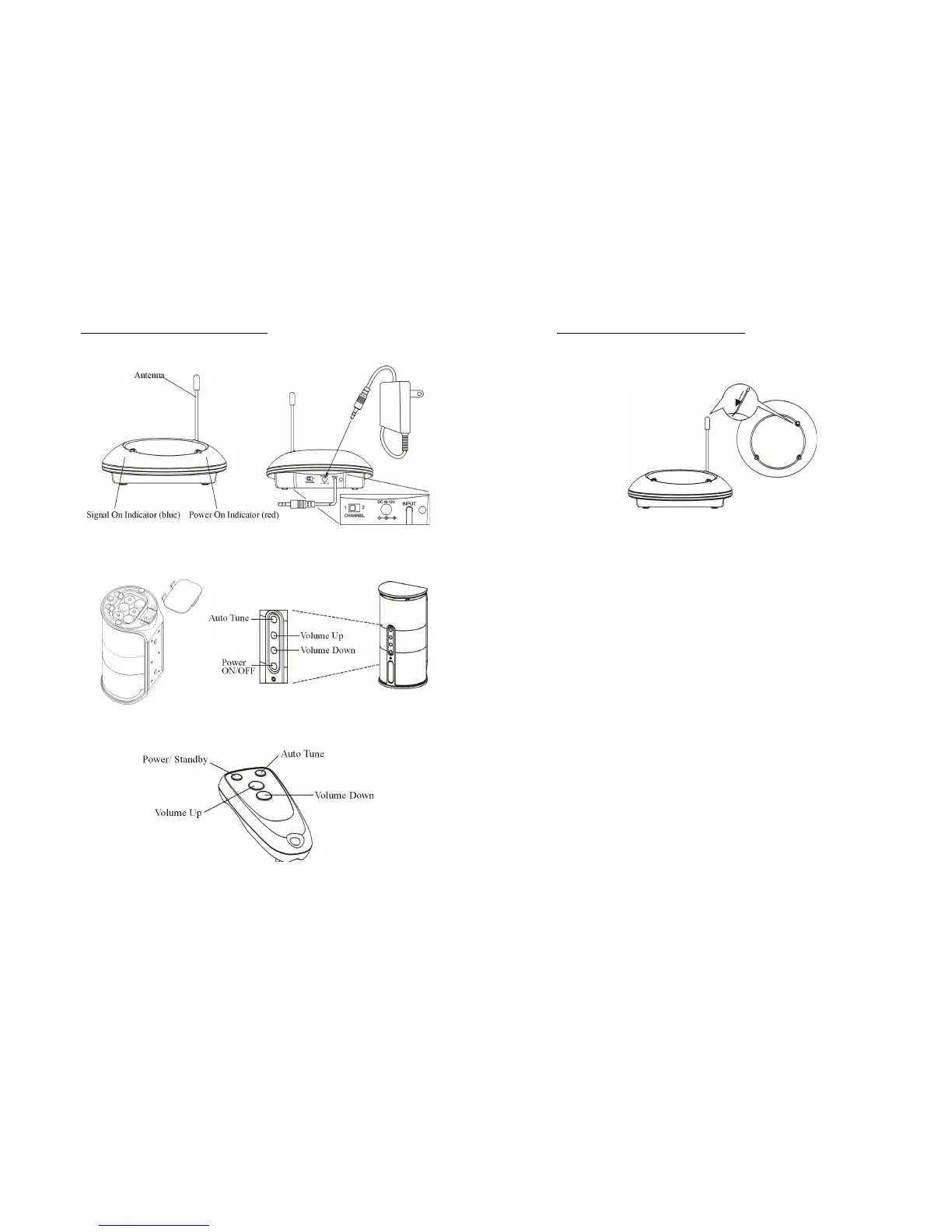
TRANSMITTER
1. Insert the antenna tube onto the antenna wire.
2. Connect the supplied AC power adapter to an electrical wall outlet.
3. Plug the AC power adapter into the DC input jack located on the rear of the
transmitter.
4. When the AC adapter is plugged in, the red POWER LED illuminates. If
the red POWER LED does not illuminate, make sure the adapter is plugged
in.
SPEAKER RECEIVERS
1. Remove Battery cover located on the bottom of each speaker.
2. Insert 6 “C” alkaline batteries (not included) into the battery compartment
with correct polarity (+/-) as indicated or connect the 9V power adapter
(included) to the DC input jack located inside of the battery compartment.
Then plug the AC adapter into an electrical wall outlet.
3. Replace the Battery cover to close the battery compartment.


 To Next Page