VM9224BT
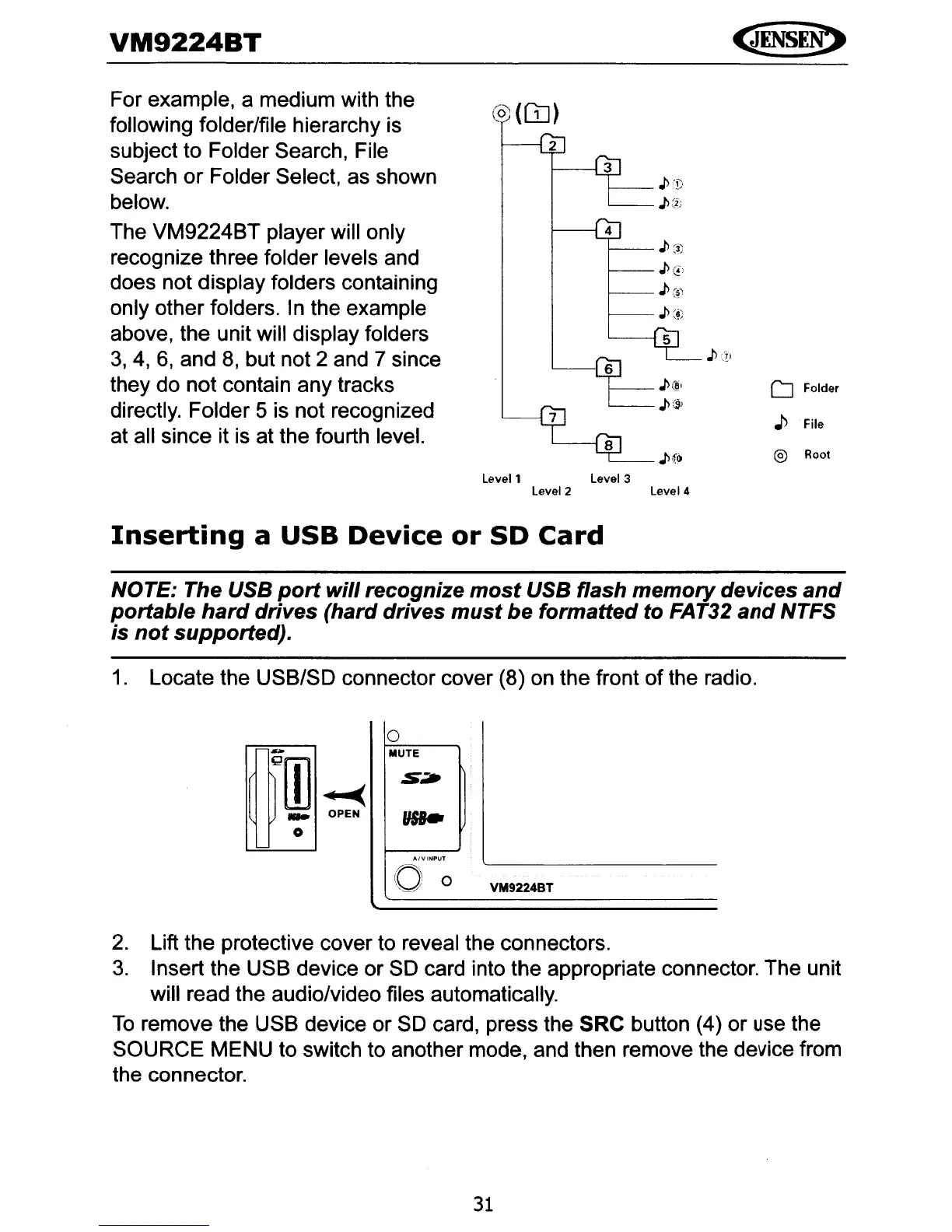
For example, a medium with the
following folder/file hierarchy is
subject to Folder Search, File
Search
or
Folder Select, as shown
below.
The VM9224BT player will only
recognize three folder levels and
does not display folders containing
only other folders. In the example
above, the unit will display folders
3,
4,
6,
and
8,
but not 2 and 7 since
they do not contain any tracks
directly. Folder 5 is not recognized
at all since it is at the fourth level.
(0)
(OJ)
,J>
/1)
J>:J.
J>
c.)
J>~
,J>
c~,
J>
(!)
D Folder
J>
File
J>~o
® Root
Levell
Level 3
Level 2 Level 4
Inserting
a
USB
Device
or
SD
Card
NOTE: The USB
port
will
recognize
most
USB flash
memory
devices
and
portable
hard
drives (hard drives
must
be formatted to FAT32
and
NTFS
is
not
supported).
1.
Locate the USB/SO connector cover (8) on the front
of
the radio.
0
-
MUTE
Q[I]
..-.(
S:i*
...
OPEN
...
0
A/VINPUT
()
0
"_.?!
VM9224BT
2.
Lift the protective cover to reveal the connectors.
3.
Insert the USB device or
SO
card into the appropriate connector. The unit
will read the audio/video files automatically.
To
remove the USB device or
SO
card, press the SRC button (4) or
use
the
SOURCE MENU to switch to another mode, and then remove the device from
the connector.
31



 To Next Page