12
VM9411
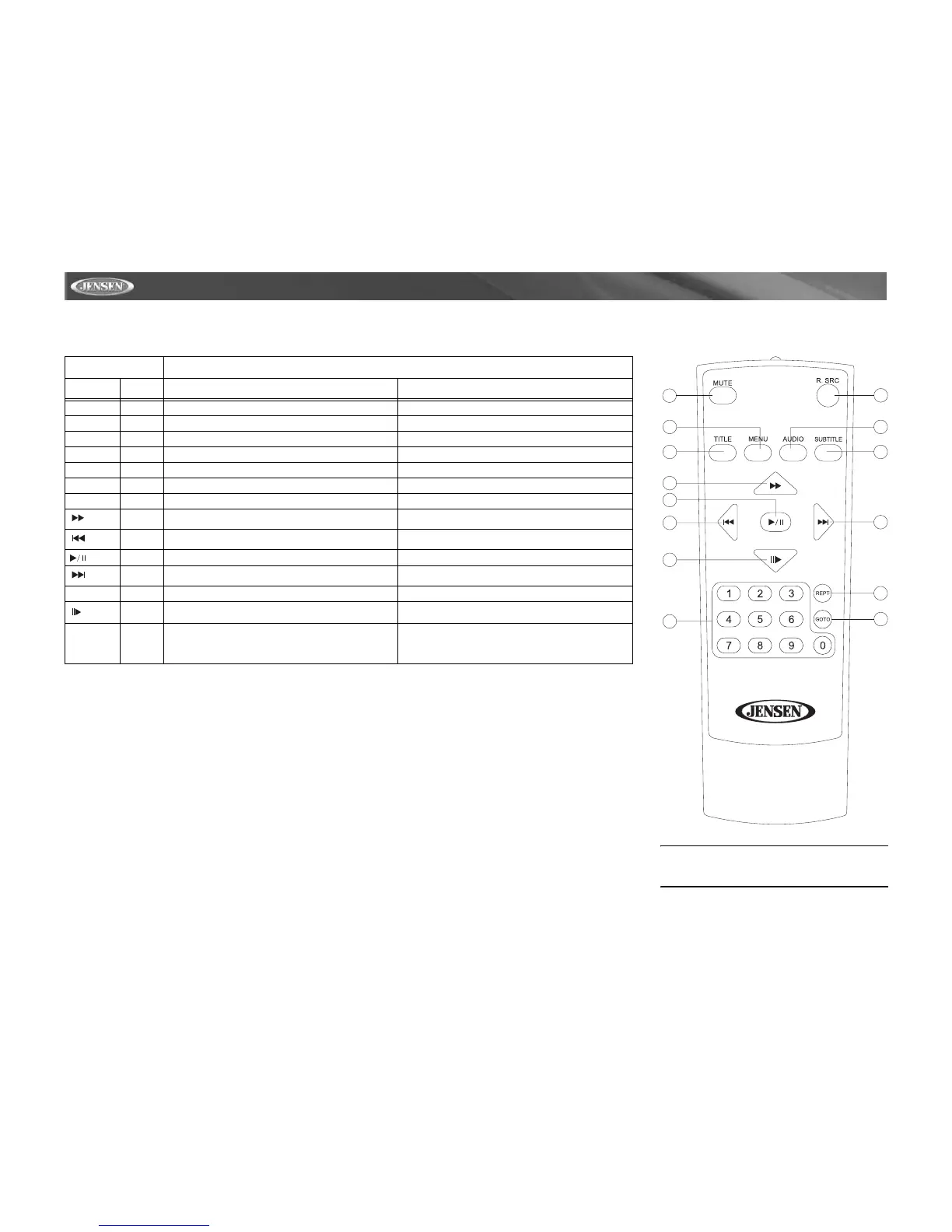
MULTI-ZONE REMOTE CONTROL
Table 2: Multi-Zone Remote Control Functions
Button Function
Name Ref # DVD VCD
MENU 1 Enters the main menu of the disc Turns on PBC when playing VCD
TITLE 2 Enters the title menu of the disc Plays first ten seconds of each chapter/title
MUTE 3 Toggles on/off audio output Toggles on/off audio output
AUDIO 5 Switches the audio language for disc playback
REPT 7 Setup to repeat playback of each chapter/title/disc Setup to repeat playback of each chapter/title/disc
R.SRC 8 Selects playing mode for rear zone Selects playing mode for rear zone
SUBTITLE 9 Language selection for subtitle
14 Fast forwards the disc content Fast forwards the disc content
17 Selects the previous track/chapter for playback Selects the previous track/chapter for playback
18 Pauses playback/Starts playback Pauses playback/Starts playback
19 Selects the next track/chapter for playback Selects the next track/chapter for playback
GOTO 21 Goes to specific time frame and playback Goes to specific time frame and playback
22 Slow playback/rewind playback Slow playback/rewind playback
0, 1, 2, 3, 4,
5, 6, 7, 8, 9,
0 (Numeric
Keypad)
29 Directly accesses chapter
8
21
29
3
5
9
1
2
14
18
17
22
19
7
NOTE: Your remote control may differ slightly
from the one pictured here. The above diagram is
for illustrative purposes only.














 To Next Page