AV-IN 1 - Touch the AV-IN 1 icon to enter the setting of the connected device
then use the p or q icons to increase or decrease the relative volume level
between -6 to +6.
AV-IN 2 - Touch the AV-IN 2 icon to enter the setting of the connected device
then use the p or q icons to increase or decrease the relative volume level
between -6 to +6.
Navigation - Touch the Navigation icon to enter the setting of the connected
device then use the p or q icons to increase or decrease the relative volume level
between -6 to +6.
iPod - Touch the iPod icon to enter the setting then use the p or q icons to increase
or decrease the relative volume level between -6 to +6.
SXM - Touch the SXM icon to enter the setting then use the p or q icons to increase
or decrease the relative volume level between -6 to +6.
The default relative volume level setting for all available sources is “0”.
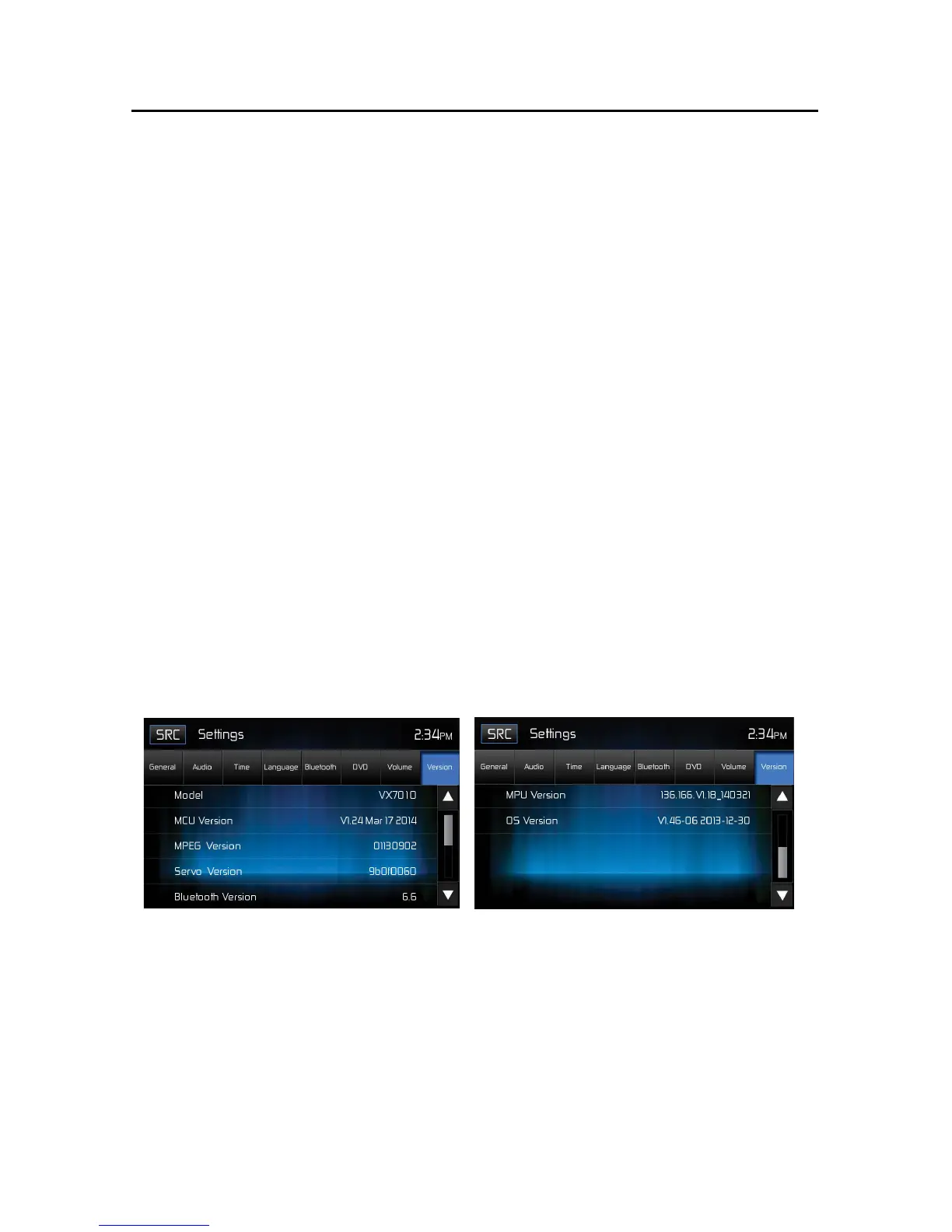
Version Sub-Menu Features
The Version Sub-Menu is used to identify the model and resident
operating system as well as the hardware and software versions.
Version Sub-Menu Screen 1 Version Sub-Menu Screen 2
Exiting the System Setup Menu
To exit setup mode and resume normal playback, touch the SRC icon on the
screen.



 To Next Page