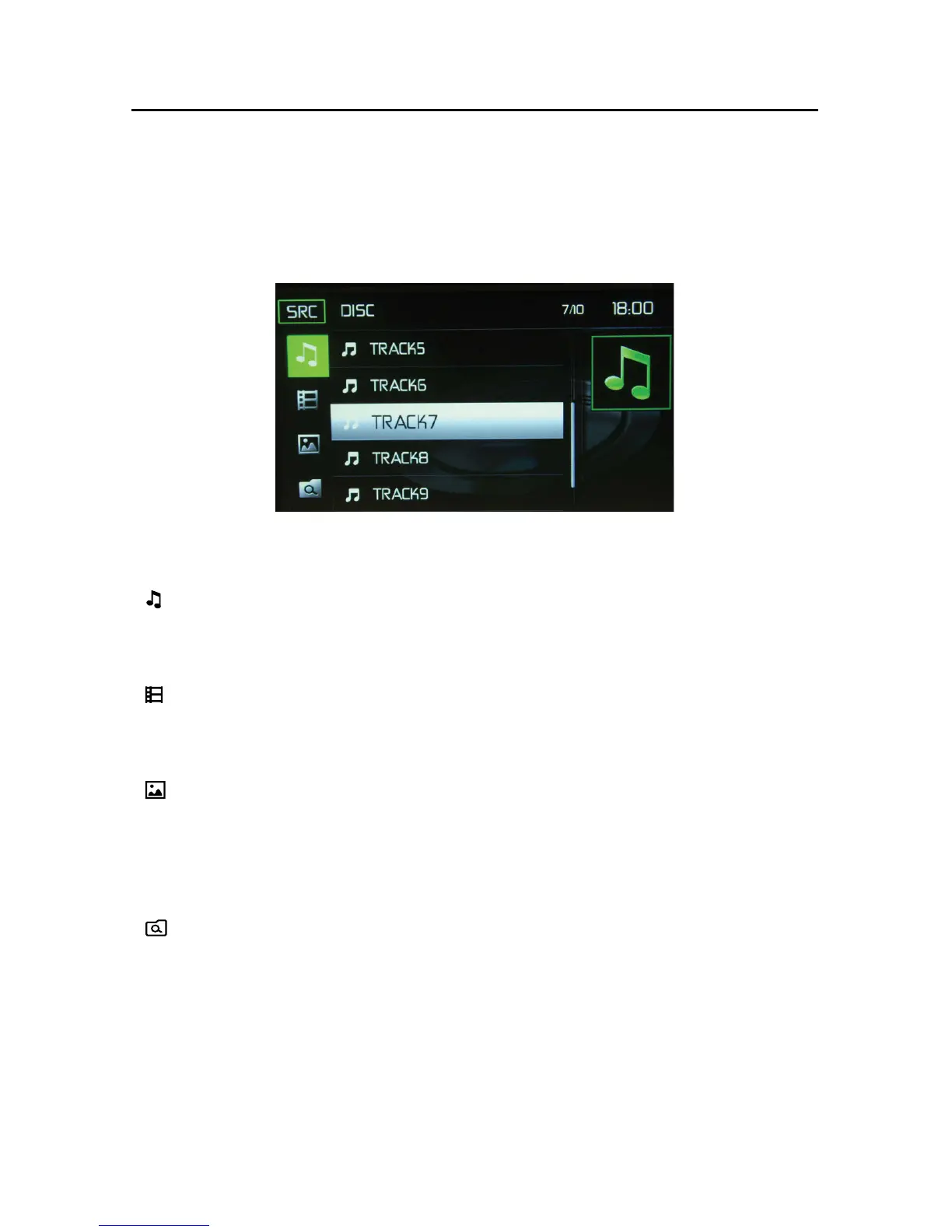
CD List Screen
CD List
Touching the List icon will display the CD List Screen. The CD List Screen illustrates
the contents of a CD disc. The contents are divided into folders and various file
types. Touching the icon will display the files present on the disc.
( ) Audio Files - Touch the audio file ic
on to display the audio file. Touch the
audio
file
icon
to
select
a
track.
Touch
the
audio
file
icon
again
to confirm
and
playback will begin.
( ) Video Files - Touch the video file i
co
n to display the video file. Touch the
video
file
icon to select a video file
. Touch the video file i
c
on again to confi
r
m
and playback will begin.
( ) Image Files (JPEG etc) - Touch the image icon to display a folder or
individual JPEG file. Touch the image icon to select a folder or an individual JPEG
fil
e.
In the case of a JPEG folder touch the folder icon twice and the contents of
the folder will be displayed.
Touch the JPEG image icon to select and view an
individual JPEG file.
( ) Folders
- Touch the icon to display the folder/file hiearchy. Touch the folder
icon
twice
and
the
contents
of
the
folder
will
be
displayed.
Touch
the
fil
e icon to
select a file. Touch the icon again to confirm and open the file.



 To Next Page