60
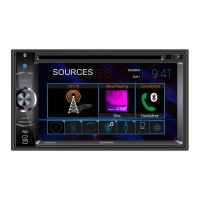
1. Touch the MENU on the front panel to access the source menu.
2. Touch the Bluetooth icon on the source menu and the Bluetooth user
interface screen will appear.
3. Touch the Settings icon.
4. On the Settings sub-menu set the Bluetooth function to ON.
5. On the Settingss sub-menu set the Auto Connect function to ON.
6. Set the mobile phone Bluetooth discover mode to ON.
Note: Some discovery modes have a time limit, usually a minute, before.
they are automatically turned OFF.
7. Touch the “Scan” icon on the unit’s Bluetooth user interface screen. Available.
devices will appear with the “Pair” icon next to it.
The user can make or receive phone calls with Bluetooth enabled phones through
the unit. The user can also listen to music from a Bluetooth enabled device.
Pairing Bluetooth Devices
To connect your Bluetooth phone to the unit, the user needs to pair the phone to
the unit. Pairing only needs to be done once per phone. The user can pair up
to five (5) phones. Use your mobile phone to begin the Bluetooth pairing
process.



 To Next Page