EasyManua.ls Logo

Jet J-4200A - User Manual

Jet J-4200A
36 pages
Print Icon
To Next Page IconTo Next Page
Loading...
Operating Instructions and Parts Manual
Disc, Belt and Combination Disc/Belt Sanders
Models: J-4200A J-4300A J-4400A
J-4200A-2 J-4301A J-4401A
J-4202A
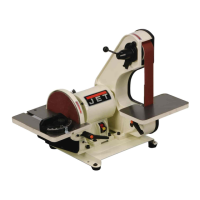
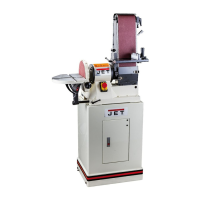
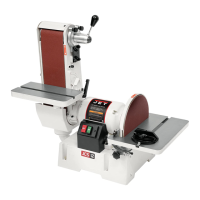
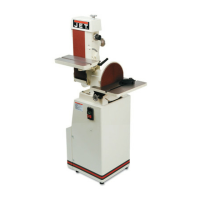
J-4200A Disc/Belt Sander J-4300A Belt Sander J-4400A Disc Sander
JET
427 New Sanford Road
LaVergne, Tennessee 37086 Part No. M-414551
Ph.: 800-274-6848 Revision C1 01/2014
www.jettools.com Copyright © 2014 JET

Table of Contents

Questions and Answers

  • L
    Lucas PetersJul 31, 2025
    What to do if my Jet J-4200A belt has a short life?
    • S
      Susan SolisJul 31, 2025
      To extend the belt life of your Jet Sander, avoid applying excessive pressure while grinding; let the belt do the cutting, as excessive pressure dulls the grit. Use all surface areas of the abrasive cloth instead of working on only one side of the belt or one area of the disc. Also, ensure you are using the correct abrasive material and grit size for your workpieces; consult your abrasives supplier for recommendations.
  • R
    Ronald KirkAug 4, 2025
    How to troubleshoot a Jet J-4200A Sander when the motor will not run?
    • M
      Matthew PierceAug 4, 2025
      If the Jet Sander motor won't run, there are several possible reasons. First, the voltage might be too low, so check the power supply. A blown fuse or tripped circuit breaker could also be the culprit; determine why it happened and replace the fuse or reset the breaker. Ensure that the branch isn't shut down for service. Inspect all wire connections for any looseness. If none of these solutions work, the motor or the switch might be defective and need replacement.
  • M
    Michael SmithAug 10, 2025
    Why does my Jet J-4200A Sander motor stall easily?
    • E
      Elizabeth WaltonAug 10, 2025
      If your Jet Sander motor stalls easily, it could be due to low voltage. Check the voltage at the motor and correct if necessary. For three-phase motors, a blown fuse could be the cause, so replace the blown fuse. Improper wiring can also lead to stalling, so check all connections to ensure they are properly connected.
  • M
    Michael JensenAug 15, 2025
    How to fix poor tracking on a Jet Sander?
    • K
      Kevin ClarkAug 15, 2025
      If your Jet Sander has poor tracking, consider these potential causes: 1. Tracking may be out of adjustment, so adjust the belt tracking. 2. Too much belt tension: loosen the tension until the belt is just taut. 3. Not enough belt tension: tighten the tension until the belt is more taut. 4. The belt may be jointed improperly, so check the belt for an irregular seam or shape. 5. There may be a lack of crown on the drive roller, so check for a slight crown and replace the roller if the crown has worn away. 6. Worn bearings can also cause tracking issues, so check all the bearings for excessive heat or loose shafts and replace if necessary.
  • A
    Anthony EdwardsAug 20, 2025
    What to do if the abrasive belt slows down on my Jet J-4200A?
    • R
      Rebekah LopezAug 20, 2025
      If the abrasive belt or disc on your Jet Sander slows down even though the motor is running at working speed, the belt may be slipping. In this case, replace the belt.
  • O
    obeckerAug 25, 2025
    Why is the belt unsteady on my Jet Sander?
    • R
      ryan47Aug 26, 2025
      If your Jet Sander belt is unsteady, it could be due to slack in the abrasive belt. Adjust the belt tension to resolve this issue.

Summary

Warranty and Service Information

Warranty Limitations and Exclusions

Outlines restrictions, exclusions like misuse, and legal warranty limitations.

Safety Warnings and Precautions

General Machine Operation Safety

Basic safety guidelines for setting up, using, and servicing the machine.

Machinery Operational Safety Rules

Essential safety practices for operating machinery, including apparel and work area.

Abrasive Sanding Safety Guidelines

Specific safety requirements for operating abrasive sanding equipment safely.

Operating Instructions

Belt Sander Setup and Use

Guidance on belt condition, tension, and tracking for optimal performance.

Adjusting Belt Sander Table Angle

Step-by-step instructions for safely tilting the belt sander table.

Belt Sander Arm Positioning

Instructions for positioning the belt sander arm for various sanding angles.

Adjusting Disc Sander Table

Procedures for setting and locking the disc sander table angle.

Using the Miter Gauge for Angles

How to use the miter gauge for accurate angle sanding on workpieces.

Maintenance and Care Procedures

Sanding Belt Replacement

Step-by-step guide for safely replacing the sanding belt.

Installing Abrasive Discs

Instructions for safely removing old and applying new abrasive discs.

V-Belt Replacement Process

Steps for replacing the V-belt on the machine.

Machine Setup and Calibration

Electrical Connections and Safety

Troubleshooting Guide

Jet J-4200A Specifications

General IconGeneral
BrandJet
ModelJ-4200A
CategorySander
LanguageEnglish

Related product manuals