EasyManua.ls Logo

Jet J-4202A - User Manual

Default Icon
36 pages
Print Icon
To Next Page IconTo Next Page
Loading...
Operating Instructions and Parts Manual
Disc, Belt and Combination Disc/Belt Sanders
Models: J-4200A J-4300A J-4400A
J-4200A-2 J-4301A J-4401A
J-4202A
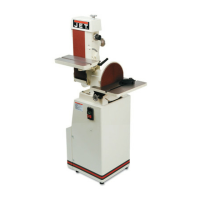
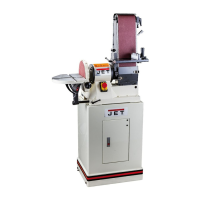
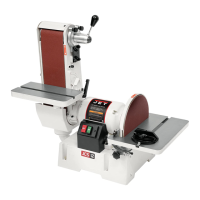
J-4200A Disc/Belt Sander J-4300A Belt Sander J-4400A Disc Sander
JET
427 New Sanford Road
LaVergne, Tennessee 37086 Part No. M-414551
Ph.: 800-274-6848 Revision C1 01/2014
www.jettools.com Copyright © 2014 JET

Table of Contents

Questions and Answers

  • A
    Ashley BurnsAug 6, 2025
    What to do if my Jet Sander belt has a short life?
    • U
      umorseAug 6, 2025
      To extend the belt life of your Jet Sander, avoid applying excessive pressure while grinding; let the belt do the cutting, as excessive pressure dulls the grit. Use all surface areas of the abrasive cloth instead of working on only one side of the belt or one area of the disc. Also, ensure you are using the correct abrasive material and grit size for your workpieces; consult your abrasives supplier for recommendations.
  • R
    rpageAug 11, 2025
    How to troubleshoot a Jet Sander when the motor will not run?
    • K
      Kyle ReynoldsAug 11, 2025
      If the Jet Sander motor won't run, there are several possible reasons. First, the voltage might be too low, so check the power supply. A blown fuse or tripped circuit breaker could also be the culprit; determine why it happened and replace the fuse or reset the breaker. Ensure that the branch isn't shut down for service. Inspect all wire connections for any looseness. If none of these solutions work, the motor or the switch might be defective and need replacement.
  • A
    Angel FisherAug 16, 2025
    Why does my Jet J-4202A motor stall easily?
    • J
      jenniferlewisAug 16, 2025
      If your Jet Sander motor stalls easily, it could be due to low voltage. Check the voltage at the motor and correct if necessary. For three-phase motors, a blown fuse could be the cause, so replace the blown fuse. Improper wiring can also lead to stalling, so check all connections to ensure they are properly connected.
  • S
    Scott RobbinsAug 21, 2025
    How to fix poor tracking on a Jet Sander?
    • D
      david41Aug 21, 2025
      If your Jet Sander has poor tracking, consider these potential causes: 1. Tracking may be out of adjustment, so adjust the belt tracking. 2. Too much belt tension: loosen the tension until the belt is just taut. 3. Not enough belt tension: tighten the tension until the belt is more taut. 4. The belt may be jointed improperly, so check the belt for an irregular seam or shape. 5. There may be a lack of crown on the drive roller, so check for a slight crown and replace the roller if the crown has worn away. 6. Worn bearings can also cause tracking issues, so check all the bearings for excessive heat or loose shafts and replace if necessary.
  • J
    Jack MartinAug 26, 2025
    What to do if the abrasive belt slows down on my Jet J-4202A?
    • P
      Penny LozanoAug 26, 2025
      If the abrasive belt or disc on your Jet Sander slows down even though the motor is running at working speed, the belt may be slipping. In this case, replace the belt.
  • T
    Taylor NelsonAug 31, 2025
    Why is the belt unsteady on my Jet J-4202A?
    • S
      Sara MortonAug 31, 2025
      If your Jet Sander belt is unsteady, it could be due to slack in the abrasive belt. Adjust the belt tension to resolve this issue.

Summary

Warranty and Service Information

Warranty Period and Coverage

Details warranty periods, what is covered, and who is covered.

Technical Support and Warranty Limitations

Explains how to get technical help, warranty limitations, and legal rights.

Machine Safety Warnings and Precautions

General Cautions for Setup and Operation

Provides essential safety advice for machine setup, operation, and servicing.

Machinery Operation Safety Guidelines

Outlines critical safety practices for operating machinery to prevent injury.

Electrical and Abrasive Sanding Safety

Covers electrical precautions and specific safety requirements for abrasive sanding.

Machine and Manual Overview

Product Specifications

Operating Instructions for Sanders

Belt Sander Operation Basics

Covers pre-operation checks and setup for the belt sander.

Adjusting Belt and Disc Sander Tables

Guides on tilting the belt sander table and adjusting the disc sander table.

Belt Sander Arm and Handle Adjustment

Explains how to adjust the belt sander arm position and reposition the indexing handle.

Using the Miter Gauge for Angles

Details on using the miter gauge to sand accurate angles on workpieces.

Maintenance Procedures

Sanding Belt Replacement

Step-by-step instructions for replacing the sanding belt.

Track Mechanism Maintenance

Procedure for cleaning and maintaining the belt tracking mechanism.

Installing Discs and Replacing V-Belts

Instructions for installing new abrasive discs and replacing the v-belt.

Machine Setup and Adjustments

Basic Machine Setup and Anchoring

Guidance on positioning, anchoring, and preparing the machine for use.

Disc Table Adjustments

Instructions for setting disc table angle, parallelism, and gap.

Belt Table Adjustments

Procedures for aligning belt table miter slot and adjusting its angle.

Platen Adjustment and Replacement

Steps for adjusting or replacing the platen height for optimal sanding.

Electrical Connections

Single Phase Electrical Hookup

Instructions for connecting single-phase power to the machine.

Three Phase Electrical Hookup

Instructions for connecting three-phase power to the machine.

Troubleshooting Common Issues

Replacement Parts Identification

J-4200 A Parts Identification

Visual breakdown and list of parts for the J-4200A Belt and Disc Sander.

J-4300 A Belt Sander Parts Identification

Visual breakdown and list of parts for the J-4300A Belt Sander.

J-4400 A Disc Sander Parts Identification

Visual breakdown and list of parts for the J-4400A Disc Sander.

Base Assembly Parts Identification

Exploded views and parts lists for various base assemblies.

Electrical Schematics

Single Phase Electrical Schematics

Wiring diagrams for single-phase (115V and 230V) electrical connections.

Three Phase Electrical Schematics

Wiring diagrams for three-phase (230V and 460V) electrical connections.

Jet J-4202A Specifications

General IconGeneral
BrandJet
ModelJ-4202A
CategorySander
LanguageEnglish

Related product manuals