EasyManua.ls Logo

Jet JWDS-1020 - User Manual

Jet JWDS-1020
28 pages
Print Icon
To Next Page IconTo Next Page
Loading...
Operating Instructions and Parts Manual
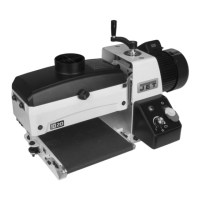
Bench-top Drum Sander
Model JWDS-1020
JET
427 New Sanford Road
LaVergne, Tennessee 37086 Part No. M-723510
Ph.: 800-274-6848 Edition 1 06/2019
www.jettools.com Copyright © 2019 JET
This .pdf document is bookmarked

Questions and Answers

  • J
    Justin VazquezAug 20, 2025
    What to do if the drum motor won’t start when activated on my Jet Sander?
    • I
      ikellyAug 20, 2025
      If the drum motor of your Jet Sander doesn’t start, it could be due to several reasons. There might be no incoming current, so check the connections at the plug or circuit panel. The safety key might be missing from the switch, so install it. There could be low voltage, so check the power line for proper voltage. There might be an open circuit in the motor or a loose connection, so inspect all lead connections on the motor. Finally, the switch itself might be malfunctioning, so consider replacing it.
  • P
    Paul TuckerAug 22, 2025
    Why does the conveyor belt slip on the drive roller of my Jet JWDS-1020?
    • J
      jacobpattonAug 22, 2025
      The conveyor belt slipping on the drive roller of your Jet Sander is often due to improper conveyor belt tension. Adjust the belt tension to correct this. It can also be caused by excessive depth of cut and/or feed rate, so reduce these as needed.
  • B
    bairdsaraAug 25, 2025
    What to do if the board slips on the conveyor belt of my Jet JWDS-1020 Sander?
    • K
      Karen MasonAug 25, 2025
      If the board slips on the conveyor belt of your Jet Sander, it could be because the tension rollers are too high. Lower the tension rollers. It may also be due to an excessive feed rate, so reduce the feed rate. The conveyor belt may also be dirty or worn, so replace it.
  • T
    Terri TaylorAug 26, 2025
    Why does my Jet JWDS-1020 Sander burn wood?
    • H
      Heather TorresAug 26, 2025
      Your Jet Sander might burn wood due to several reasons: the abrasive strip may be overlapped, the abrasive could be loaded, the depth of cut might be excessive for the fine grit you're using, the feed rate might be too slow, or the abrasive is worn. To resolve this, re-wrap the abrasive strip, clean the abrasive, use a coarser grit or reduce the depth of cut, increase the feed rate, or replace the abrasive.
  • L
    lisa45Aug 28, 2025
    Why does my Jet JWDS-1020 Sander abrasive load up prematurely?
    • D
      Deborah WilliamsAug 28, 2025
      Premature loading of the abrasive on your Jet Sander may occur due to excessive depth of cut, excessive feed rate, inadequate dust collection, or inadequate abrasive. Try reducing the depth of cut and feed rate, increasing airflow at the dust port, or using an open-coat abrasive.
  • D
    Dylan WoodsAug 29, 2025
    What to do if the drum motor stalls on my Jet JWDS-1020 Sander, resulting in blown fuses or a tripped circuit?
    • R
      Ryan BautistaAug 30, 2025
      If the drum motor stalls, causing blown fuses or a tripped circuit in your Jet Sander, it could be due to a short circuit in the motor or loose connections. Inspect the motor connections for loose or shorted terminals or worn insulation. It may also be due to low voltage, so correct any low voltage conditions. Finally, it may be caused by an incorrect fuse or circuit breaker in the power line, so install the correct one.
  • T
    Troy RiosAug 31, 2025
    How to fix a Jet JWDS-1020 Sander that makes a loud, repetitive noise or vibration?
    • D
      Deanna HuntSep 1, 2025
      A loud, repetitive noise or vibration from your Jet Sander could be caused by loose fasteners, a motor fan hitting the cover, or the machine not being level. Inspect and tighten any loose fasteners. Tighten the fan or shim the fan cover if the fan is hitting it. Ensure the sander is on a flat surface, and use shims if needed to level it.
  • P
    Paula VincentSep 2, 2025
    What causes ripples in the sanded surface when using my Jet JWDS-1020 Sander?
    • J
      Joseph WhiteSep 2, 2025
      Ripples on the sanded surface from your Jet Sander can be caused by a few things. Non-uniformly spaced ripples (A) are often due to an uneven feed rate, which can be caused by conveyor belt slipping, the board slipping on the conveyor belt, or the conveyor motor stalling. Uniformly spaced ripples (B) might be from the conveyor table flexing or vibrating. To address this, reduce the depth of cut and/or feed rate. Also, check for loose bolts, loose shaft coupling set screws, or an out-of-balance drum.
  • C
    Caitlin RobertsonSep 4, 2025
    Why does the drum motor of my Jet JWDS-1020 not start and blow fuses or trip circuit breakers?
    • R
      Ryan WheelerSep 4, 2025
      If the drum motor of your Jet Sander will not start and the fuses blow or the circuit breakers trip, it could be due to a short circuit in the line cord or plug. Inspect the cord or plug for damaged insulation and shorted wires. It may also be a short circuit in the motor or loose connections, so inspect all connections on the motor for loose or shorted terminals or worn insulation. Finally, it could be due to an incorrect fuse or circuit breaker in the power line, so install the correct fuse or circuit breaker.
  • C
    Cheryl WongSep 6, 2025
    What causes snipe marks on my Jet JWDS-1020 Sander?
    • R
      Ryan BlankenshipSep 6, 2025
      Snipe marks on your Jet Sander are caused by improper tension on the rollers. You should re-tension the rollers to resolve this issue.

Summary

IMPORTANT SAFETY INSTRUCTIONS

General Safety Guidelines

Understand manual, use trained personnel, and follow intended use guidelines.

Personal Protection and Work Area

Wear safety gear, secure attire, use hearing protection, and maintain a clean work area.

Machine Operation and Maintenance Safety

Ensure grounding, unplug for adjustments, keep guards, check parts, and remove keys.

Setup and assembly

Abrasive Strip Installation

Critical steps for properly attaching abrasive strips to the drum.

Electrical connections

GROUNDING INSTRUCTIONS

Mandatory grounding procedures for safe electrical operation.

Adjustments

Conveyor belt tension;tracking

Inspecting drum alignment

Tension roller adjustment

Operations

Basic Operating Procedure

Step-by-step guide for performing basic sanding operations.

Setting depth of cut

Establishing drum height

Maximum performance tips

User-maintenance

Abrasives

Troubleshooting JWDS-series Drum Sander

Electrical Connections for JWDS-1020

Jet JWDS-1020 Specifications

General IconGeneral
BrandJet
ModelJWDS-1020
CategorySander
LanguageEnglish

Related product manuals