EasyManua.ls Logo

Jet JJP-10BTOS - User Manual

Jet JJP-10BTOS
40 pages
Print Icon
To Next Page IconTo Next Page
Loading...
Operating Instructions and Parts Manual
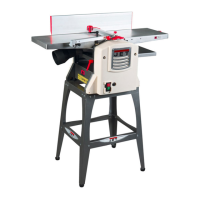
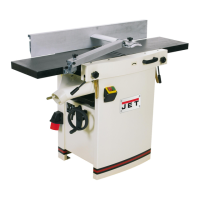
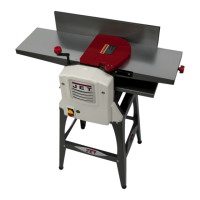
JJP-10BTOS 10" Jointer-Planer
WALTER MEIER (Manufacturing) Inc.
427 New Sanford Road
LaVergne, Tennessee 37086 Part No. M-707410
Ph.: 800-274-6848 Revision A1 12/09
www.waltermeier.com Copyright © 2009 Walter Meier (Manufacturing) Inc.

Questions and Answers

  • C
    Chad DennisSep 12, 2025
    Why is my Jet Power Tool leaving a rough grain?
    • F
      Frank NicholsSep 12, 2025
      If your Jet Power Tool is leaving a rough or raised grain, try sharpening the knives, adjusting to a proper depth of cut, and removing high moisture content from the wood by drying.
  • T
    thomas29Sep 12, 2025
    How to eliminate uneven knife marks from my Jet Power Tool?
    • M
      Michelle ArmstrongSep 12, 2025
      If your Jet Power Tool is leaving uneven knife marks on the workpiece, align the knives and replace any that are nicked.
  • D
    deborahbarnesSep 10, 2025
    Why my Jet Power Tool won't start or keeps tripping the circuit breaker?
    • K
      kristinesmithSep 10, 2025
      If your Jet Power Tool won't start, restart, or repeatedly trips the circuit breaker or blows fuses: 1. Verify the unit is connected to power and the Start/Stop switch is in the Start position. 2. If the planer frequently trips, try taking a lighter cut. 3. Verify the planer is on a circuit of the correct size. If the circuit size is correct, there is probably a loose electrical lead. 4. If the electric motor is suspect, have a qualified electrician test the motor for function or take the machine to a service center and have it tested. 5. Adjust the dust chute, making sure that the key on the dust chute depresses the micro-switch on machine.
  • J
    Jeffrey RamirezSep 9, 2025
    What to do if my Jet Power Tool is causing chip out?
    • D
      David EdwardsSep 9, 2025
      If your Jet Power Tool is producing chip out, try these solutions: 1. Cut with the grain whenever possible. 2. Sharpen or replace dull knives. 3. Use a slower feed rate. 4. Make shallower cuts. 5. Inspect the wood for imperfections, and use different stock if necessary.
  • L
    Lori RichardsonSep 8, 2025
    How to fix 'chatter' marks on my Jet Power Tool workpiece?
    • A
      Ashley PerezSep 8, 2025
      If your Jet Power Tool is leaving “chatter” marks on the workpiece, ensure the knives are correctly set and the knife slots are clean and free of dust or debris. Also, feed the workpiece slowly and consistently, and make shallower cuts.
  • E
    Eric LopezAug 23, 2025
    How to prevent chip out when using a Jet JJP-10BTOS Planer?
    • S
      Stacey RussellAug 23, 2025
      To address chip out when using your Jet Planer: * Whenever possible, cut with the grain. * Sharpen or replace dull knives. * Reduce the feed rate. * Make shallower cuts. * Inspect wood closely for imperfections; use different stock if necessary.
  • C
    Christine GriffinSep 6, 2025
    Why does my Jet Power Tool cutterhead slow down during operation?
    • S
      Sheila GonzalezSep 6, 2025
      If your Jet Power Tool cutterhead slows down, it might be because you're feeding the workpiece too quickly or applying too much pressure. Try feeding the workpiece more slowly or applying less pressure.
  • C
    Cynthia ThompsonSep 5, 2025
    What causes chatter marks on the workpiece when using a Jet JJP-10BTOS?
    • N
      newtonjaimeSep 5, 2025
      If you are getting chatter marks on your workpiece when using the Jet Planer, knives may be incorrectly set or you may be cutting too deeply. Set knives properly and make shallower cuts.
  • M
    Molly MillerSep 4, 2025
    Why doesn't the board thickness match the depth of cut scale on my Jet JJP-10BTOS?
    • R
      Richard BurtonSep 4, 2025
      If the board thickness doesn't match the depth of cut scale on your Jet Planer, the depth of cut scale is incorrect. You should adjust the depth of cut scale.
  • M
    Melinda BlairSep 3, 2025
    What causes an uneven depth of cut side to side on a Jet JJP-10BTOS?
    • R
      Ross HahnSep 3, 2025
      If you notice an uneven depth of cut from side to side with your Jet Planer, the knives may be incorrectly set. You should adjust the knives.

Summary

Warnings and Safety Precautions

General Safety Precautions

Comprehensive list of safety rules for operating the jointer-planer.

Setup Procedures

Jointer Setup

Procedures for configuring the machine for jointer operation.

Planer Setup

Procedures for configuring the machine for planer operation.

Machine Adjustments

Cutterhead Knife Adjustment

Procedure for setting and adjusting the cutterhead knives for optimal performance.

Knife and Fence Procedures

Replacing Cutter Knives

Step-by-step guide for safely removing and replacing cutterhead knives.

Jointer Fence Adjustment

How to accurately set the jointer fence to 0° or 90° positions.

Basic Operations

Jointer Operations

Correct operating position and basic jointer procedures like surfacing.

Planer Operations

Depth of Cut and Precautions

Guidelines for setting depth of cut and safety precautions for planer use.

Maintenance Procedures

Blade Care and Sharpening

Procedures for blade maintenance, sharpening, and cutterhead care.

Troubleshooting

Jointer Performance Issues

Common jointer problems and their remedies, including chip out and fuzzy grain.

Electrical Connection

Jet JJP-10BTOS Specifications

General IconGeneral
TypeBenchtop Planer
Motor Power1.5 HP
Amperage15 A
Voltage120V
Cutterhead Speed10, 000 RPM
Number of Knives2
Planing Thickness6 in
Dust Port Diameter4 in
Maximum Cutting Depth1/8 in
Maximum Material Removal1/8 in.
Planing Width10 inches
Maximum Cutting Width10 inches
Feed Rate26 ft/min

Related product manuals