EasyManua.ls Logo

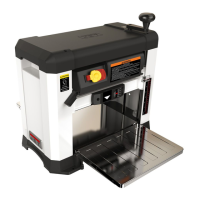
Jet JWP-13BT - User Manual

Jet JWP-13BT
28 pages
Print Icon
To Next Page IconTo Next Page
Loading...
1
Operating Instructions and Parts Manual
13-inch Portable Thickness Planer
Model JWP-13BT
JET
427 New San
ford Road
LaVergne, Tennessee 37086 Part No. M-722130
Ph.: 800-274-6848 Edition 1 12/2018
www.jettools.com Copyright © 2018 JET
This .pdf document is bookmarked

Questions and Answers

  • S
    stephaniesmithAug 18, 2025
    What causes poor feeding of lumber in my Jet JWP-13BT?
    • B
      Billy DavisAug 19, 2025
      Poor feeding of lumber in your Jet Planer can occur due to several reasons. First, excessive warpage of the stock can be a factor, so try using different stock. A rough or dirty planer bed can also cause this, so clean any pitch and residue and wax the planer bed. Additionally, if the feed roller surfaces are dirty, clean them with a cloth and mild cleaner. Dull knives or debris building up on the cutterhead can also lead to poor feeding, so clean the cutterhead, rotate or replace the knife inserts, and clean out the dust hood if one is being used. Finally, a slipping or damaged drive belt can cause poor feeding, so replace the belt.
  • A
    Angela TorresAug 23, 2025
    What to do if my Jet Planer motor stalls or overheats?
    • A
      Amanda CopelandAug 23, 2025
      If the motor stalls or overheats, resulting in a tripped breaker in your Jet Planer, there are several possible reasons. The motor might be overloaded, so reduce the load by decreasing the depth of cut or slowing the feed rate, and ensure the knife inserts are sharp. Low voltage can also cause this issue, so correct any low voltage conditions. Another potential cause is incorrect fuses or circuit breakers in the power line, so install the correct ones. In the case of motor failure, have it inspected by qualified personnel.
  • A
    Alexis MyersAug 26, 2025
    How to fix a Jet JWP-13BT that slows down when operating?
    • K
      Karina MorganAug 26, 2025
      If your Jet Planer slows down during operation, it could be due to a feed rate that's too fast or cutting too deeply, so select a lower feed rate or a shallower depth of cut. Another possible cause is a loose or stretched drive belt, which would need replacement. Also, inspect the motor brushes for failure and replace them if necessary.
  • M
    Monica BrooksAug 28, 2025
    What causes snipe on my Jet Planer?
    • J
      johndayAug 28, 2025
      Snipe on your Jet Planer can be caused by dull knife inserts, so rotate or replace them. Inadequate support of long boards can also lead to snipe; use an assistant or roller stand to support long workpieces. Ensure that the lumber is butted properly, placing each piece of stock end-to-end as they pass through the planer. If the cutterhead is not parallel to the table, contact JET technical service.
  • T
    Trevor HarringtonAug 30, 2025
    Why is my Jet Planer leaving a fuzzy grain?
    • J
      Jasmine TerryAug 30, 2025
      Fuzzy grain on your Jet Planer can be due to wood with high moisture content, so remove the moisture by drying or use different stock. It can also be caused by dull knife inserts, so rotate or replace them.
  • S
    Steven DuffySep 1, 2025
    What causes torn grain on my Jet Planer?
    • F
      fisherrobinSep 1, 2025
      Torn grain when using your Jet Planer can occur if you're taking too heavy a cut, so remove less material. Another reason is knives cutting against the grain, so cut with the grain. Dull knife inserts can also cause torn grain, so rotate or replace them.
  • J
    Jennifer LewisSep 3, 2025
    Why is my Jet JWP-13BT leaving a rough/raised grain?
    • P
      pmillerSep 4, 2025
      Rough or raised grain on your Jet Planer can be caused by dull knife inserts, so rotate or replace them. It can also be due to taking too heavy a cut, so reduce the depth of cut and make more passes. Another reason is wood with high moisture content, so remove the moisture by drying or use different stock.
  • T
    Tiffany MillerSep 6, 2025
    What causes uneven depth of cut on my Jet JWP-13BT?
    • K
      Kim ClarkeSep 6, 2025
      If you're experiencing an uneven depth of cut from side to side with your Jet Planer, it could be due to non-uniform knife projection, so inspect all knife inserts for positioning and tightness. If the table is not parallel to the cutterhead, contact JET technical service.
  • G
    Gary CollinsSep 8, 2025
    How to fix a Jet JWP-13BT head that is difficult to adjust?
    • A
      Andrew SmithSep 8, 2025
      If the head of your Jet Planer is difficult to adjust, it may be due to a lack of lubrication on the corner posts and lead screws. Lubricate these posts and lead screws to resolve this.
  • R
    Ronnie BishopSep 12, 2025
    What to do if the head of my Jet JWP-13BT Planer cannot be lowered?
    • S
      Sean CoxSep 12, 2025
      If the head of your Jet Planer cannot be lowered, it might be because the thickness gauge is preventing further movement. In this case, reset the thickness gauge dial setting. Another reason could be a buildup of debris on the leadscrews and/or columns; clean the affected areas and re-grease them.

Summary

Important Safety Instructions

General Machine Safety Rules

Essential safety practices applicable to all machinery operation.

Planer Specific Safety Rules

Specifications

Setup and Assembly

Knife Inspection

Critical safety check for cutterhead knife security before operation.

Electrical Connections

Grounding Instructions

Essential procedures for proper electrical grounding to prevent shock.

Adjustments

Head Adjustment

How to raise or lower the cutterhead for desired cutting depth.

Cutting Depth Gauge

Using the gauge to set the desired depth of cut for planing.

Thickness Gauge

Setting the planer to achieve precise final workpiece thickness.

Knife Inspection;Replacement

Checking and replacing the sharp cutterhead knives for safe operation.

Operation

Basic Operating Procedure

Step-by-step guide for feeding material through the planer.

Start;Stop

How to safely turn the planer on, off, and use the safety key.

User-Maintenance

Commutator Brush Inspection

Inspecting and replacing motor carbon brushes for optimal motor function.

Belt Replacement

Steps for replacing worn or damaged drive belts.

Thickness Gauge Adjustment

Fine-tuning the thickness gauge stop for precise cuts.

Troubleshooting JWP-13 BT Planer

Electrical Connections for JWP-13 BT

Jet JWP-13BT Specifications

General IconGeneral
Minimum Material Thickness5 mm
Number of Knives2
Voltage230 V
Planing Width330 mm
Maximum Material Thickness152 mm

Related product manuals