EasyManua.ls Logo

Jet JWP-208HH - User Manual

Jet JWP-208HH
36 pages
Print Icon
To Next Page IconTo Next Page
Loading...
Operating Instructions and Parts Manual
20-inch Planer
Models JWP-208 and JWP-208HH
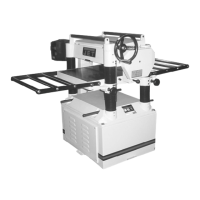
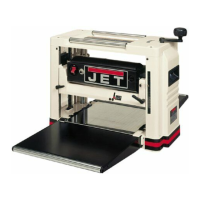
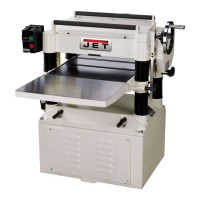
Model JWP-208HH shown
JET
427 New Sanford Road
LaVergne, Tennessee 37086 Part No. M-708528
Ph.: 800-274-6848 Revision K 11/2018
www.jettools.com Copyright © 2014 JET
This manual is bookmarked
This .pdf document is bookmarked

Questions and Answers

  • S
    Shane GrimesAug 15, 2025
    How to fix poor feeding of lumber in my Jet Planer?
    • J
      Janice MurilloAug 15, 2025
      If you're experiencing poor feeding of lumber with your Jet Planer, here are a few things to check: * Make sure the feed roller pressure is properly adjusted. * Clean any pitch and residue from the planer bed, and then wax the table. * Check the transmission v-belt and tighten it if it's slipping. * If the surface of the feed rollers is too smooth, lightly roughen it with sandpaper.
  • J
    jose78Aug 18, 2025
    How to get rid of snipe on my Jet JWP-208HH Planer?
    • C
      Corey BarreraAug 18, 2025
      Snipe on your Jet Planer can be caused by several factors: * Ensure the table rollers are set to the correct height. * Use extension rollers to adequately support long boards. * Adjust the feed roller tension to ensure even pressure from front to back. * Sharpen the planer knives. * Butt each piece of stock end to end as they pass through the planer.
  • C
    Carl HansonAug 22, 2025
    What to do if my Jet Planer is producing torn grain?
    • M
      monicaatkinsonAug 22, 2025
      If your Jet Planer is producing torn grain, consider the following: * Reduce the depth of cut, as it may be too heavy. * Ensure you are cutting along the grain of the wood. * Sharpen the planer knives.
  • J
    Jacqueline RushAug 25, 2025
    Why is my Jet JWP-208HH producing rough or raised grain?
    • L
      Lori AllenAug 26, 2025
      Rough or raised grain from your Jet Planer can occur due to: * Dull planer knives, so sharpen them. * A cut that is too heavy, so adjust to a proper depth. * High moisture content in the wood, so remove the moisture by drying.
  • A
    Anthony RobertsonAug 28, 2025
    How to fix fuzzy grain when using my Jet JWP-208HH?
    • M
      Mark ShawAug 29, 2025
      Fuzzy grain when using your Jet Planer may be due to: * Planing wood with a high moisture content. Remove the high moisture content from the wood by drying. * Dull knives. Sharpen or replace them.
  • B
    bgreerAug 31, 2025
    Why won't my Jet Planer start or restart?
    • D
      Dana HernandezAug 31, 2025
      There could be several reasons why your Jet Planer won't start or keeps tripping the circuit breaker: * First, make sure the unit is properly connected to a power source. * If the planer overloaded, give it time to cool down before attempting to restart. * If the problem persists, inspect the amp setting on the motor starter inside the electrical box. Also, check for loose electrical connections there. * The motor starter may have failed; look for burned or damaged parts. * The motor itself could be faulty. Have a qualified electrician test it, or take it to a motor repair shop for testing.
  • J
    Jonathan MurphySep 4, 2025
    How to correct uneven depth of cut side to side on my Jet Planer?
    • M
      Megan MccarthySep 4, 2025
      If you're experiencing an uneven depth of cut from side to side on your Jet Planer: * Adjust the knife projection. * Ensure the cutterhead is level with the bed and level the bed if it is not.
  • R
    richard91Sep 7, 2025
    Why does my Jet JWP-208HH produce a rounded, glossy surface?
    • D
      Daniel BradfordSep 7, 2025
      A rounded, glossy surface from your Jet Planer can be caused by: * Dull knives, so sharpen or replace them. * A feed speed that is too slow, so increase the speed. * A cutting depth that is too shallow, so increase the depth.
  • M
    Matthew CarterSep 12, 2025
    What causes chain jumping on a Jet JWP-208HH and how to fix it?
    • M
      michaelhillSep 12, 2025
      Chain jumping on your Jet Planer can be caused by: * Inadequate tension, so adjust the chain tension. * Misaligned sprockets, so align them. * Worn sprockets, so replace them.

Summary

Warranty Information

Product Warranty Details

Details warranty duration for different product categories and parts.

Safety Precautions

General Safety Guidelines

Crucial safety precautions for operating the planer and avoiding hazards.

Safety Decals

Familiarizes users with important safety labels and warnings on the machine.

Installation and Setup

Unpacking and Assembly

Guides on unpacking, initial setup, and component assembly.

Electrical Connections

Emphasizes safety for electrical connections, grounding, and extension cords.

Machine Operation and Adjustments

Features and Specifications

Identifies key components, features, and technical specifications of the planer.

Key Adjustments

Covers adjustments for belts, rollers, cutterhead knives, and table parallelism.

Maintenance and Troubleshooting

Routine Maintenance

Outlines periodic inspections, cleaning, and lubrication for machine upkeep.

Troubleshooting Common Issues

Addresses operating, mechanical, and electrical problems with solutions.

Parts Identification

Ordering Replacement Parts

Information on how to order necessary replacement parts for the planer.

Head Assembly Parts

Detailed list and exploded view of parts for the head assembly.

Table and Roller Parts

Lists parts and assembly details for the table and roller mechanisms.

Stand and Motor Parts

Identifies components of the stand and motor assembly.

Gearbox Parts

Provides a comprehensive list of parts for the gearbox assembly.

Wiring Diagrams

Single Phase Wiring

Diagrams for 230V 3HP and 230V 5HP single-phase motor electrical connections.

Three Phase Wiring

Diagrams for 230V 5HP and 460V 5HP three-phase motor electrical connections.

Jet JWP-208HH Specifications

General IconGeneral
Motor Power3 HP
Cutter Head Speed5000 RPM
Voltage230V
Number of Knives3
No-load Speed5000 RPM
Feed Rate20 FPM
Phase1 Phase
Maximum Depth of Cut1/8"

Related product manuals