EasyManua.ls Logo

Jet JWP-15B - User Manual

Jet JWP-15B
36 pages
Print Icon
To Next Page IconTo Next Page
Loading...
1
Operating Instructions and Parts Manual
15-inch Planer
Models JWP-15B, JWP-15BHH
JET
427 New Sanford Road
LaVergne, Tennessee 37086 Part No. M-722150
Ph.: 800-274-6848 Edition 1 01/2019
www.jettools.com Copyright © 2019 JET
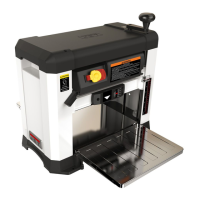
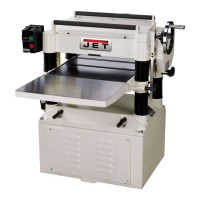
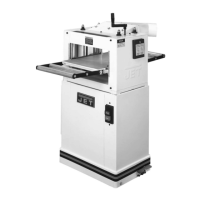
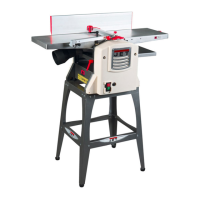
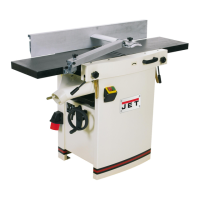
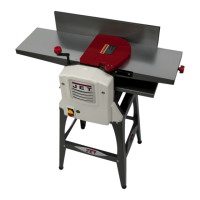
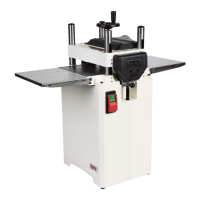
JWP-15BHH
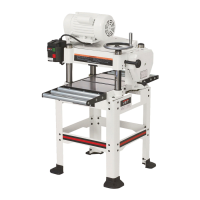
JWP-15B
This .pdf document is bookmarked

Questions and Answers

  • M
    Mr. Jonathan KeithAug 19, 2025
    What to do if my Jet Planer is not feeding lumber well?
    • B
      Brady DelgadoAug 19, 2025
      If your Jet Planer is not feeding lumber properly, several factors could be the cause. First, check and adjust the feed roller tension, and replace the rollers if proper tension cannot be achieved. Ensure the planer table is clean from pitch and residue, and apply paste wax. Also, make sure the belt isn't slipping on the pulleys and tighten it if necessary. Finally, check the surface of the feed roller and clean off any pitch and residue.
  • D
    Denise LopezAug 21, 2025
    Why does my Jet Planer repeatedly trip the circuit breaker?
    • M
      Michael AllenAug 21, 2025
      If your Jet Planer won't start, restart, or keeps tripping the circuit breaker, several factors could be at play. First, ensure the planer is receiving power. If overload protection has activated, allow the unit to cool down before pressing the reset button. A cut that is too heavy can also cause trips, so try a lighter cut. Check for other electrical items on the same circuit and ensure the planer is on a dedicated circuit. Verify the planer is on a correctly sized circuit and check for loose electrical leads, examining all connections for tightness and signs of arcing.
  • B
    Bob FreemanAug 23, 2025
    How to prevent snipe on my Jet JWP-15B Planer?
    • J
      Jacqueline AdamsAug 23, 2025
      Snipe on your Jet Planer can be caused by several factors. Ensure long boards are adequately supported with an assistant or extension rollers. Check and adjust the feed roller pressure to ensure it's even from front to back. Dull knives or knife inserts can also cause snipe, so sharpen or replace knives, or rotate or replace inserts. Lastly, ensure lumber is butted end to end properly as it passes through the planer.
  • D
    Dr. Vanessa WilliamsAug 26, 2025
    What causes torn grain when using my Jet JWP-15B?
    • G
      gomezwilliamAug 26, 2025
      Torn grain when using your Jet Planer can be due to a few reasons. If you're taking too heavy a cut, adjust the depth accordingly. Ensure that the knives or inserts are cutting along the grain where possible. Also, check if the knives or knife inserts are dull; if so, sharpen or replace the knives, or rotate or replace the inserts.
  • S
    sweaverAug 27, 2025
    Why is my Jet Planer leaving a rough or raised grain?
    • E
      elizabethyoungAug 27, 2025
      Rough or raised grain on your Jet Planer can be caused by dull knives or knife inserts, so you should sharpen or replace the knives, or rotate or replace the inserts. It may also be due to taking too heavy a cut, so adjust the depth of cut accordingly. Finally, planing wood with high moisture content can cause this issue, so remove moisture by drying the wood or use different stock.
  • J
    joshuajenkinsAug 29, 2025
    Why does my Jet JWP-15B leave a fuzzy grain?
    • J
      Jasmine WrightAug 29, 2025
      A fuzzy grain when using your Jet Planer can occur if you're planing wood with high moisture content, so remove moisture by drying the wood, or use different stock. Also, dull knives or knife inserts can cause this, so sharpen or replace the knives, or rotate or replace the inserts.
  • T
    Tina ClarkAug 31, 2025
    Why is my Jet JWP-15B leaving a rounded, glossy surface?
    • C
      Clinton PearsonSep 1, 2025
      A rounded, glossy surface from your Jet Planer may be due to dull knives or knife inserts, so sharpen or replace the knives, or rotate or replace the inserts. It could also be caused by a feed rate that is too slow, so increase the feed rate. Additionally, the cutting depth might be too shallow, so increase the cutting depth.
  • H
    Heather SpearsSep 3, 2025
    Why is my Jet JWP-15B Planer giving an uneven depth of cut from side to side?
    • D
      Destiny WilliamsSep 3, 2025
      Uneven depth of cut from side to side on your Jet Planer can be caused by incorrect knife projection from the cutterhead, so adjust the knife projection. Also, the table might not be parallel to the cutterhead, so adjust the table/cutterhead parallelism.
  • K
    Keith CurtisSep 5, 2025
    What to do if board thickness does not match depth of cut scale on Jet JWP-15B?
    • T
      tcohenSep 5, 2025
      If the board thickness doesn't match the depth of cut scale on your Jet Planer, the depth of cut scale is likely incorrect. Adjust the depth of cut scale to resolve this.
  • A
    Angelica AlexanderSep 7, 2025
    Why is the chain jumping on my Jet Planer?
    • H
      hphillipsSep 7, 2025
      If the chain is jumping on your Jet Planer, it could be due to inadequate tension, so adjust the chain tension. Misaligned sprockets can also cause this issue, so align the sprockets. Additionally, worn sprockets can be the problem, so replace the sprockets.

Summary

Important Safety Instructions

General Safety and Training

Covers understanding the manual, warnings, and proper training for planer operation.

Personal Protective Equipment

Guidelines on wearing safety glasses, appropriate clothing, and avoiding jewelry during operation.

Safe Machine Operation Practices

Instructions on machine setup, guards, adjustments, and preventing kickback.

Work Area and Hazard Awareness

Ensuring a clean work area, proper lighting, visitor safety, and awareness of specific hazards.

Electrical Connections

Grounding Instructions

Detailed procedures and safety precautions for proper grounding of the tool.

Adjustments

Replacing Knives (JWP-15 B)

Step-by-step guide for safely replacing the straight knives on the JWP-15B model.

Replacing Knife Inserts (JWP-15 BHH)

Instructions for rotating or replacing the helical cutterhead knife inserts.

Operation

Maintenance

Troubleshooting

Jet JWP-15B Specifications

General IconGeneral
Motor Power1500 W
Planing Width15"
Planing Thickness6"
Cutterhead Speed5000 RPM
Weight600 lbs
Number of Knives3
Maximum Depth of Cut1/8"
Max. planing width15"
Max. planing depth1/8"
Feed Rate20 FPM

Related product manuals