CALIBRATION PROCEDURE
Jetco Torque Tools 16 www.itorque.com
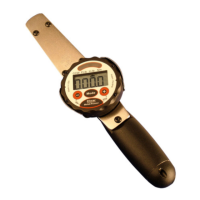
2. The wrench will now show “C010”. Apply 10% of full scale to the wrench in the CW direction. If the wrench range
is 250 ft-lb apply exactly 25.00 ft-lb (10% of full scale) squeeze the UNITS key to accept the 10% torque value.
IMPORTANT! After loading the desired torque and pressing the units key the tester will approximately
3 seconds to take a reading to allow the torque to stabilize and for you to remove your finger from
the wrench, do not touch the wrench or go on to the next step until the wrench prompts you to do so.
Make sure the weights are not swinging when you press the UNITS key (if you are suing weights to
apply the force to the handle).
3. Repeat above procedure for 50% and 100% clockwise torque values.
4. After completing the CW direction the tester will display “C000” and the direction icon will point to the CCW. Load
the wrench to full scale three time in the COUNTER-CLOCKWISE direction. Remove the wrench from the tester and
press the UNITS key (REV/EX Series) or MODE key (Electronic Dial Series) to accept the CCW zero calibration point.
5. The wrench will now show “C010”. This means apply 10% of full scale to the wrench (this time in the counter-
clockwise direction). If the tester is a 250 ft-lb tester apply exactly -25 ft-lb (10% of full scale). With a stable 10%
load press the UNITS key. IMPORTANT! After loading the torque and pressing the units key the wrench
will wait approximately 3 seconds to take a reading to allow the torque to stabilize, do not touch the
tester, or go on to the next step until the tester prompts you to do so.
6. Repeat 50% and 100% in the counter-clockwise direction.
After pressing the final UNITS key (REVO/EX series) or MODE key (Electronic Dial Series), at 100% of full scale in the counter-
clockwise direction, the tester will start reading the torque in the track mode. The value should be correct. If calibration values
were not entered correctly such that values input were significantly different than the original values the
calibration will not be accepted and the factors will not change.
Retest the unit at all points.
Important Calibration Issues:
1. The calibration will only be as accurate as the accuracy of the torque applied at the calibration points.
2. When testing the wrench for accuracy, make sure you are in Track mode.
3. Make sure you load BOTH the tester and the wrench to full scale in the direction to be calibrated, then remove the
wrench from the tester and zero BOTH the tester and the wrench.
4. Always apply the torque to the center of the rubber grip of the JH series.
5. If, after calibration, the wrench “sticks” on the full-scale value of the wrench you have done something wrong
during calibration. The most common causes for this are: 1. You calibrated the wrench in the reverse order
(calibrated the CCW direction first), or, 2. You went through the calibration without loading the wrench, or, 3. You
missed a calibration point (pressed the units key when no load was applied.


 To Next Page