CHANGING TORQUE DIRECTION
CHANGING THE PASS/FAIL ZONE
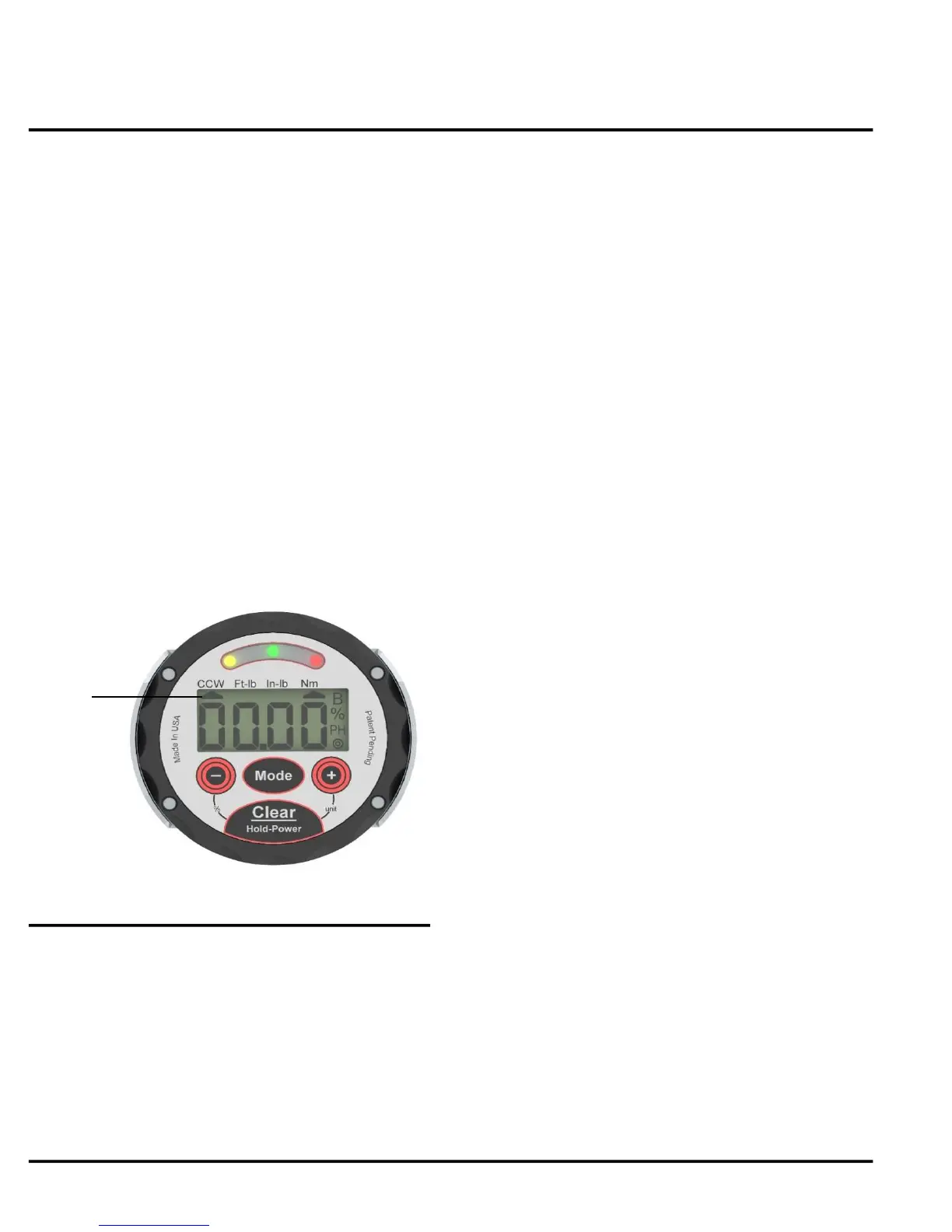
Fig. 5
Jetco Torque Tools 5 www.itorque.com
OPERATION
■ To maximize accuracy, JETCO recommends that
the user undergo the following procedure whenever
switching torque direction (from CW to CCW or vice
versa):
■ Before switching directions, load the torque
wrench to full scale 3 times in the direction you wish
to use the wrench in. If the wrench is currently
being used in the CW direction and the user wishes
to switch to CCW, load the wrench 3 times in the
CCW direction.
■ Zero/Tare the wrench.
NOTE:
See Figure 5
■ An arrow will be visible under "CCW" when the
wrench detects the torque being applied is in the
counter-clockwise direction.
■ Refer to the calibration procedure for more
information on zero/tare.
See Figure 4
■ When applying torque in PEAK HOLD mode, the
wrench will detect the highest torque applied and
display it on the screen.
■ The screen will show "PH" when in PEAK HOLD
mode.
■ In TRACK mode, the wrench will display the
torque reading on the screen in real time.
■ To switch between PEAK HOLD and TRACK
mode press the mode button.
See Figure 4
■ The default target torque zone the wrench is set
to is ±1%. This can be changed anywhere between
1-10% or it can be turned off.
■ To change or turn off the pass/fail zone, with the
wrench on hold the power button for no more than 3
seconds (holding it for more then 3 seconds will
turn off the wrench).
■ Press the Target " - " key. Keep pressing the
target " - " key until the desired value is shown.


 To Next Page