CALIBRATION PROCEDURE
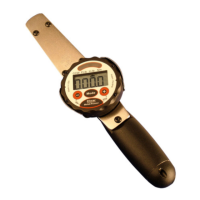
Jetco Electronic Torque Wrench (REVO/EX and Electronic Dial Type) Calibration Procedures
Jetco Torque Tools 15 www.itorque.com
You must have the proper equipment to calibrate the electronic torque wrench.
Equipment required:
1. Certified NIST traceable torque tester with an accuracy of 0.5% or better
2. Loading means: Weights or torque loader.
The wrench is calibrated by loading it to 8 predetermined points (three clockwise and three
coutner-clockwise plus zero in each direction). The calibration must be done in the equivalent primary units of the wrench (in-lb
or ft-lb).
For example, to calibrate a 250 ft-lb wrench you must have the ability to accurately apply 25.00 ft-lb (10% of full scale), 125.0 ft-
lb (50%) and 250.0 ft-lb (100%) in both the cw and
ccw direction.
Test Accuracy Procedure:
1. Turn the wrench on with NO torque applied (not installed in the loader and no hanging on a transducer). Put the
wrench in TRACK mode by holding the power button and then press the tolerance + key one time. Each time you
press the tolerance + key, while holding the power button, you will toggle between peak hold (shown by PH) on the
display and track mode. On the electronic dial type wrenches press the Mode key to enter track mode.
2. Testing manually (without a loader): Attach the wrench to the transducer horizontally (parallel to the ground) with drive
pointing away from you and installed in the transducer. Put the torque tester in track mode. Now, when you apply
torque to the handle of the wrench the readings on the wrench should correspond to the readings on the tester within
the specified accuracy (wrench accuracy plus tester accuracy). You need to apply the torque to the handle with
weights using a strap or cable to suspend the weights from the CENTER of the handle. Since you are using the
accuracy of the tester to test the wrenches you do not need to worry about using certified weights. The weights are
only used to apply a steady force on the handle during testing.
3. When going from clockwise to counterclockwise always load the wrench to full scale three times prior to the test. This
“shifts” the zero to the opposite direction as a result of hysteresis (hysteresis is natural phenomenon which occurs in
material).
4. Note the readings and determine the accuracy. If the wrench is out of tolerance re-calibrate per the procedure below.
Be sure to take into account the accuracy of your tester when determining the accuracy.
Calibration Procedure:
1. To enter calibration mode with a REVO/EX series do the following: With the wrench OFF and NO torque applied,
press the Tolerance plus (+) key and the Power/Clear key at the same time (this starts the wrench in calibration
mode). To enter calibration mode with the Electronic Dial series press the MODE button and then the power key. If
done properly the wrench will turn on showing: “ C000" for a moment. The wrench will then display “0”. Load the
wrench to full scale three time in the CLOCKWISE direction. Remove the wrench from the tester and press the UNITS
button to accept the zero torque calibration point.
NOTE: Each calibration level requires you to apply the correct torque and press the UNITS key (REVO/EX series) or
MODE key (Electronic Dial Series) to go on to the next calibration step. If you make a mistake you must start over at
step 1. When using weight to apply torque do not touch the weights until the wrench displays the next calibration
point, there will be a short hesitation after pressing the UNITS key (REVO/EX series) or Mode key (Electronic Dial
Series) to allow the weights to stabilize and for you to get your finger off of the keypad.
IMPORTANT: you must always calibrate in the clockwise direction FIRST, then the counter-clockwise direction. When
you press the UNITS key (REVO/EX series) or MODE key (Electronic Dial Series) to accept the torque input squeeze
(pinch) the button from the back of the wrench so you do not deflect the wrench by pressing down on the key.


 To Next Page
 Loading...