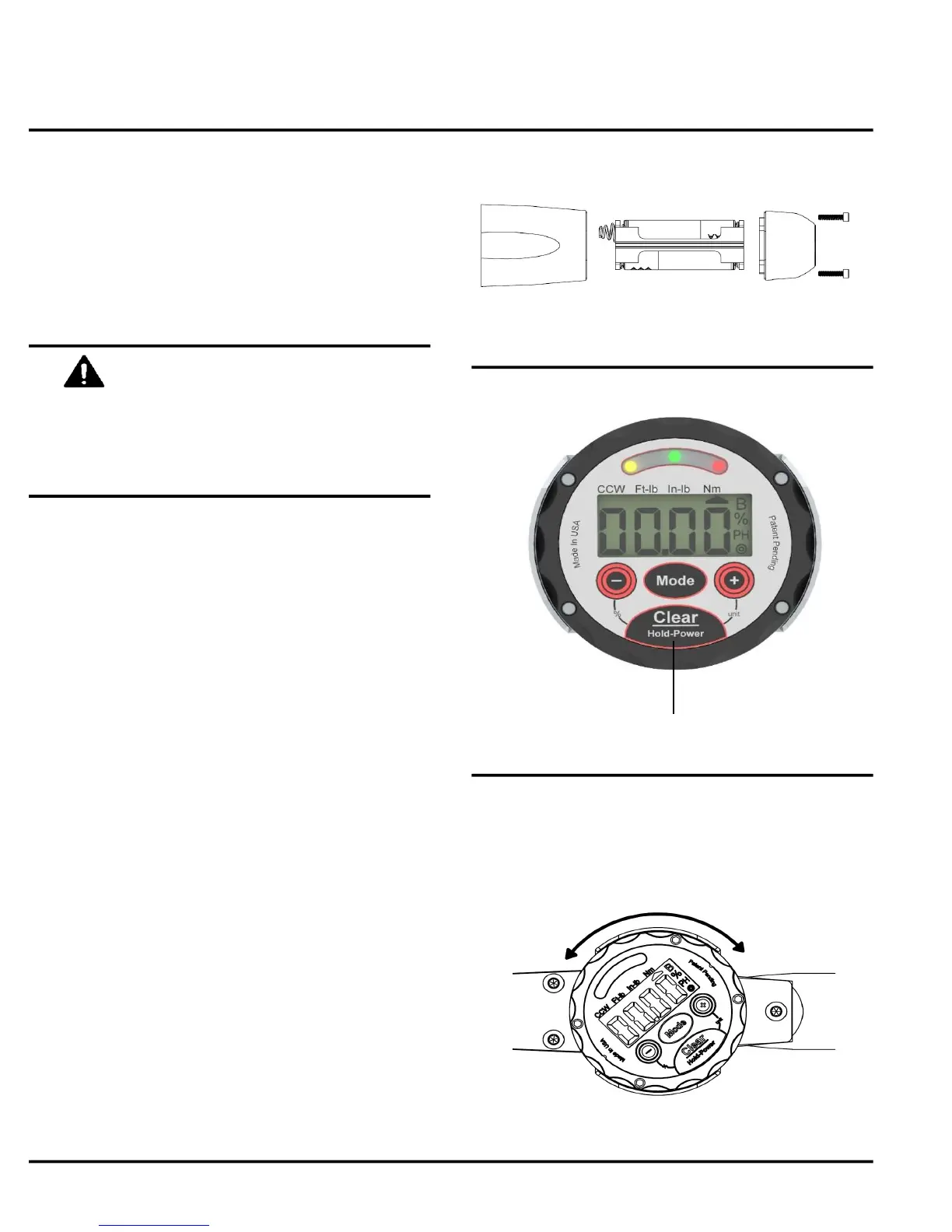
Fig. 1
Fig. 2
Fig. 3
Jetco Torque Tools
Do not install non-rechargeable batteries
in Power wrenches ("-P" and "-USB"
models) or damage will occur.
Do not overtighten screws.
NOTE:
■ "BATT" icon will turn on when the batteries are
low. When batteries are critically low the wrench will
not turn on.
■ Battery pack must be inserted in the correct
orientation to make contact with the circuit board
inside.
■ Models with the "Power" Option will include
rechargeable batteries. Do not install
non-rechargeable batteries in these models or
damage will occur.
■ Battery life is dependant on battery quality and
how often the lights and buzzer are used. Typical
life is up to 50 hours. Use high quality lithium
batteries for longest life.
OPERATION
3 www.itorque.com
See Figure 2
■ To turn on, press and hold the power button.
NOTE:
■ If the wrench is not used for approximately
30 minutes it will automatically shut off.
■ Do not turn on the wrench while torque is applied.
■ If the wrench comes on and then shuts off
immediately the batteries are probably low.
■ All previous stored settings (units, target, value,
taget %) are stored even when the power is off and
the batteries are out of the wrench.
See Figure 3
■ For a better viewing angle, rotate the display
by holding on to the bezel and turning it clockwise
or counter-clockwise.
See Figure 1
■ Wrenches up to 50ft-lb take a battery pack
containing 4x AAA non-rechargeable batteries. All
other wrenches take a 9V battery.
■ To install a battery pack, remove the 2 screws
that hold the end cap and insert the battery pack
with the spring contacts on the top as shown.
Power Button


 To Next Page