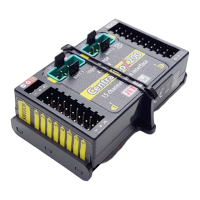
computer radio control system
EN
6. Transmitter Powering ON/OFF .......................................................... 28
6.1 Transmitter, Powering-ON ........................................................... 28
6.2 Transmitter Turning-OFF ............................................................... 28
6.3 Transmitter Restart ...................................................................... 28
7. Initial switching-on ............................................................................... 29
7.1 Main display ..................................................................................... 29
7.2 Navigation in the Menu ................................................................. 30
7.2.1 Navigation ............................................................................. 30
7.2.2 Browsing through the Menu ................................................ 31
7.2.3 Basic Menu Structure ........................................................ 31
7.3 Model Set-up Guide ....................................................................... 32
7.3.1 Airplane .................................................................................. 32
7.3.2 Helicopter ................................................................................ 34
7.3.3 Multicopter ............................................................................. 36
7.3.4 General .................................................................................... 38
7.3.5 Set up of Receiver Outputs .................................................. 41
8. Duplex Receivers .................................................................................... 42
8.1 Description ....................................................................................... 42
8.2 Installation ....................................................................................... 42
8.3 Binding .............................................................................................. 42
8.3.1 Standard pairing procedure .............................................. 42
8.3.2 Alternative pairing procedure through the
transmitter menu ............................................ 43
8.4 Range test ......................................................................................... 43
8.5 Fail safe .............................................................................................. 43
8.6 Using Device Explorer To Configure the Receiver ...................... 45
8.6.1 Support of remote commands for EX Bus devices ........... 48
8.7 RC-Switch ........................................................................................ 50
9. Transmitter to PC Connection ........................................................ 52
9.1 Memory & System Files ............................................................. 52
9.2 Update Firmware ....................................................................... 52
9.3 Sounds, Alarms & Acoustic Updates ....................................... 52
9.4 System Backup ............................................................................ 53
9.5 PC Joystick ..................................................................................... 53
9.6 Telemetry Data Logging ............................................................. 53
9.7 Copying models between the transmitters ............................. 53
4


 To Next Page