!
!
25!
!
• NAT Timeout - NAT session timeout is the length of time that the router will keep
that connection even if it is inactive. After that, the router will remove the entry, and
stop accepting the incoming traffic.
- MAC Filtering
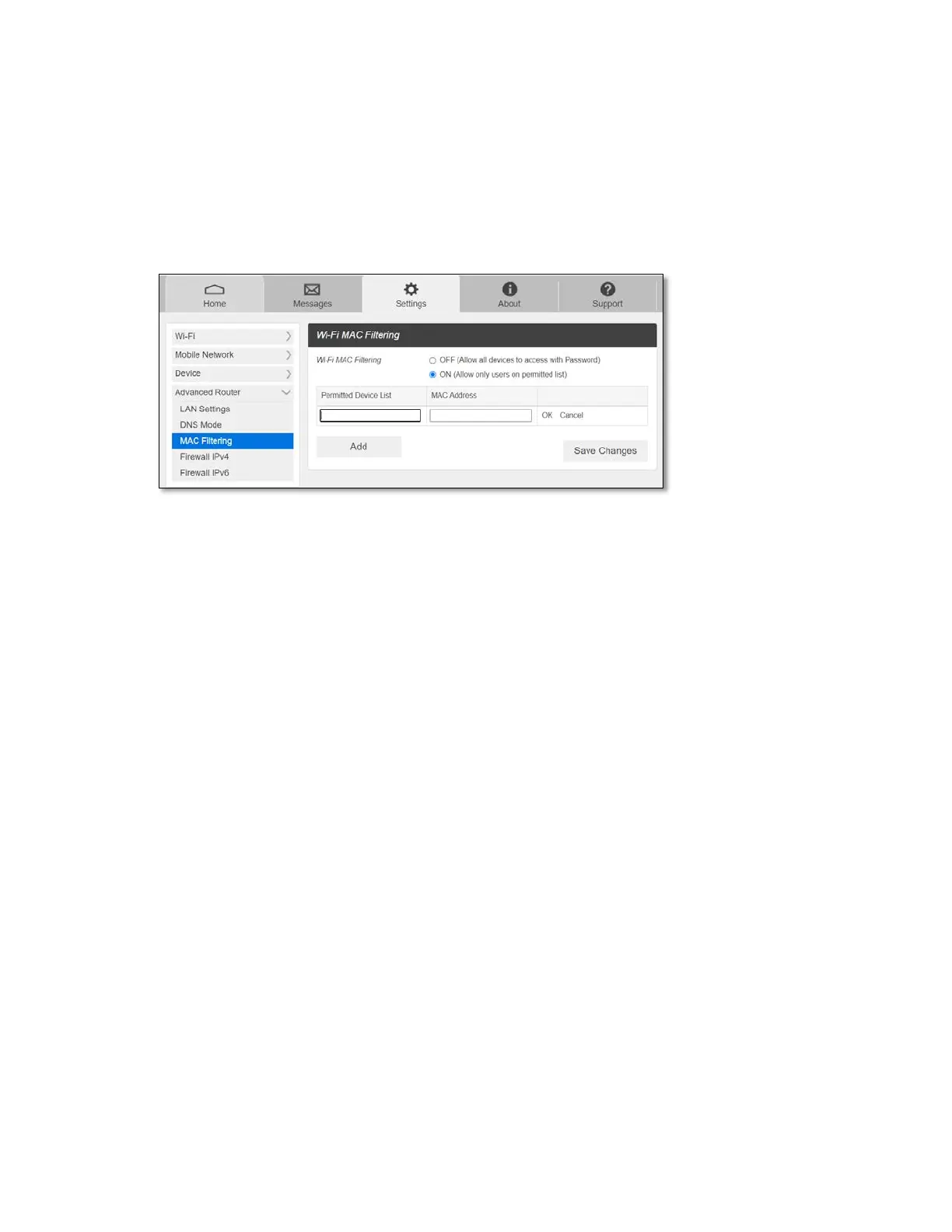
The MAC filtering allows only selected devices to access your mobile hotspot Wi-Fi network.
By default, MAC filtering is turned OFF.
To enable MAC Filtering,
1. Select ON.
2. Press Add to add a line to enter device name and MAC address, then click OK.
When entering MAC addresses, use “:” as the separators (for example,
c2:b5:d7:27:fb:9b).
To add more, press Add to add another line.
3. When completed adding devices, press Save Changes.
NOTE: If MAC filtering is on and at least one device is listed, only the listed devices can access
your RG2100 Wi-Fi network. The MAC filtering has no effect on devices connected via USB
connection.
- Firewall IPv4
You can set up firewall rules to protect your network from virus and malicious activity on the
Internet.



 To Next Page