* Describing the LED status when contacting us will help locate
the problem.
Set up APN
If your device is unable to activate, you may need to set up
APN when first time use.
Step 1 - Confirm the SIM card frequency band compatible with
LL02:
LTE Cat 1:B1/B3/B5/B7/B8/B20/B28
GSM: 850/900/1800/1900 MHz
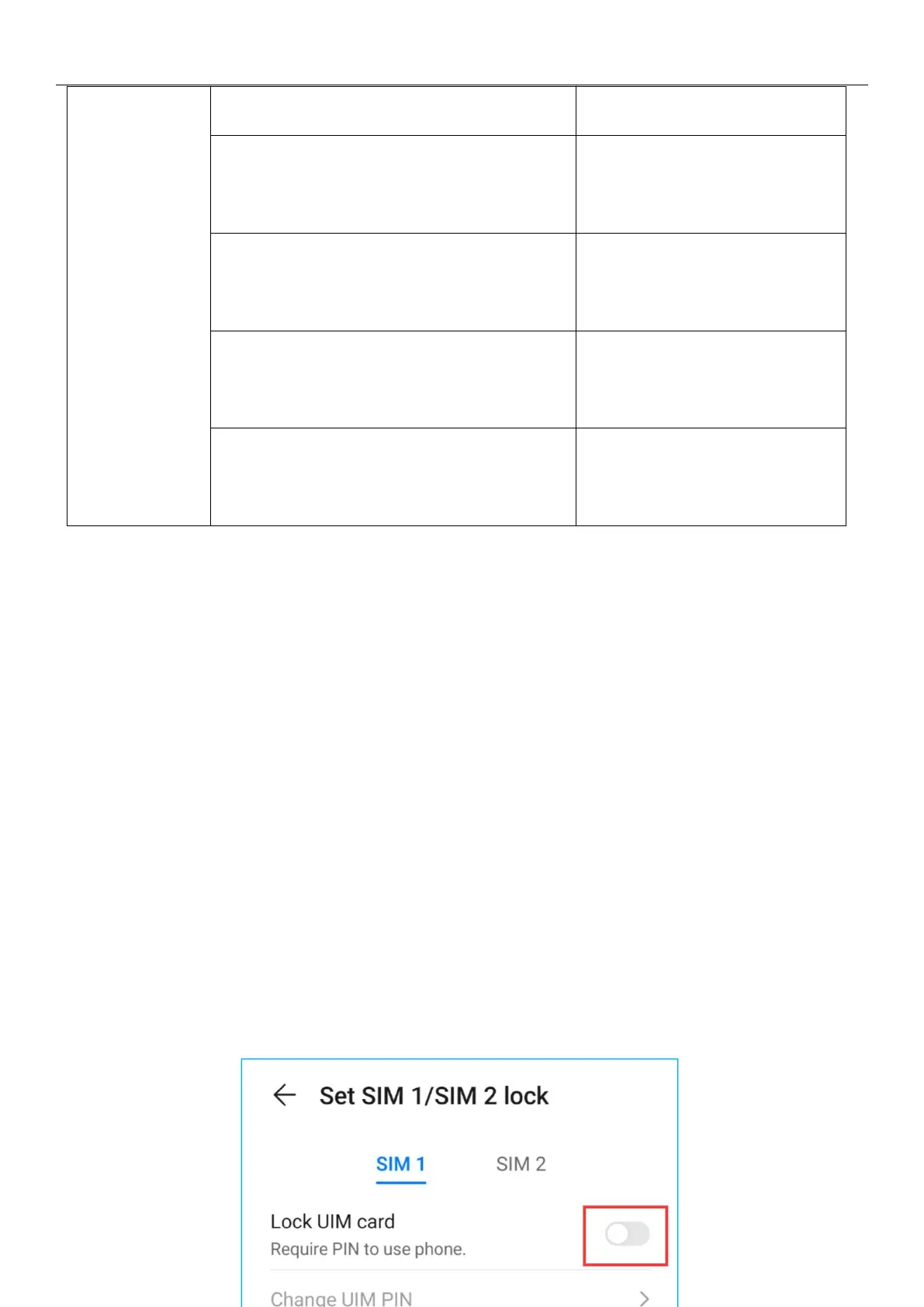
Step 2 - Insert the SIM card into your smartphone and disable the
PIN code.
Flicker Quickly (0.3s on,
0.3s off)
Flicker Slowly(0.1s on; 3s
off)
Moderate Flicker(1s on; 3s
off)
GPRS connected
successfully


 To Next Page