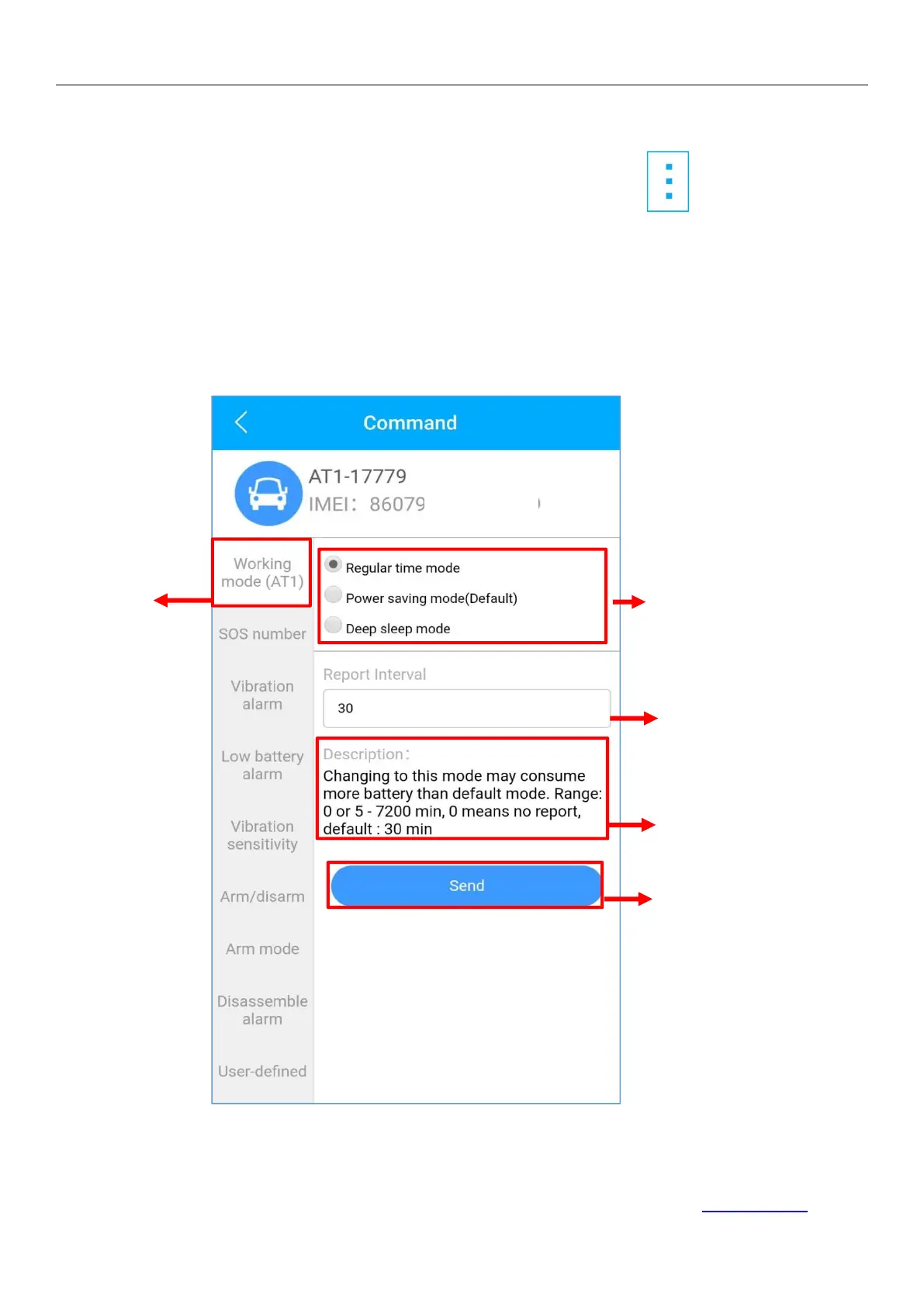
Set Work Mode
Find your device in the list page, click on the icon.
Go to ‘Command’ page to set a work mode based on different
situations, to get a more accurate location or longer standby
time.
Explore more setting options to design your own tracking style.
These commands can only be affected when devices is online.
If you are confused about these settings, please feel free to contact us.


 To Next Page